
Multi-outlet restaurant software: many brands, regions and outlets
Run one outlet? You will not see chain features until you need them. Multi-outlet restaurant software lets one company run many outlets from one place. Zentaro Serve is restaurant chain software with brands, regions and outlets: you set menu, price, offer and tax once at the top, then change them only where a region differs. Regions go up to 25 levels.
- Set prices once, change only where needed
- Each manager sees only their own part
- Compare your outlets
Run all your outlets from one place: set things once, and change them only where an outlet is different.
How it works
Set it once
Choose the menu, prices, tax and offers for the brand.
Change one place
Give a region or an outlet its own price, where allowed.
Give each person a part
A region manager sees only their own regions.
Check the numbers
Look at the company, a brand, a region or the kitchens.
Find any outlet.
An example multi-brand business with 3 brands and 17 outlets. Tap a name to open it.
-
Company Saffron Hospitality 17 outlets
-
Brand Saffron Courtyard · India 11 outlets
-
Format (optional) Casual dining 8 outlets
-
Region (optional) West 5 outlets
-
Region (optional) Maharashtra 5 outlets
-
Region (optional) Pune 3 outlets
- Outlet Koregaon Park
- Outlet Viman Nagar
- Outlet Baner
-
Region (optional) Mumbai 2 outlets
- Outlet Bandra
- Outlet Andheri
-
-
-
Region (optional) South 2 outlets
-
Region (optional) Bengaluru 2 outlets
- Outlet Indiranagar
- Outlet Koramangala
-
- Outlet Airport Road
-
-
Format (optional) Quick service 3 outlets
- Outlet Hinjewadi
-
Franchise region (optional) Gujarat franchise 2 outlets
- Outlet SG Highway
- Outlet Vastrapur
-
-
Brand Saffron Express · India 3 outlets
- Outlet Park Street
- Outlet Anna Nagar
- Outlet Camp
-
Brand Saffron Global · Second country Planned 3 outlets
- Outlet Outlet 1
- Outlet Outlet 2
- Outlet Outlet 3
-
Each outlet has one place. Regions and formats belong to one brand.
Prices: set once, change only where needed.
Set it for the brand. A format, a region or an outlet follows it, unless you change it there. A region or an outlet can differ where allowed. The closest level wins.
Worked example (sample data): one dish, three outlets
A made-up company, Saffron Hospitality. It is not a customer.
One dish, three outlets
The brand sets Paneer Tikka once, at a sample price of ₹320. Then one region and one outlet change it.
| Outlet | What it shows | Why |
|---|---|---|
| Koregaon Park, Pune | ₹320 | It follows the brand. Nothing was changed for Pune. |
| Bandra, Mumbai | ₹360 | Region override: the Mumbai region has its own price (sample). |
| Andheri, Mumbai | Hidden | Outlet override: this outlet hides the dish. Bandra, in the same region, still shows it. |
Outlets that nobody changed keep following the brand. Koregaon Park is one of them.
What you can change lower down
| What you set | What you can change lower down |
|---|---|
| Menu items and item details | Show, hide or adjust a dish where a region or an outlet is different. |
| Modifiers | Change the add-ons and options a region offers. |
| Prices and price lists | Give a region its own price list, with a price profile for each ordering channel. |
| Offers | Change an offer for one region without touching the rest. |
| Tax | Set tax for a region or a location. Rounding is one setting for the whole business. |
| Service charge | Set it for a format, a region or an outlet. |
| Tiffin meal slots | Set meal slots by region. |
| Booking policies | Use a different booking policy where you need one. |
| Dashboards | Give a region its own dashboard. |
| Menu entries in the app | Hide the app menu entries a company, a region or an outlet does not use. |
Who can change it. A region manager can change these for their own regions only.
Formats: casual dining and QSR under one brand
A format is a kind of restaurant, such as casual dining, fine dining, QSR, cafe or cloud kitchen. Menu, prices, tax and offers are set at the brand first. A format is optional. It can set its own prices, dish tax rules, offer values, service charge and meal times, and hide dishes. Otherwise it follows the brand.
- Formats are optional. You see them when your brand has two or more outlets.
- A region or an outlet can differ where allowed. The closest level wins.
- Move an outlet to another format. You see what will change first. Open orders must be closed.
- See sales for one format, and filter the dashboard by format.
See the whole business. Give each manager their part.
One Brand HQ view
See all your outlets together on one screen.
Region managers
A region manager sees and changes only their own regions.
Rules with a preview
Set a policy for part of your business. See what it will affect before the rule changes.
Outlet benchmarking
Compare your outlets with each other.
Who sees what (sample data)
Who can change it. A region manager can change settings for their own regions only.
Who sees what
| Person | Sees | Can change |
|---|---|---|
| Someone at company level | Every brand, region and outlet | Sets the rules every brand starts from |
| The West region manager | Only the West region | A price, a dish on or off, or an offer value, for the West outlets only |
| The West region manager, in the South region | Nothing | Nothing. A region manager sees and changes only their own regions. |
See the numbers for the part you run.
The same reports work for the whole company, one brand, one region or the kitchens. Pick a level.
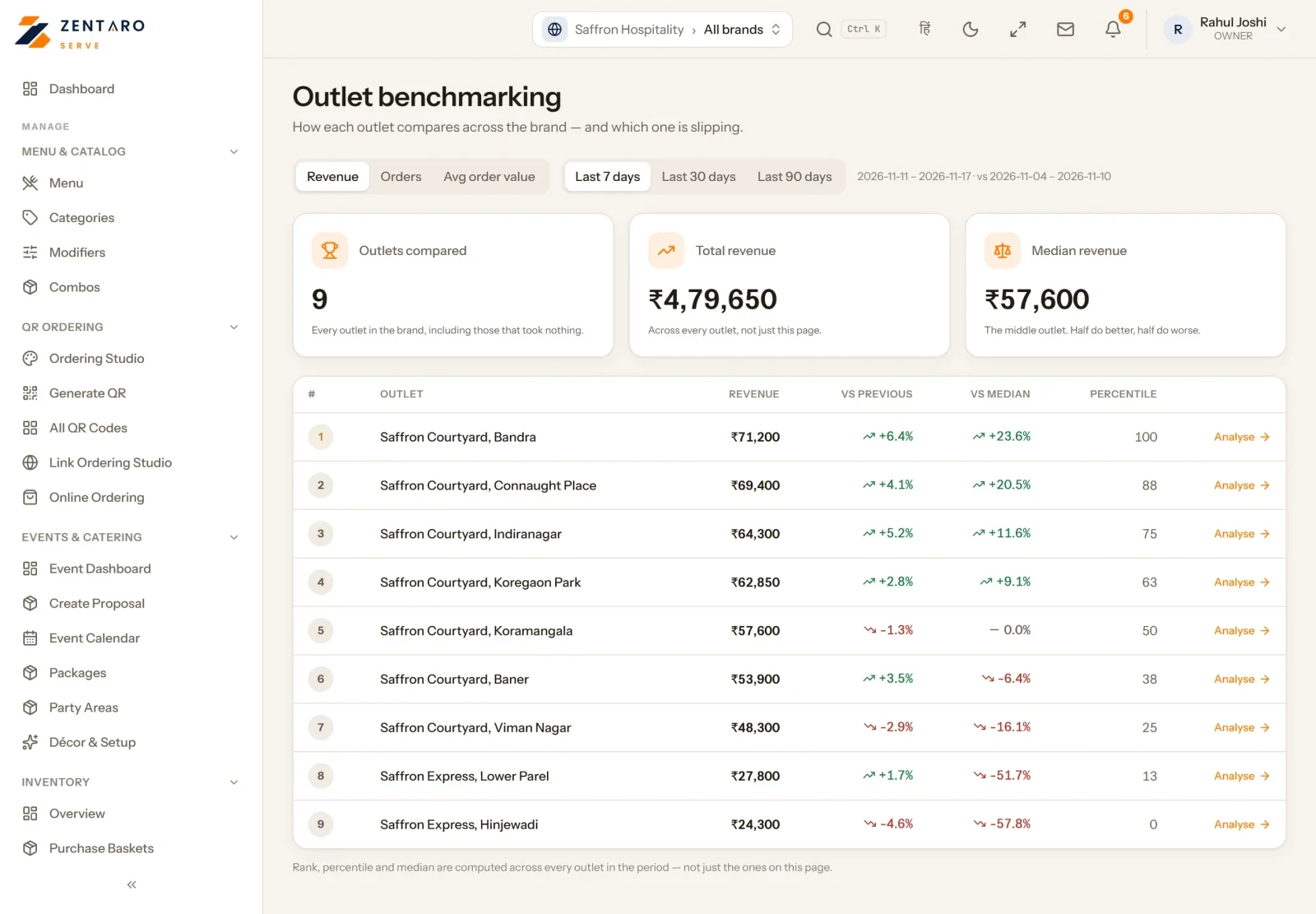
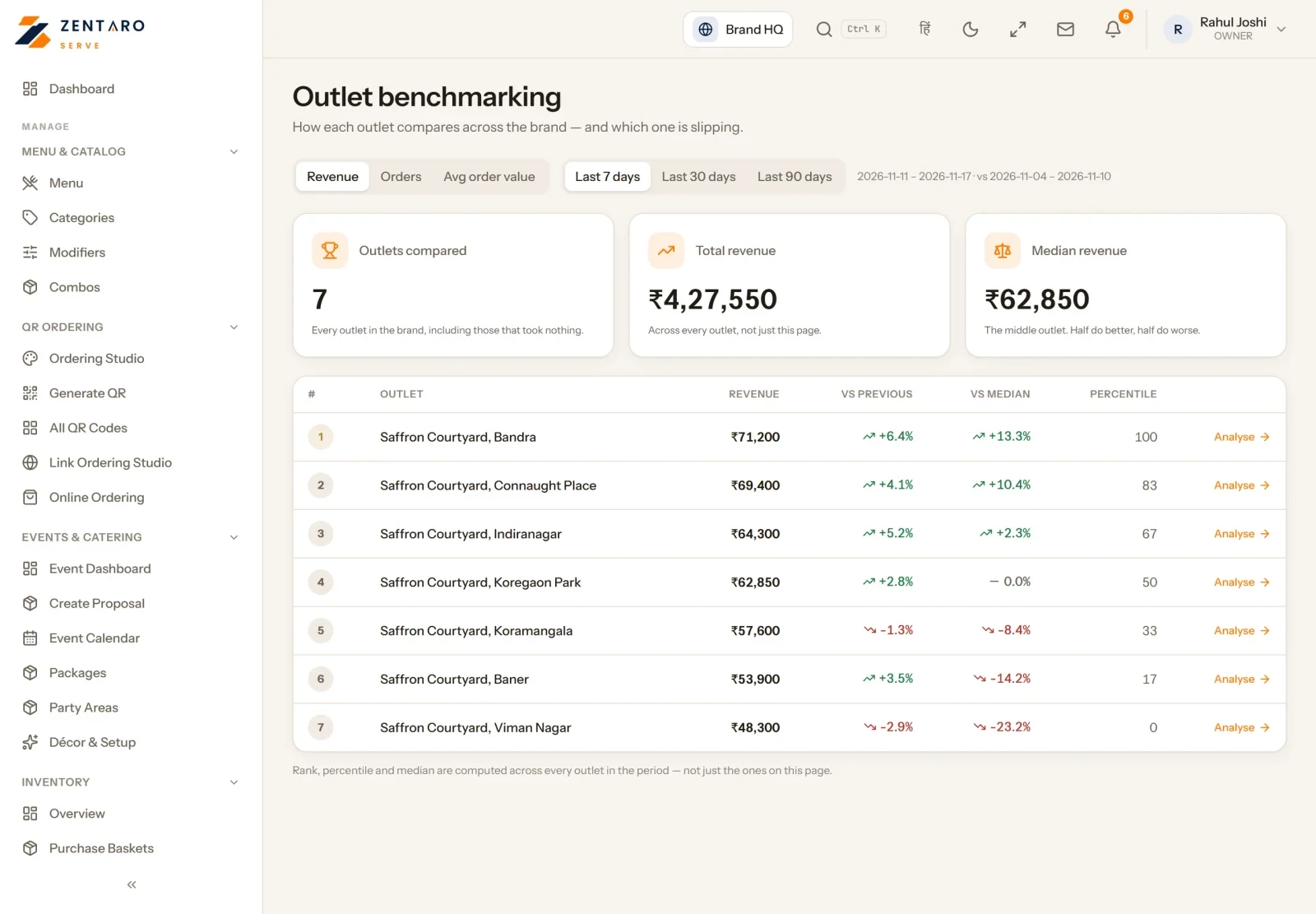
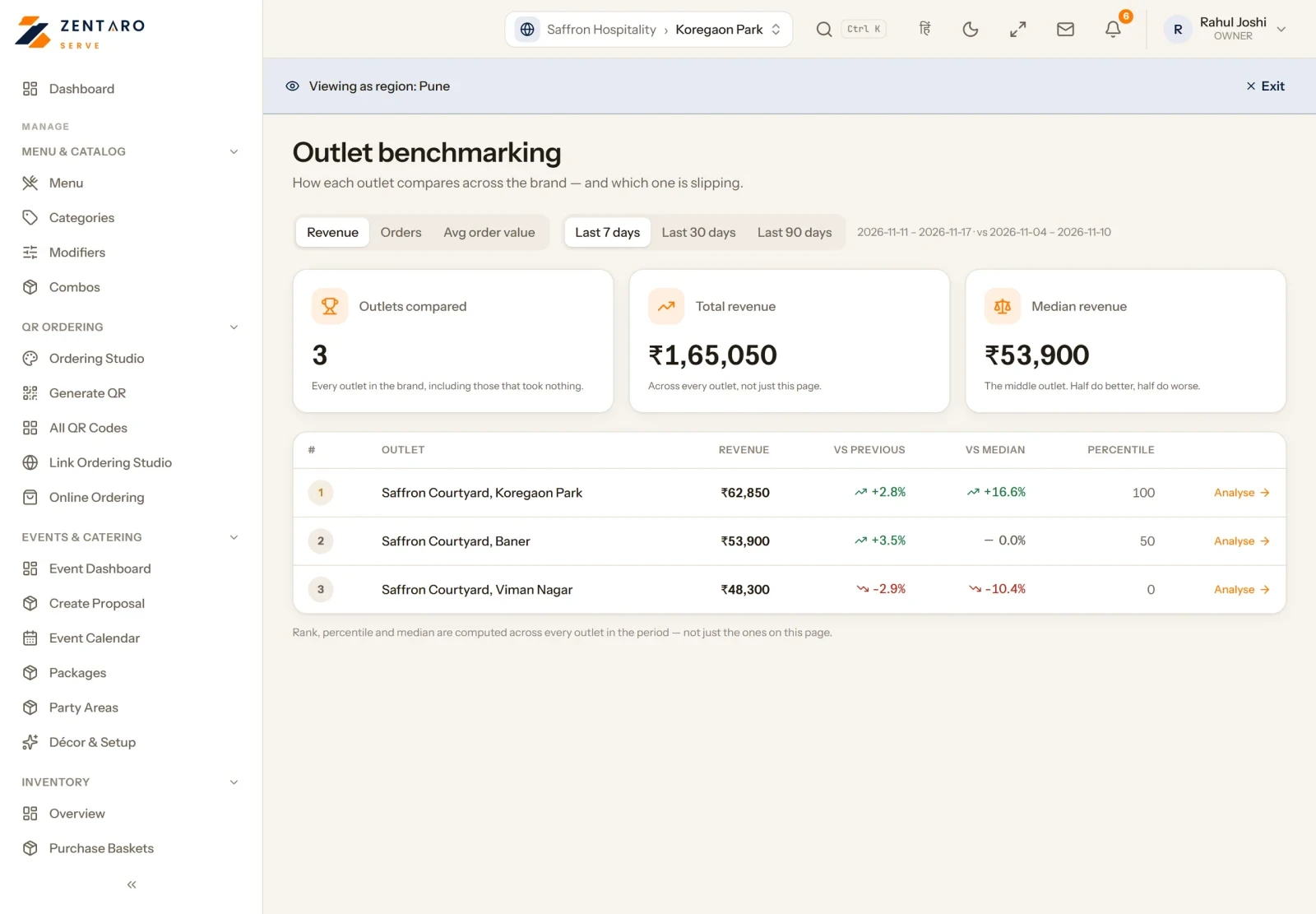
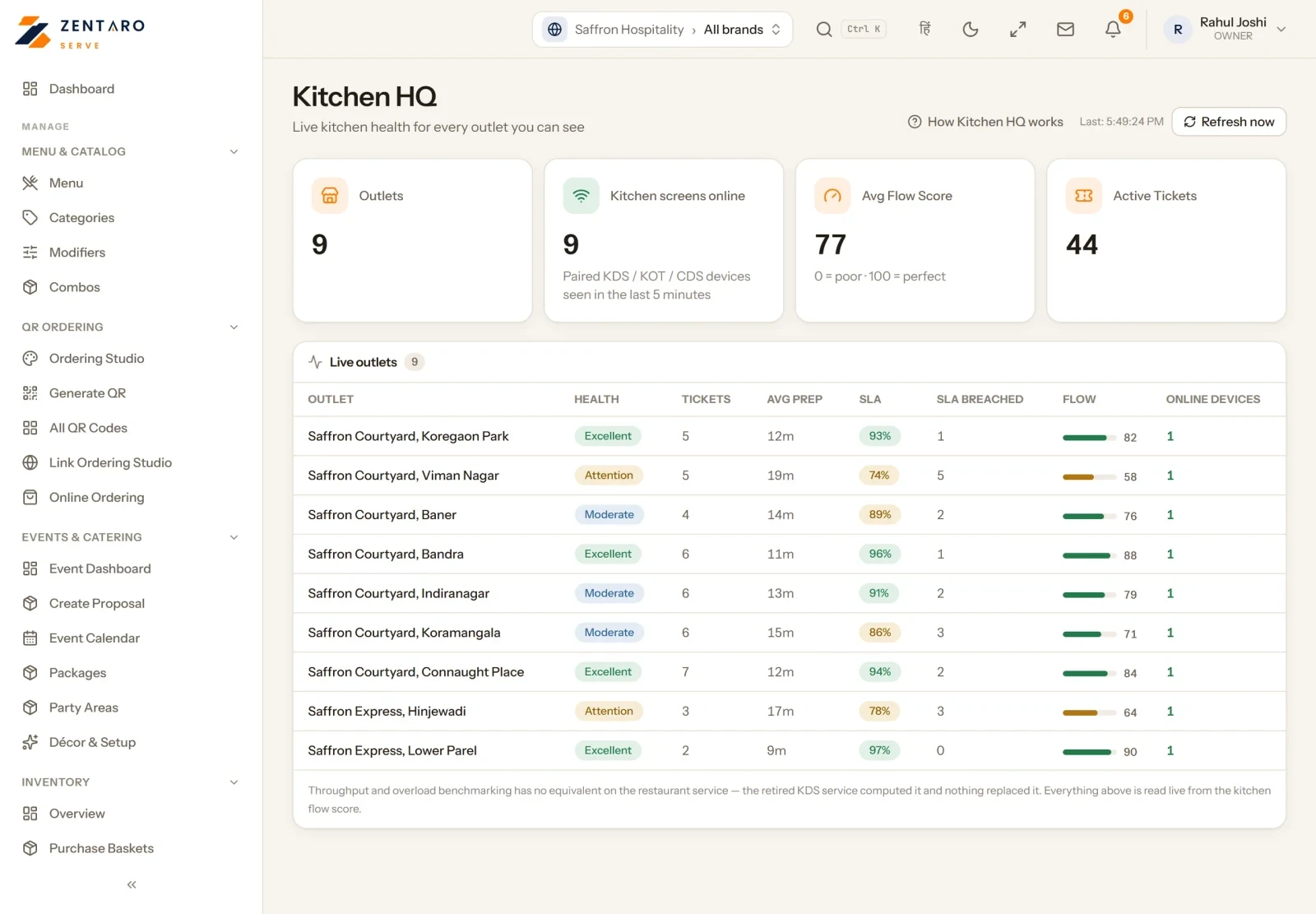
Example screens with sample data
Product screens
The screens you and your team will use for this.
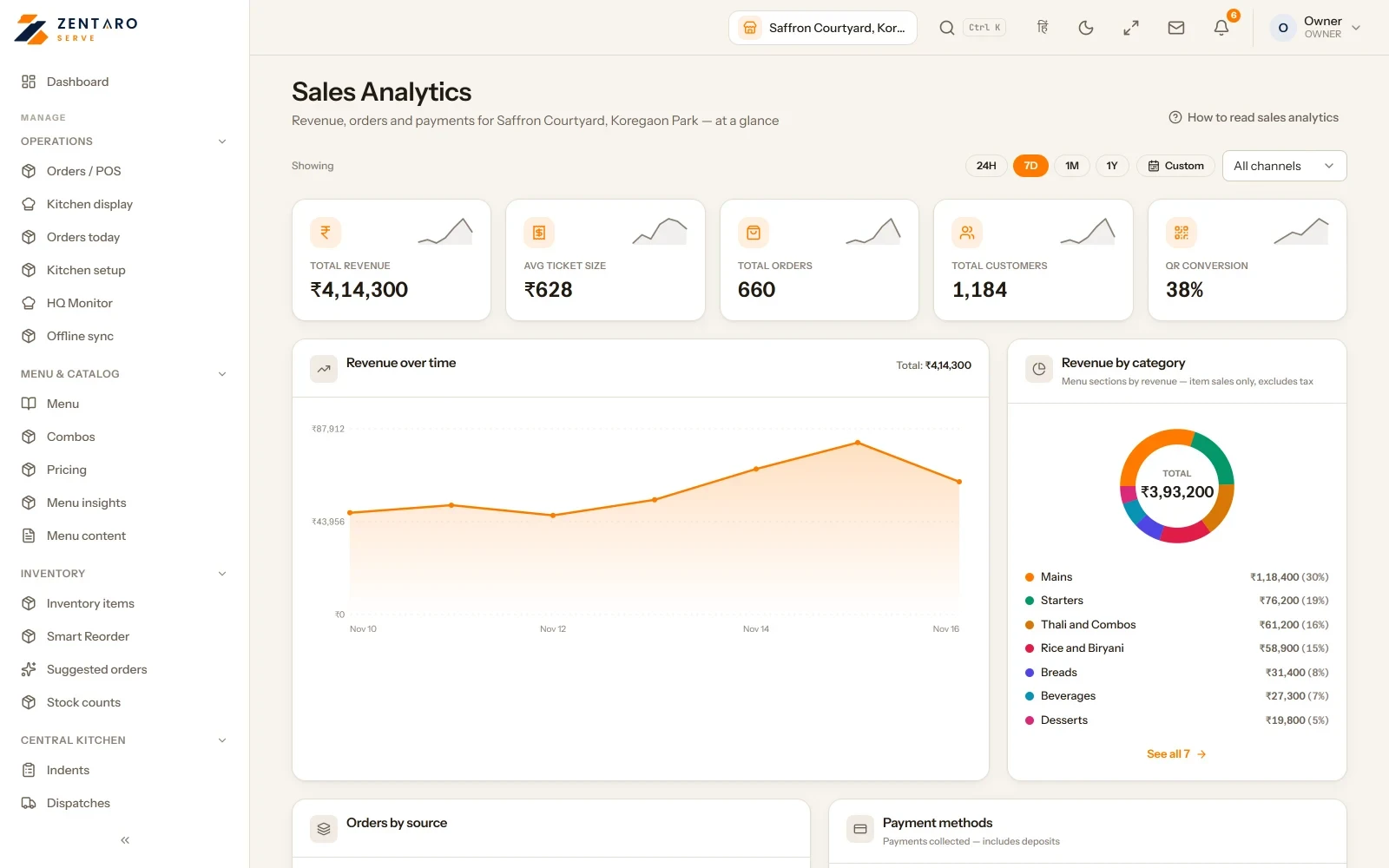
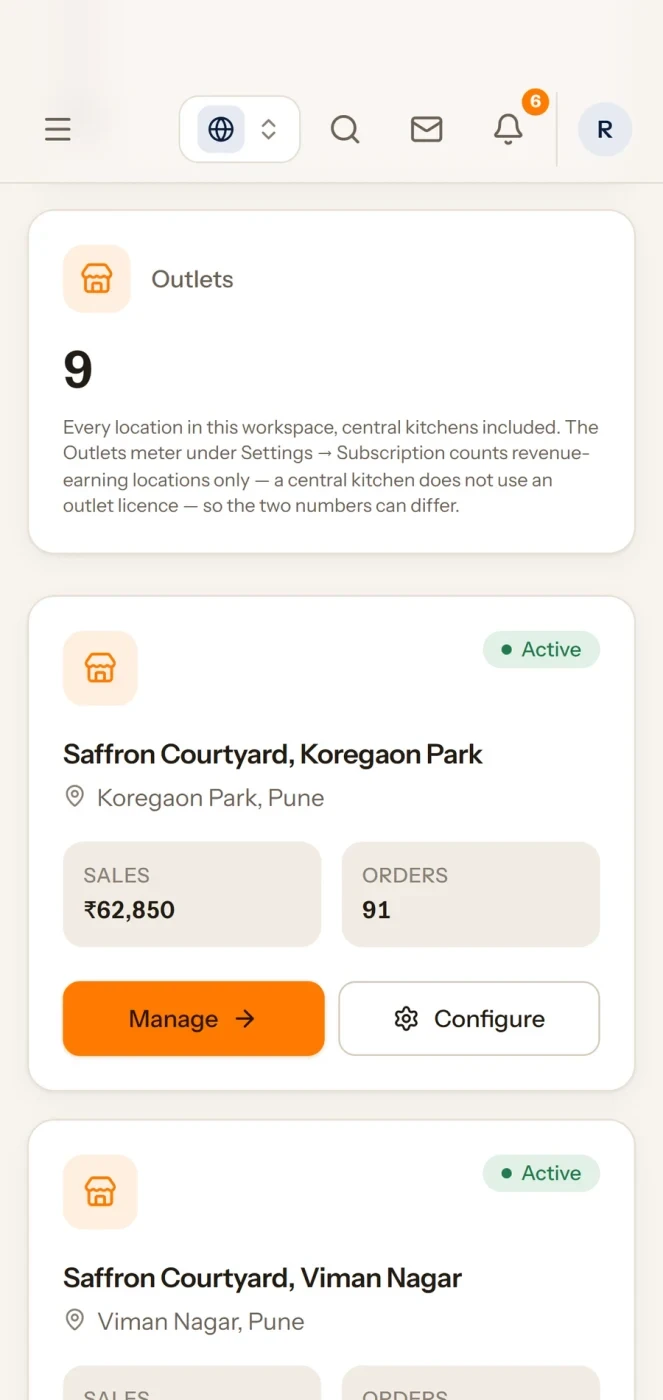
Sales
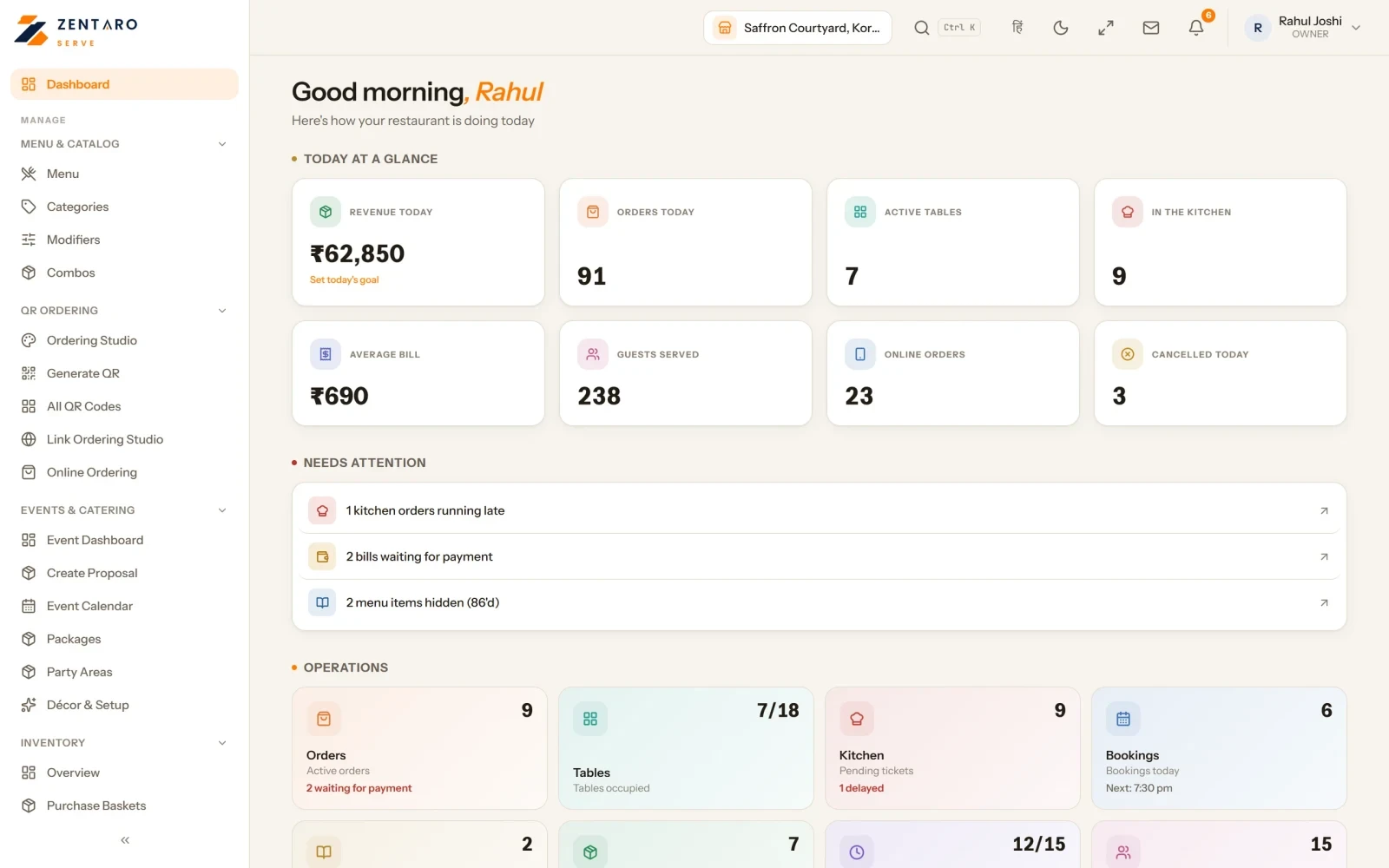
Example screens with sample data
Franchise outlets too.
Mark a region as yours or as a franchise. Franchise control is launching February 2027.
Common questions.
What is multi-outlet restaurant software?
It is software that lets one company run many outlets, regions and brands from one place.
How do I manage prices across many outlets?
Set the price once at the top. Then change it only for the region or the outlet that differs.
Can I run more than one brand in one system?
Yes. You can run several brands under one company. One kitchen can cook for several brands.
How many region levels can I have?
Up to 25 levels.
Can I see all my outlets together?
Yes. The Brand HQ view shows every outlet together.
Can a region manager change another region?
No. A region manager sees and changes only their own regions.
Does Zentaro Serve support franchises?
Yes, for the main tasks, launching in February 2027. You can mark franchise regions, keep partner details, control menu and recipe changes, and make royalty and marketing fee statements. Each franchisee will have its own payout account.
Can I run different kinds of restaurant under one brand?
Yes. Add a format for each kind, such as casual dining and QSR. Menu, prices, tax and offers are set at the brand first. A format is optional. It can set its own prices, dish tax rules, offer values, service charge and meal times, and hide dishes. Otherwise it follows the brand.
Free tools and reading
No sign-up. The tools work in your browser, with your own numbers.



Keep reading.
Features, free tools and guides that go with Multi-outlet restaurant software.
Tell us about your restaurant.
Zentaro Serve launches in February 2027. Tell us what you run today and we will get in touch.
Last updated: