
AI that helps. You stay in charge.
Ask your numbers a question, read a short briefing each morning, bring in your menu from a photo and reply to reviews faster. Every AI feature is optional, switched on after launch and paid for with credits.
- On or off for each brand
- Paid with credits
- A person approves guest replies
- Optional, switched on after launch
AI in Zentaro Serve is optional: you switch it on, it helps, and you decide.
How it works
Switch it on
AI is on or off for each brand.
It helps
It reads your numbers or papers and drafts or explains.
You decide
You check the result before you act on it.
What is Zentaro Serve AI?
Zentaro Serve AI is an optional set of AI helpers inside Zentaro Serve, a restaurant POS by Zentaro LLP, India. It is planned for after launch. Where a page says you review or approve the result, such as a menu import, a supplier bill or a review reply, a person checks it before it is used.
What it does.
Know your business
Ask your numbers a question and read a short briefing each morning. Plain answers from your own numbers.
Menu
Get your menu in faster, from a photo, and see which dishes to change.
Guests and marketing
First drafts of the words you send to guests. A person approves guest replies.
Orders and money
Less typing of orders, payment proofs and statements.
Stock and purchasing
Supplier bills read for you, and plain reasons behind reorders, food cost and stock gaps.
You stay in control
Switch AI on or off for each brand. Pay for it with credits.
Know your business
Answers, summaries and plain reasons, from your own numbers.
Ask a plain question. Get the answer from your own reports.
A short summary of yesterday, with the numbers behind it.
Why something looks wrong at the till, explained in plain words.
A dish forecast, put into plain words. The forecast itself is arithmetic on your sales.
Guests and marketing
First drafts of the words you send to guests.
Orders and money
Less typing of orders, proofs and statements.
Stock and purchasing
Supplier bills read for you, and plain reasons behind reorders, food cost and stock gaps.
Photograph a supplier bill and AI fills in a draft purchase bill for you to check.
Receive a delivery from its own paper. AI reads it against your purchase order.
Why each reorder is suggested, in plain words. The numbers come from the system.
Food cost went up or down. AI tells you why, in plain words.
Stock count does not match? AI suggests likely causes in plain words.
You stay in control
Switch AI on or off for each brand. Pay for it with credits.
Every AI feature at a glance.
What each one reads, what you get, and who decides. Each feature has its own page with the detail.
| Feature | What it reads | What you get | Who decides |
|---|---|---|---|
| Ask your data. Ask a plain question. Get the answer from your own reports. | Your own reports, only for the outlets you are allowed to see | A short answer, with a table and a chart | You. It answers; you act on it |
| Daily briefing. A short summary of yesterday, with the numbers behind it. | Yesterday's numbers for your brand | A few lines in plain words, with the numbers under them | You read it. It only reports and changes nothing |
| Leak watchdog explanations. Why something looks wrong at the till, explained in plain words. | Findings the leak watchdog has already flagged: voids, discounts, stock gaps, cash short at closing | A short reason in plain words for each finding | A manager reviews every flag and decides |
| Menu import. Bring in your menu from a photo or a PDF, without typing every dish. | A photo or a PDF of your menu | Dishes and prices, each marked new, already on your menu, or a different price | You approve each line |
| Menu insights and wording. Which dishes to promote, reprice or retire, and better dish words. | Your own sales and margin for each dish | Suggestions to promote, reprice or retire, with the reason. Drafts of descriptions, translations and tags | You accept, edit or reject each one |
| Suggestion lines on your QR menu. A short "goes well with" line for dishes often ordered together, on your QR menu. | Dish pairs found in your own sales | A short line for each pair, in English and in Hindi | You check each line before guests see it |
| Review reply drafts. A polite draft reply to a guest review, for you to edit and send. | A guest review in your feedback and reviews | A short, polite draft reply | A person allowed to approve replies |
| Marketing copy. A first draft of the message you send to guests who have not visited lately. | Your short note, the number of days away, and the outlet or brand you choose | A drafted campaign message, and the cost shown before you approve | You approve it. Sending on WhatsApp is built and in testing |
| Order and payment reading. Orders, payment proofs and payout statements read into fields, so your team types less. | An order slip photo, an email or an outside order. The payment screen a rider photographs. A payout statement PDF | Order lines matched to your menu. Payment details read. A statement marked "check before claiming" | You review before the order is created. You confirm a statement before you claim |
| Supplier bill scan. Photograph a supplier bill and AI fills in a draft purchase bill for you to check. | A photo or a PDF of a supplier bill or tax invoice | A draft purchase bill: supplier, bill number, date, total, GST and every line, matched to your stock items | You confirm. Nothing is booked before that |
| Receive goods from the supplier paper. Receive a delivery from its own paper. AI reads it against your purchase order. | The delivery challan or tax invoice that came with the goods, and your purchase order | A filled-in goods receipt. Short items, extra items and price changes flagged by fixed checks | You confirm. Nothing posts before that |
| Smart reorder explanations. Why each reorder is suggested, in plain words. The numbers come from the system. | The reorder quantities Zentaro Serve has already worked out from stock, sales and supplier rules | A short plain note under each supplier explaining the order | You. Change the order, send it or leave it |
| Food cost explanations. Food cost went up or down. AI tells you why, in plain words. | The figures already shown on the food cost screen | A plain explanation of what the figures show, with likely causes to check | You check the causes and decide what to change |
| Stock variance explanations. Stock count does not match? AI suggests likely causes in plain words. | The gap between what was counted and what should be there. The figures come from Zentaro Serve | Likely causes and what to check next | A manager who is allowed to ask. You investigate and close the case |
| Dish demand explanations. A dish forecast, put into plain words. The forecast itself is arithmetic on your sales. | The forecast Zentaro Serve has worked out for one dish from your own sales history | A plain explanation of what the figure means for your kitchen | You plan the prep with the figure and the reason |
| AI settings and credits. Switch each AI feature on or off for each brand, and pay for AI with credits. | Your own choices: which features are on, and your credit balance | A switch for each AI feature, for each brand. A credit balance for the business, each brand and each outlet | You. AI is never switched on behind your back |
What AI can and cannot do.
- AI can make mistakes. That is why a person checks the result before it is used.
- Scanned documents must be checked. A supplier bill, a delivery paper or a payout statement read by AI is a draft. You confirm it before it is booked or claimed.
- A suggestion is not an approval. A suggested reorder is a draft. You decide whether to send it.
- A forecast is an estimate. A dish forecast is arithmetic on your own sales history, with a range. AI only explains it.
- A person approves guest messages. Review replies and campaign messages are sent only after a person approves them.
- Access follows permissions. Each person gets answers only for the outlets they are allowed to see, and some AI helpers can be used only by managers who are allowed to.
- AI explains the numbers. It does not change them. Figures come from Zentaro Serve.
Product screens
The screens you and your team will use for this.
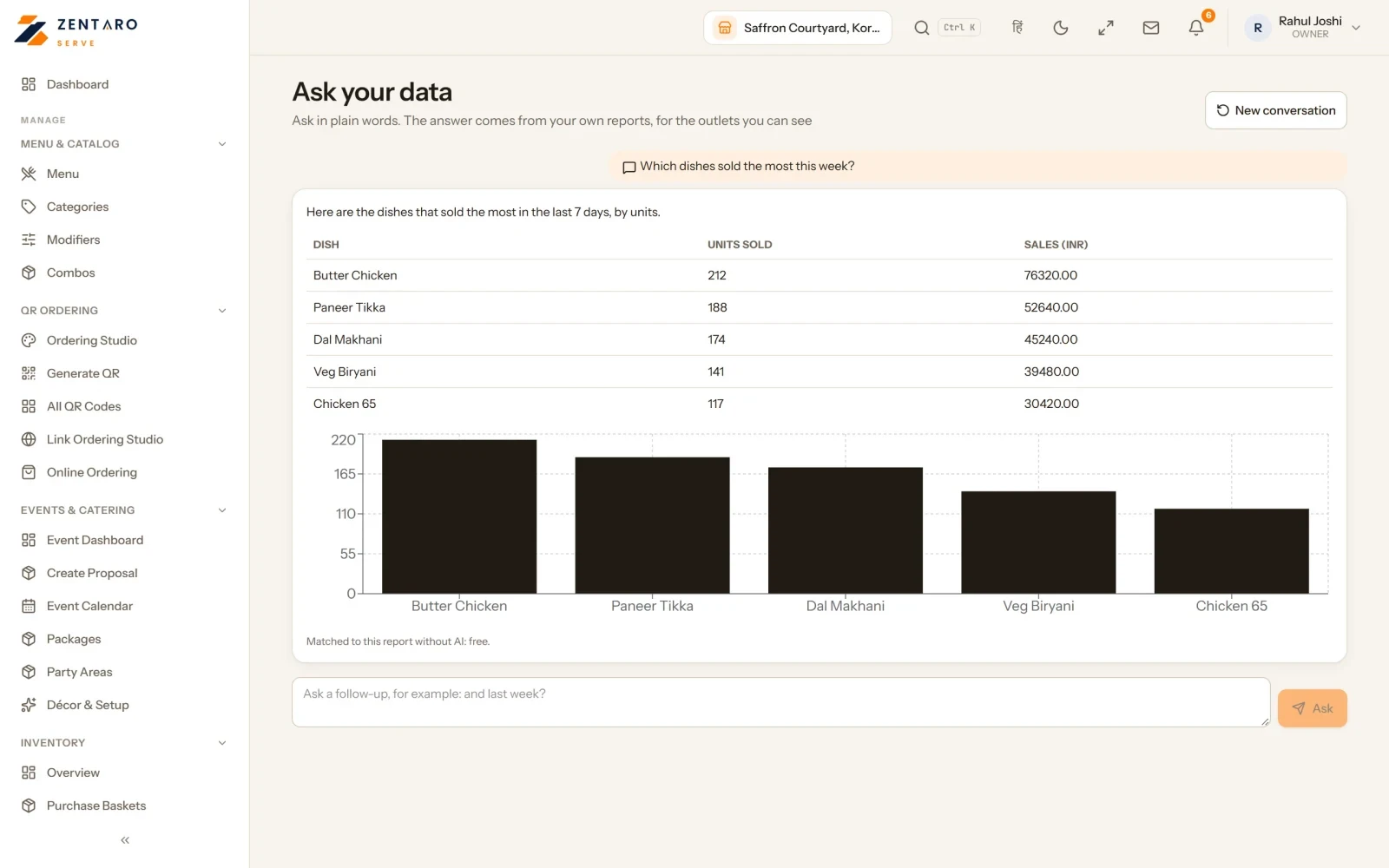
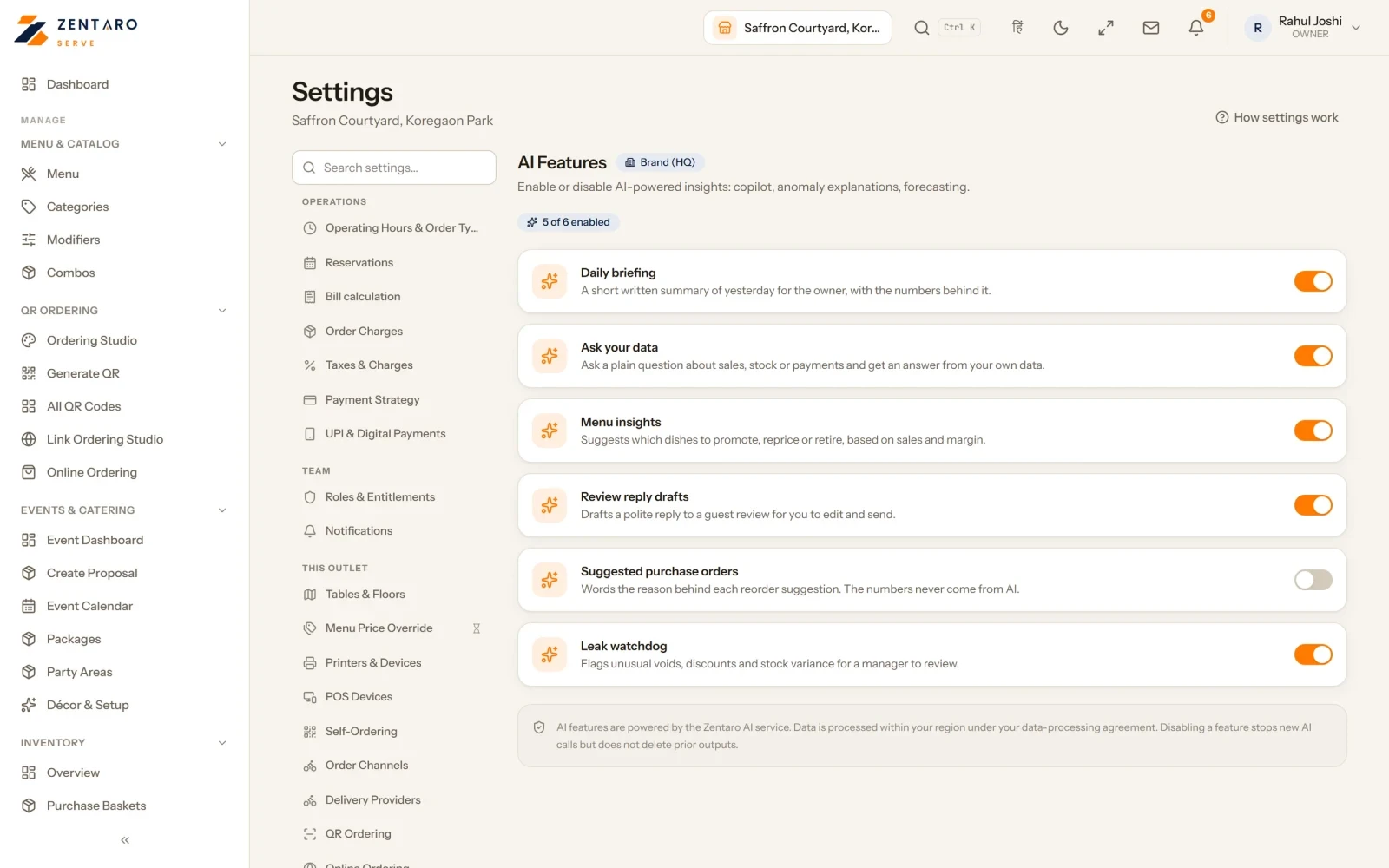
Example screens with sample data
Questions about AI.
Do I have to use AI?
No. AI helpers are optional. You switch them on for each brand.
How do I pay for AI?
AI uses credits. Each task takes credits from your balance.
Will AI reply to my guests on its own?
No. AI writes a draft reply to a review. A person on your team approves it first.
What can AI do in Zentaro Serve?
Optional AI features, switched on after launch, answer questions about your data and writes a daily briefing. It explains leak watchdog findings. It imports your menu and suggests changes. It drafts review replies and win-back messages. It reads orders and supplier bills. Reading a payout statement PDF is an optional paid add-on that a person confirms.
What happens when I switch AI off?
New AI work stops. What it made before is kept.
Where is my data processed for AI?
Ask us where AI runs for your country.
Features, free tools and guides that go with AI tools for restaurants.
- Ask your data
- Daily briefing
- Leak watchdog explanations
- Menu import
- Menu insights and wording
- Suggestion lines on your QR menu
- Review reply drafts
- Marketing copy
- Order and payment reading
- Supplier bill scan
- Receive goods from the supplier paper
- Smart reorder explanations
- Food cost explanations
- Stock variance explanations
- Dish demand explanations
- AI settings and credits
Tell us about your restaurant.
Zentaro Serve launches in February 2027. Tell us what you run today and we will get in touch.
Last updated: