Print your table codes
- Make one QR code for each table. Tables that still need a code are picked for you.
- Download or print them, and stick each one on its table.
- The link for a table stays the same, so you do not print it again.
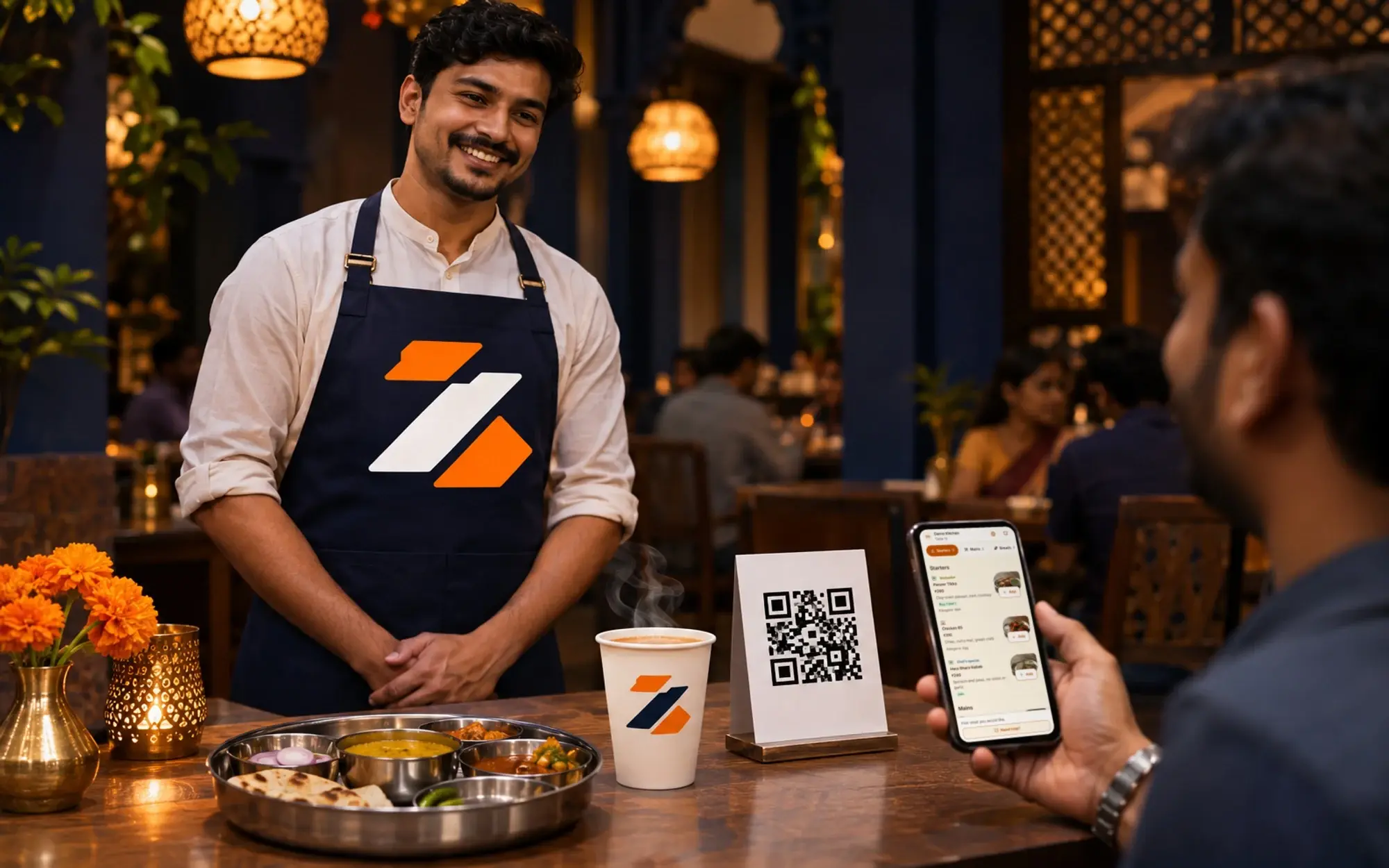
Table QR ordering lets a guest scan a code on the table and order from their phone.
Guests scan. You stay in control.
Your menu opens on their phone.
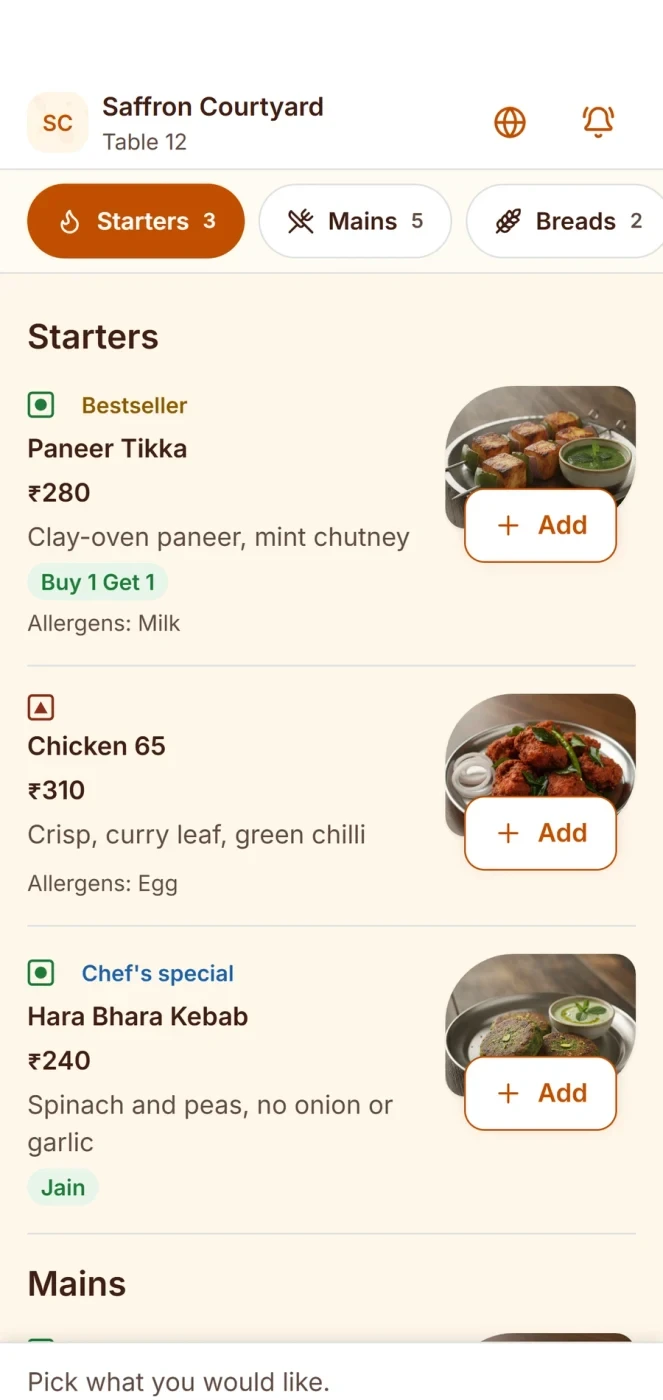
Guests add dishes and see allergens and prices.
It follows the mode you chose for that outlet.
The discount is already worked out, and so is any optional service line staff add.
Without it
At launch in February 2027, each table gets a QR code. Orders flow into the POS and kitchen like any other order.
Zovi is the guest ordering web app from Zentaro, Zentaro Serve is the restaurant POS and operations system, and orders from your Zovi website arrive in Zentaro Serve.
Is the ordering link the Zovi store? Yes. The link for an outlet opens your Zovi page, at your-name.zovi.food. Zovi is what the guest sees. Zentaro Serve holds the menu, prices and the order itself. You do not need a separate website tool to take orders.
Looking for a restaurant website builder, or ordering without commission? That is Zovi: restaurant website builder and ordering without commission. Not sure which product fits? Which Zentaro product is for me?
Each outlet picks one mode: menu only, waiter confirm, prepaid or straight to the kitchen. The mode decides how an order reaches the kitchen.
Guests at one table share a single cart. Each guest can see what the others added.
Dishes show allergen tags, so guests can check before they order. Guests see your dine-in prices.
The bill uses the one best discount that applies. If the guest agrees to a service line, staff add it on top.
A guest uses loyalty with just a phone number. Their points stay with that number.
Guests tap to call a waiter, ask for water or ask for the bill. Your team gets the request.
The screens you and your team will use for this.
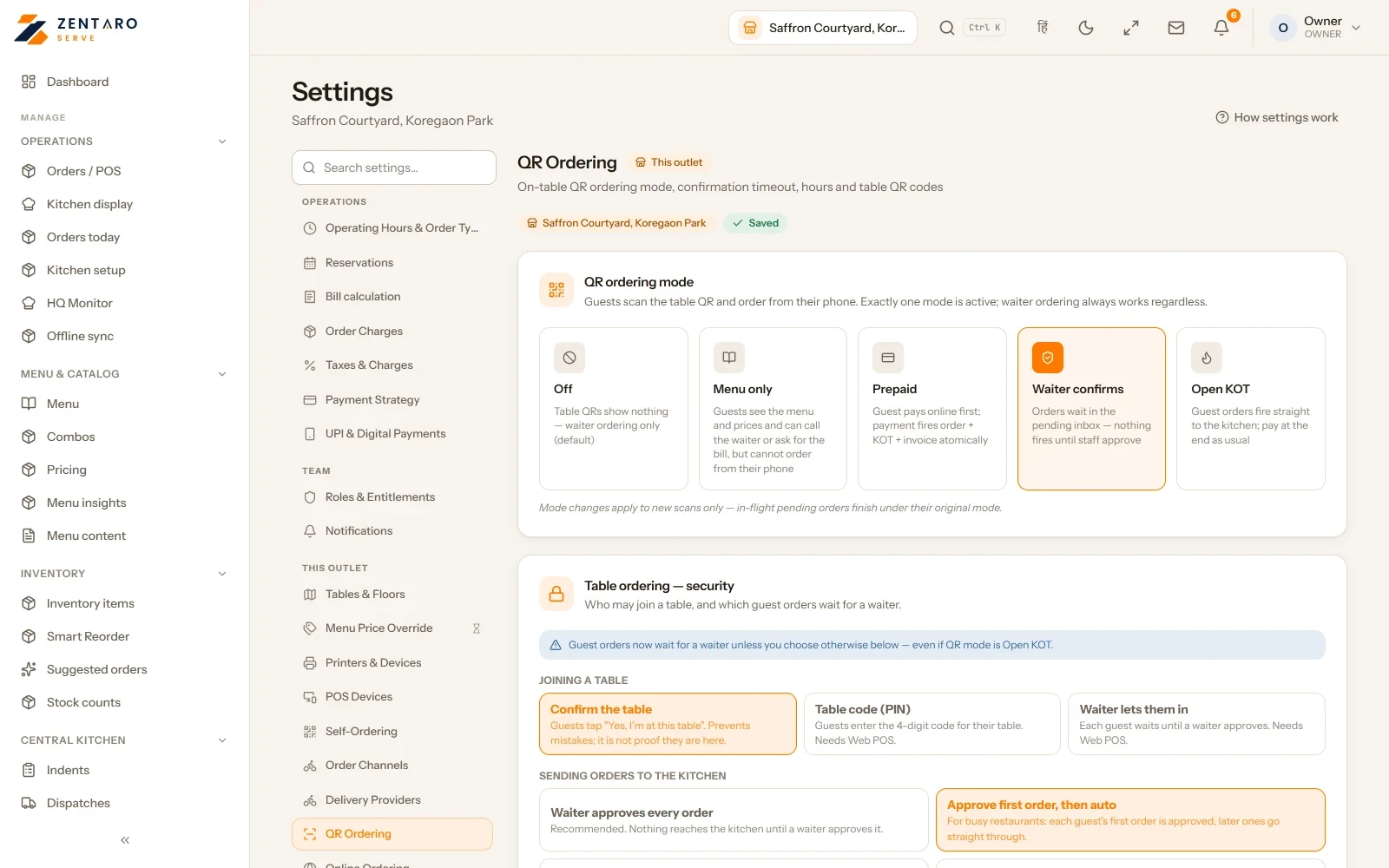
Your settings
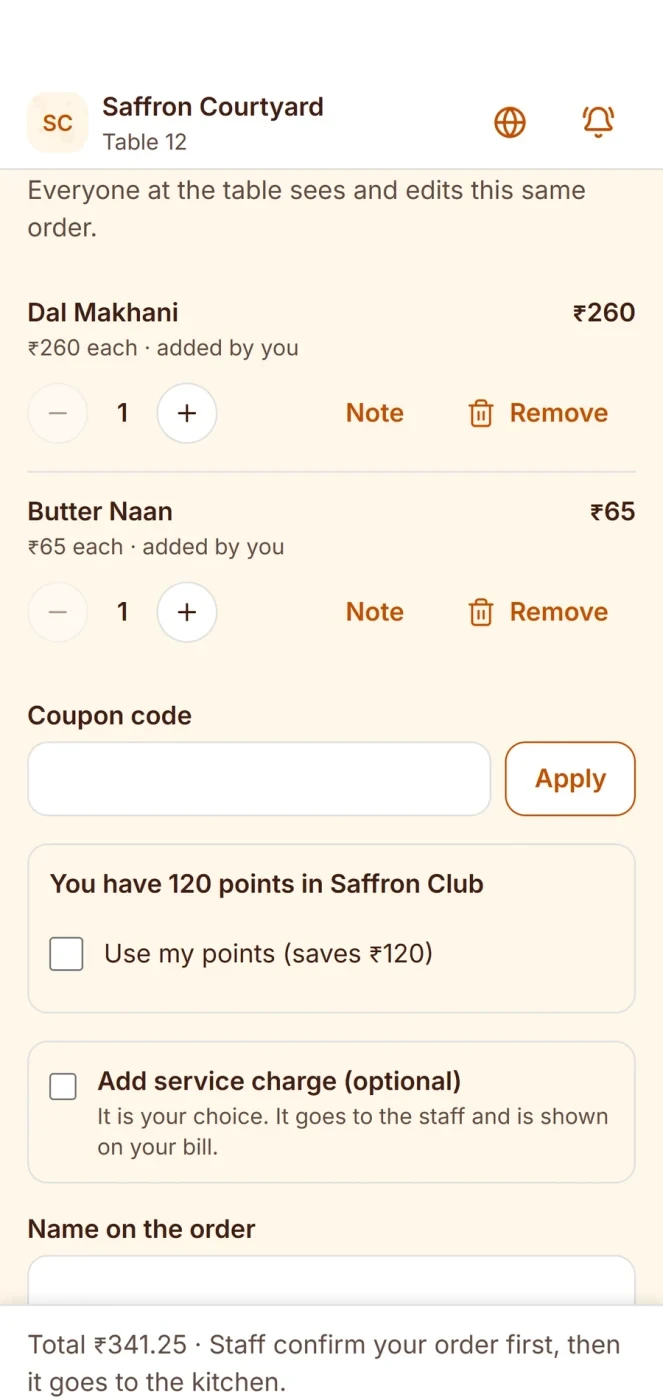
Example screens with sample data
The problem you know
What it is not
Who it is for
Talk to us and we will set up a table for you to try. Talk to us
Good to know
The guest scans the code on the table. Your menu opens on their phone. Everyone at the table adds dishes to one shared cart.
Yes. Each outlet picks one mode: menu only, waiter confirm, prepaid or straight to the kitchen.
Yes. Dishes show allergen tags. Guests also see your dine-in prices.
Yes. Guests can call a waiter, ask for water or ask for the bill from their phone.
Zentaro Serve launches in February 2027. Talk to us and we will get you ready.
The guest scans the code on the table. Your menu opens on their phone. They add dishes to a shared cart, and the order reaches the kitchen the way you set it for that outlet.
No. It opens on the phone, with nothing to install.
Yes. Each outlet picks a mode: menu only, waiter confirm, prepaid or straight to the kitchen. In waiter confirm mode your team accepts the order before the kitchen sees it.
Features, free tools and guides that go with Table QR ordering.
Zentaro Serve launches in February 2027. Tell us what you run today and we will get in touch.
Last updated: