
Yesterday, in a few lines.
A short summary of yesterday, with the numbers behind it. Optional AI features, switched on after launch.
- A short summary
- With the numbers
- Optional, on or off for each brand
The daily briefing is a short written summary of yesterday for the owner, with the numbers behind it.
How it works
You switch it on
Turn on the daily briefing for your brand.
AI writes the summary
It reads yesterday's numbers and writes a few lines.
It explains anything unusual
Like extra discounts, voids or a cash difference.
You read it
Every morning, with the numbers behind it.
Optional, on or off for each brand
What it uses
Yesterday's numbers for your brand
You stay in control
The briefing only reports. It does not change anything. You can switch it off for each brand.
Who decides
You read it. It only reports and changes nothing
- AI-assisted
- Optional
- Planned for launch, February 2027
- Who decides: You read it. It only reports and changes nothing
- Inputs: Yesterday's numbers for your brand
What it does.
A short summary
What happened at your restaurant yesterday, in plain words.
With the numbers
Sales, orders, stock and bookings numbers sit under the summary, so you can check them.
Read it anywhere
Read it on your phone or your laptop.
Also included, without AI
A morning summary with the numbers only. It uses no AI and no credits.
Worked example (sample data).
One made-up restaurant, to show how Daily briefing works from start to finish.
Example, not real data
A sample owner has switched on the daily briefing for her brand.
- Input
- AI reads yesterday's numbers: sales, orders, stock and bookings.
- Output
- Next morning she reads a short summary. It also explains one unusual thing in plain words, for example extra discounts on one shift. The numbers sit under the summary.
- What you check or change
- She checks the numbers under the summary. If one line looks strange, she opens the report behind it.
- If it is wrong
- The briefing only reports, so nothing in her restaurant changes if a line is off. She can switch the briefing off for the brand. The morning summary with the numbers only uses no AI and no credits.
A sample briefing.
Sample data, only to show the layout. The numbers are made up.
Sample data, not real
Yesterday was a busy day at the sample restaurant.
- Sales
- ₹48,200
- Orders
- 164
- Stock
- 3 deliveries received
- Bookings
- 6 for the weekend
One unusual thing: extra discounts on the evening shift. Open the report behind it to see which bills.
Product screens
The screens you and your team will use for this.
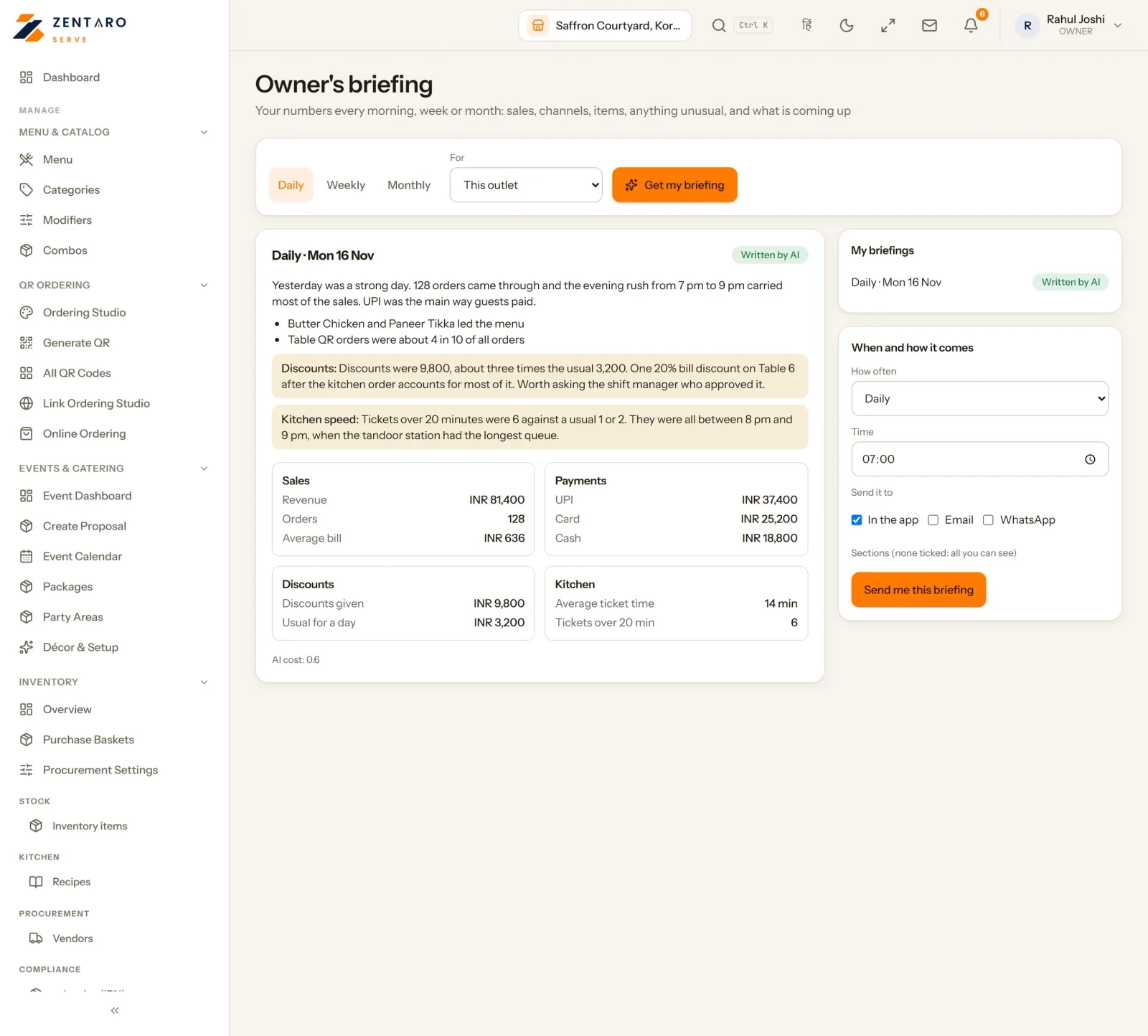
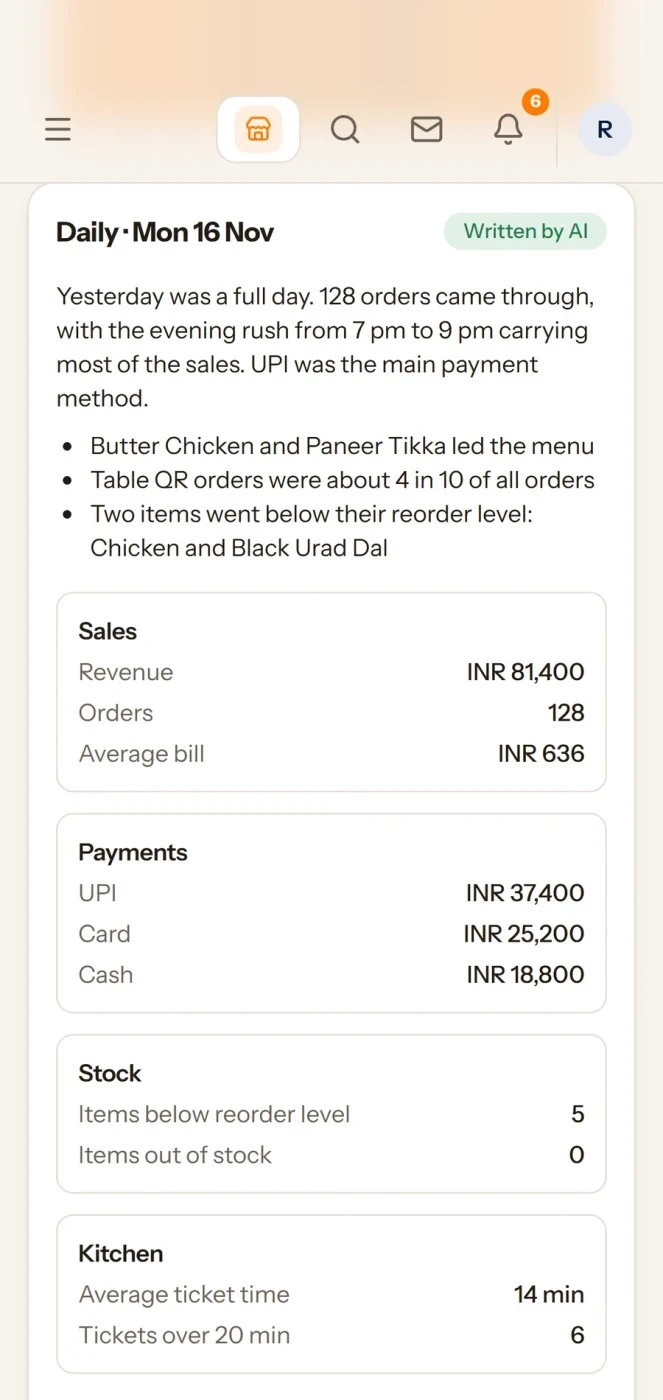
The briefing explains anything unusual
Example screens with sample data
Who it helps.
Know how yesterday went in a minute.
One summary instead of a call to every outlet.
You stay in control. The briefing only reports. It does not change anything. You can switch it off for each brand.
Good to know
- This AI feature is optional. You switch it on or off for each brand.
- Each AI task uses credits from your balance.
Common questions.
What is in the daily briefing?
A short written summary of yesterday at your restaurant, with the numbers behind it.
Does the briefing change anything?
No. It only reports what happened.
Can I turn it off?
Yes. You switch the daily briefing on or off for each brand.
Part of AI tools for restaurants See also Ask your data. Leak watchdog explanations. Menu import. Menu insights and wording.
Tell us about your restaurant.
Zentaro Serve launches in February 2027. Tell us what you run today and we will get in touch.
Last updated: