
Your menu in, without typing every dish.
Upload a photo or a PDF of your menu. AI reads each dish and price, and shows them next to your menu photo for you to check. Zentaro Serve launches in 2027. Optional AI features, switched on after launch.
- From a photo or a PDF
- AI reads it
- New or already there
- You approve it
What it does.
From a photo or a PDF
Use the menu you already have.
AI reads it
Dishes and prices are read from the file for you.
New or already there
Each line shows if the dish is new, already on your menu, or has a different price.
You approve it
Skip a line, keep your price or update it, then approve the ones you want.
How it works.
You upload the menuyou
A photo or a PDF.
AI reads itAI
It turns the file into menu items.
You check and saveyou
Fix anything before you use it.
Product screens
The screens you and your team will use for this.
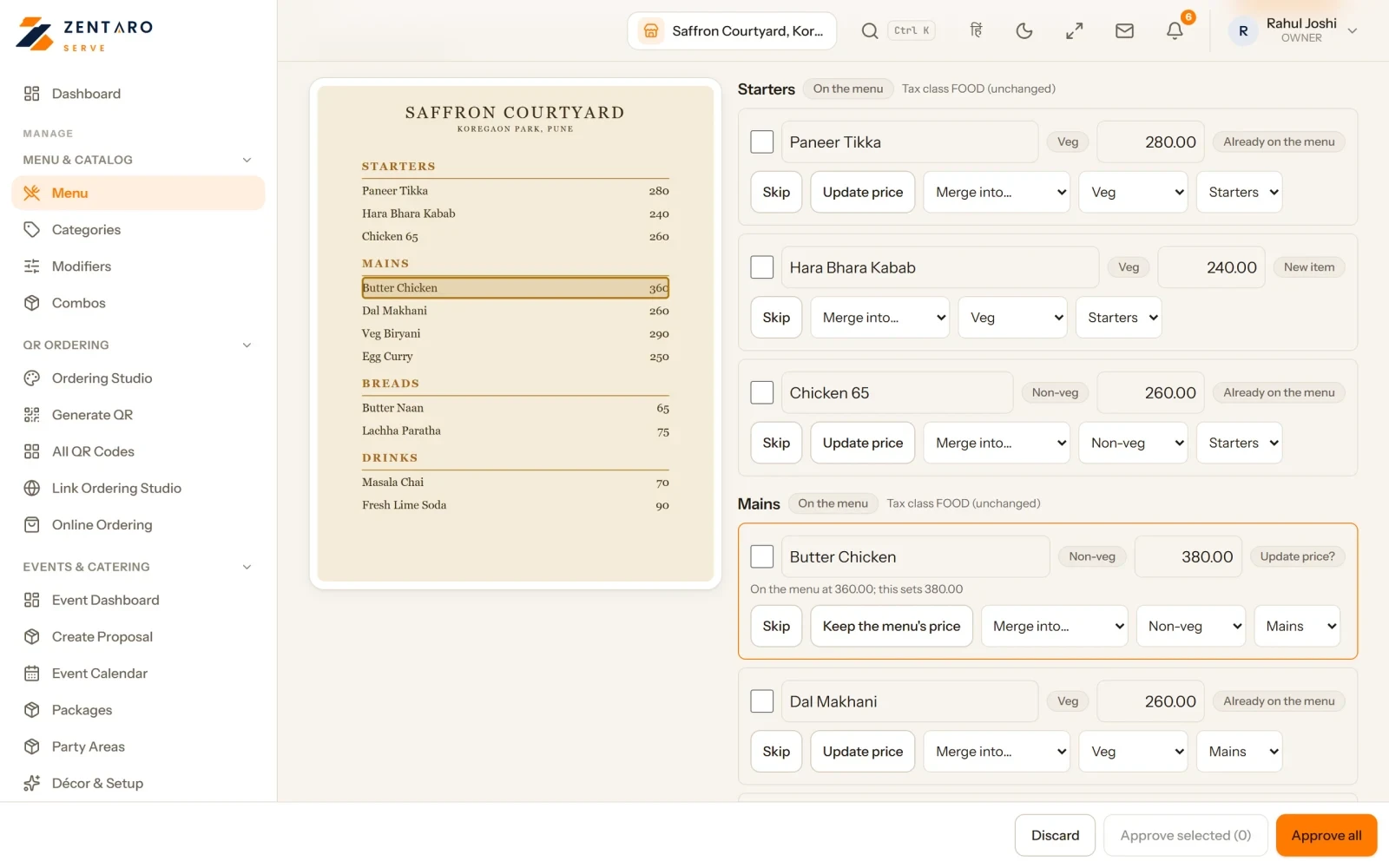
Example screen with sample data
Who it helps.
Get set up faster.
Bring the menu over without typing it again.
You stay in control. Nothing goes on your menu until you have checked it.
Good to know
- This AI feature is optional. You switch it on or off for each brand.
- Each AI task uses credits from your balance.
Common questions.
What file can I use?
A photo or a PDF of your menu.
Does the menu go live straight away?
No. You check the result before you use it.
More AI in Zentaro Serve.
Tell us about your restaurant.
Zentaro Serve launches in 2027. Tell us what you run today and we will get in touch.
Last updated: