Five lit restaurant outlets connected by threads of light to a single glowing point between them, with a phone held at the right.
Multi-outlet, regions and brands

Multi-outlet restaurant software: many brands, regions and outlets

Run one outlet? You will not see chain features until you need them. Multi-outlet restaurant software lets one company run many outlets from one place. Zentaro Serve is restaurant chain software with brands, regions and outlets: you set menu, price, offer and tax once at the top, then change them only where a region differs. Regions go up to 25 levels.

  • Set once at the top, change only where needed
  • Each manager sees only their own part
  • Numbers for the whole company or one outlet
  • Run more than one brand together

What it does.

Company, brands, regions, outlets

Set up your business in levels. A region can sit inside another region.

Set once, change only where needed

You set things at the top. A region or an outlet follows, unless you change it there.

Each manager sees their part

A region manager can change settings for their own regions only.

Numbers for any level

The same reports work for the whole company, one brand, one region or the kitchens.

Every outlet in one view

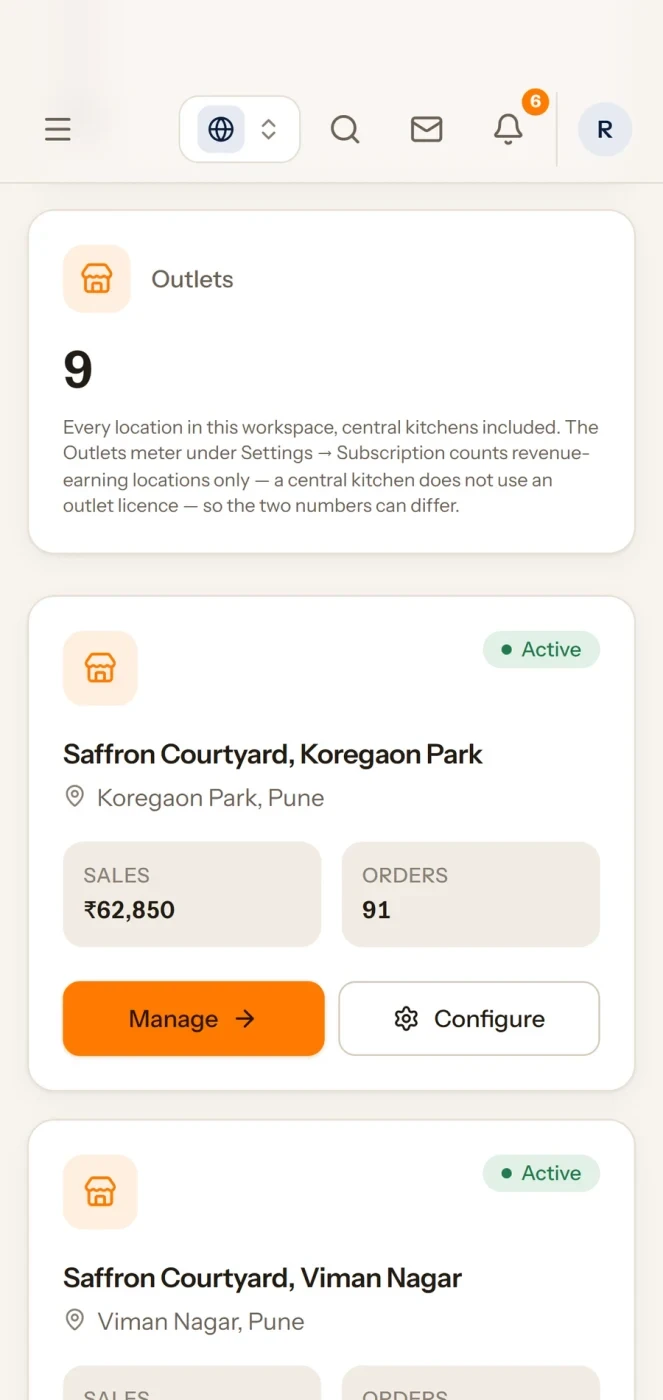
See each outlet with its sales and orders in one Brand HQ view.

More than one brand

Run several brands together, each with its own menu and channels.

The levels

Your company, then brands, then regions, then outlets.

A region can sit inside another region. Here is an example business with 2 brands and 21 outlets. Tap a level to open or close it.

Example A sample business, not a customer
  • Company Saffron Hospitality 21 outlets
    • Brand Saffron Courtyard · Casual dining 18 outlets
      • Region North 3 outlets
        • State Delhi 2 outlets
          • City Delhi 2 outlets
            • Outlet Connaught Place
            • Outlet Saket
        • State Punjab 1 outlet
          • City Chandigarh 1 outlet
            • Outlet Sector 17
      • Region South 4 outlets
        • State Karnataka 2 outlets
          • City Bengaluru 2 outlets
            • Outlet Indiranagar
            • Outlet Koramangala
        • State Tamil Nadu 1 outlet
          • City Chennai 1 outlet
            • Outlet T. Nagar
        • State Telangana 1 outlet
          • City Hyderabad 1 outlet
            • Outlet Banjara Hills
      • Region East 2 outlets
        • State West Bengal 1 outlet
          • City Kolkata 1 outlet
            • Outlet Park Street
        • State Odisha 1 outlet
          • City Bhubaneswar 1 outlet
            • Outlet Saheed Nagar
      • Region West 9 outlets
        • State Maharashtra 8 outlets
          • City Pune 6 outlets
            • Outlet Koregaon Park
            • Outlet Viman Nagar
            • Outlet Kharadi
            • Outlet Baner
            • Outlet Aundh
            • Outlet Kothrud
          • City Mumbai 2 outlets
            • Outlet Bandra
            • Outlet Andheri
        • State Gujarat 1 outlet
          • City Ahmedabad 1 outlet
            • Outlet SG Highway
    • Brand Saffron Express · QSR 3 outlets
      • Region West 3 outlets
        • State Maharashtra 3 outlets
          • City Pune 2 outlets
            • Outlet Hinjewadi
            • Outlet Magarpatta
          • City Mumbai 1 outlet
            • Outlet Lower Parel
Set once

Set once. Change only where needed.

You set each of these at the top. A region or an outlet follows it, unless you change it there.

What you setWhat you can change lower down
Menu items and item detailsShow, hide or adjust a dish where a region or an outlet is different.
ModifiersChange the add-ons and options a region offers.
Prices and price listsGive a region its own price list, with a price profile for each ordering channel.
OffersChange an offer for one region without touching the rest.
TaxSet tax for a region or a location. Rounding is one setting for the whole business.
Tiffin meal slotsSet meal slots by region.
Booking policiesUse a different booking policy where you need one.
DashboardsGive a region its own dashboard.
Menu entries in the appHide the app menu entries a company, a region or an outlet does not use.

Who can change it. A region manager can change these for their own regions only.

How it works

Pick a place. Change it there. The rest follows.

  1. 1

    Pick where you work

    Choose the company, a brand, a region or one outlet from the top of the screen.

  2. 2

    See a region together

    Open a region and see its outlets on one dashboard.

  3. 3

    Change one region

    Change a price or a dish for that region only.

  4. 4

    Everything else follows

    The other regions and outlets keep what you set at the top.
Analytics for every level

See the numbers for the part you run.

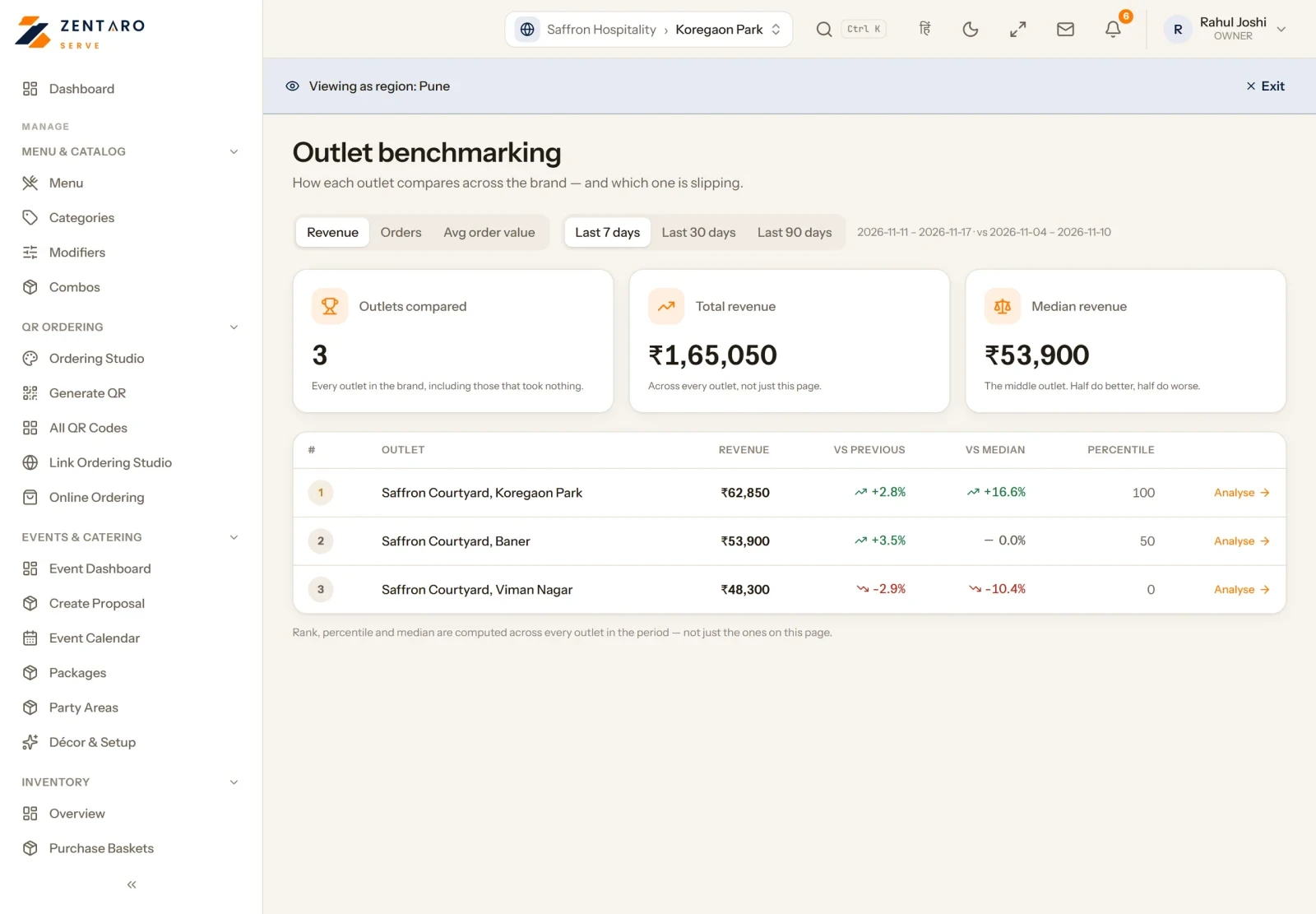
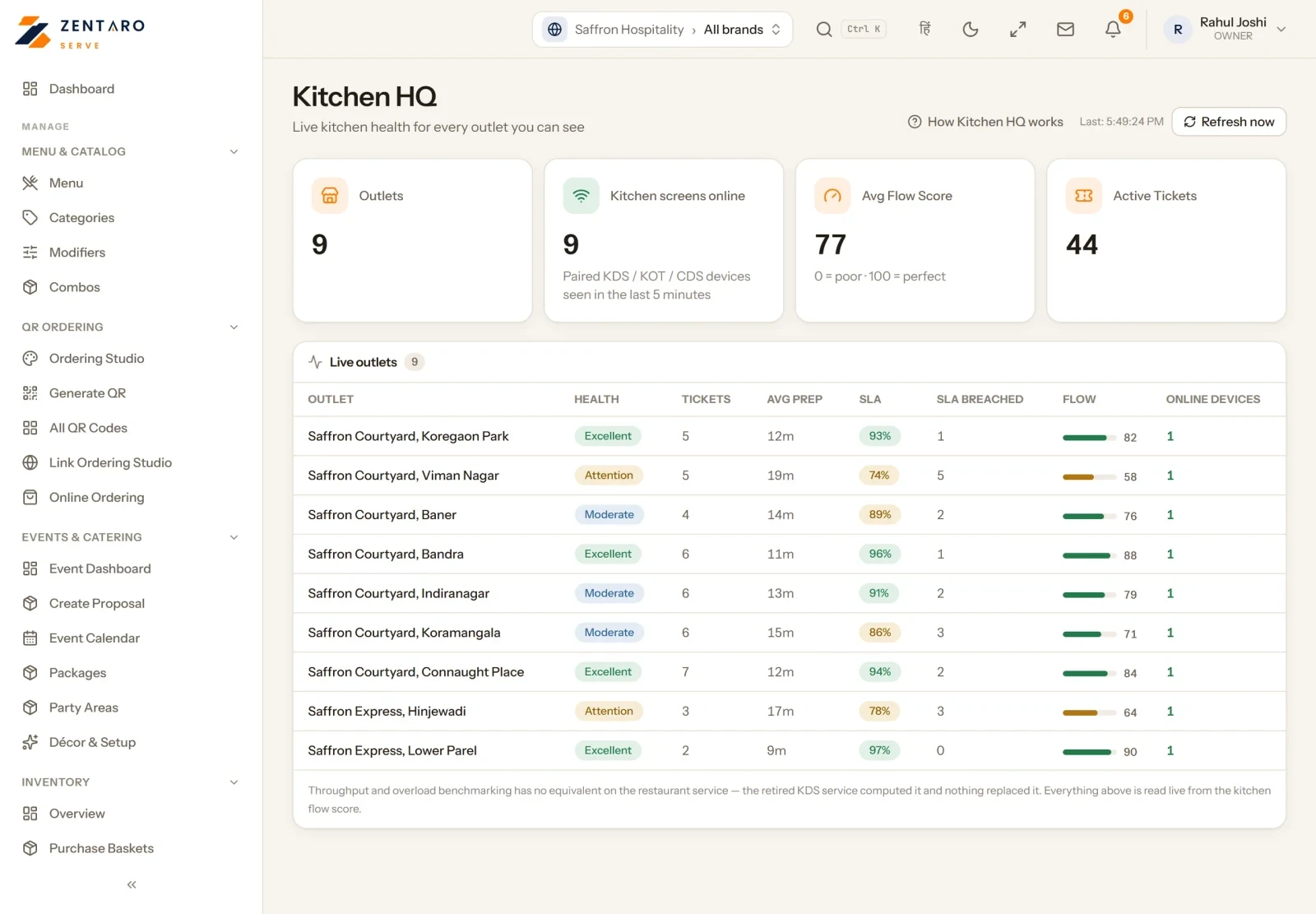
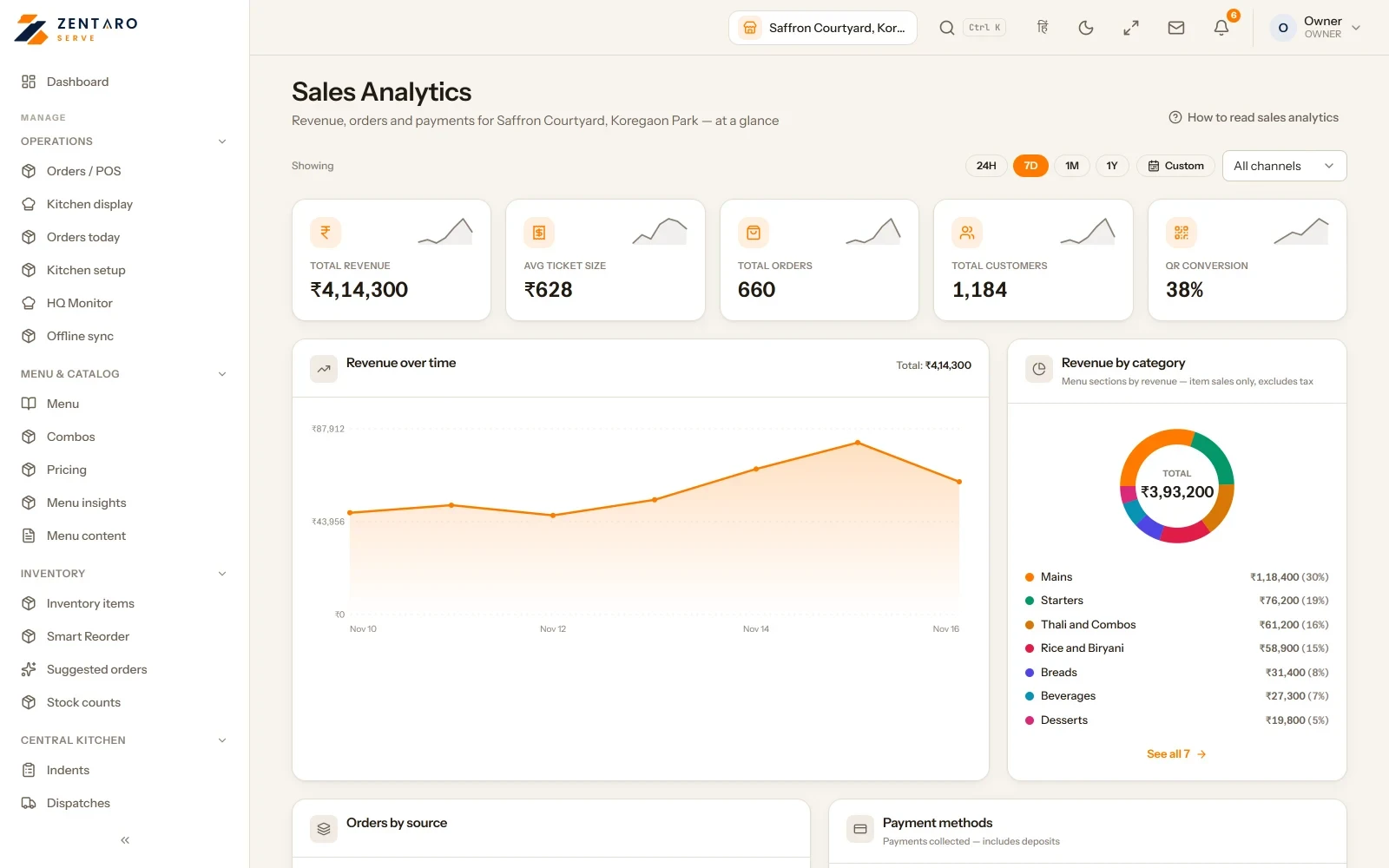
The same reports work for the whole company, one brand, one region or the kitchens. Pick a level.

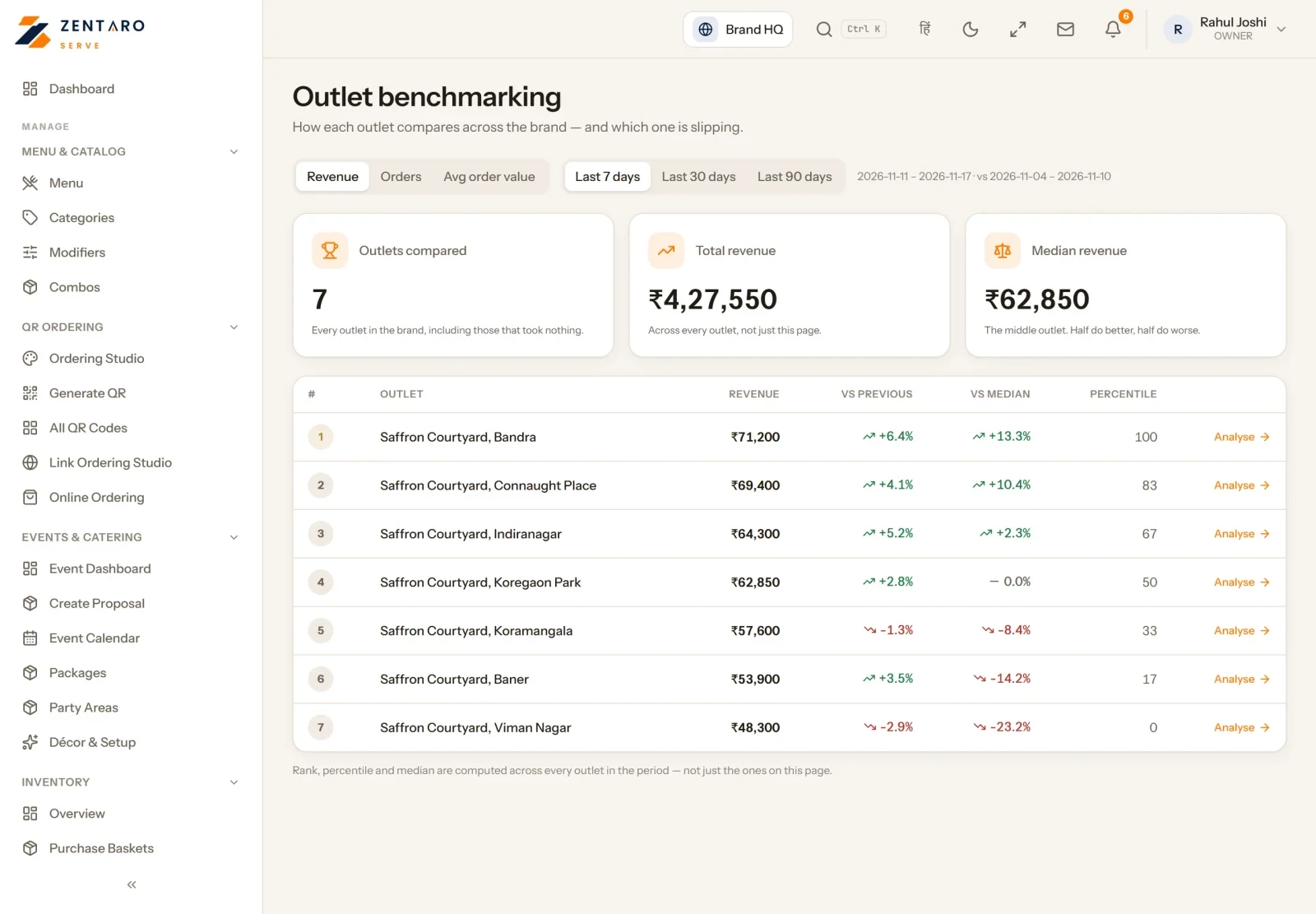
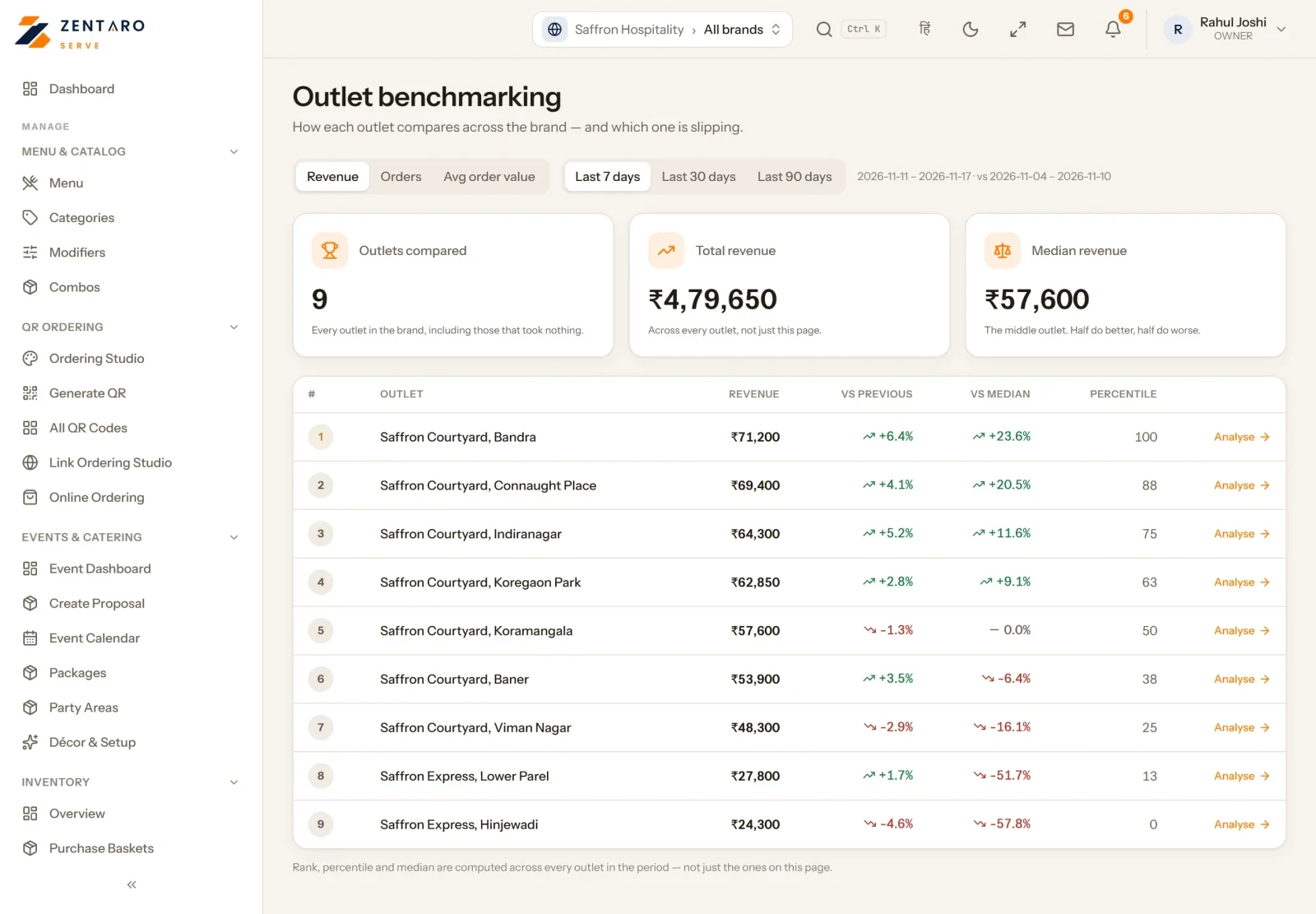
Every outlet, ranked across the company
One brand: Saffron Courtyard
One region: Pune
Kitchen HQ: live kitchen health

Example screens with sample data

For head office

See the whole business. Give each manager their part.

See what each role can see →

One Brand HQ view

See all your outlets together on one screen.

Region managers

A region manager sees and changes only their own regions.

Rules with a preview

Set a policy for part of your business. See what it will affect before the rule changes.

Outlet benchmarking

Compare your outlets with each other.

Multi-brand

More than one brand? Run them together.

Several brands, one company

Run more than one brand under the same company.

One kitchen, several brands

One kitchen can cook for several brands. Each order goes to the right place.

About the kitchen display →

A central kitchen for many brands

A central kitchen can supply more than one brand.

About the central kitchen →
Franchise

Restaurant franchise software: planned.

Planned

Today Zentaro Serve runs chains of outlets you own. We plan to add franchises: mark a region as franchise, give a franchisee its own tax details and payout account, work out royalty and fees, and let each franchisee see only its own outlets. These are not available yet. See the roadmap →

Product screens

The screens you and your team will use for this.

Sales
All outlets on your phone

Sales

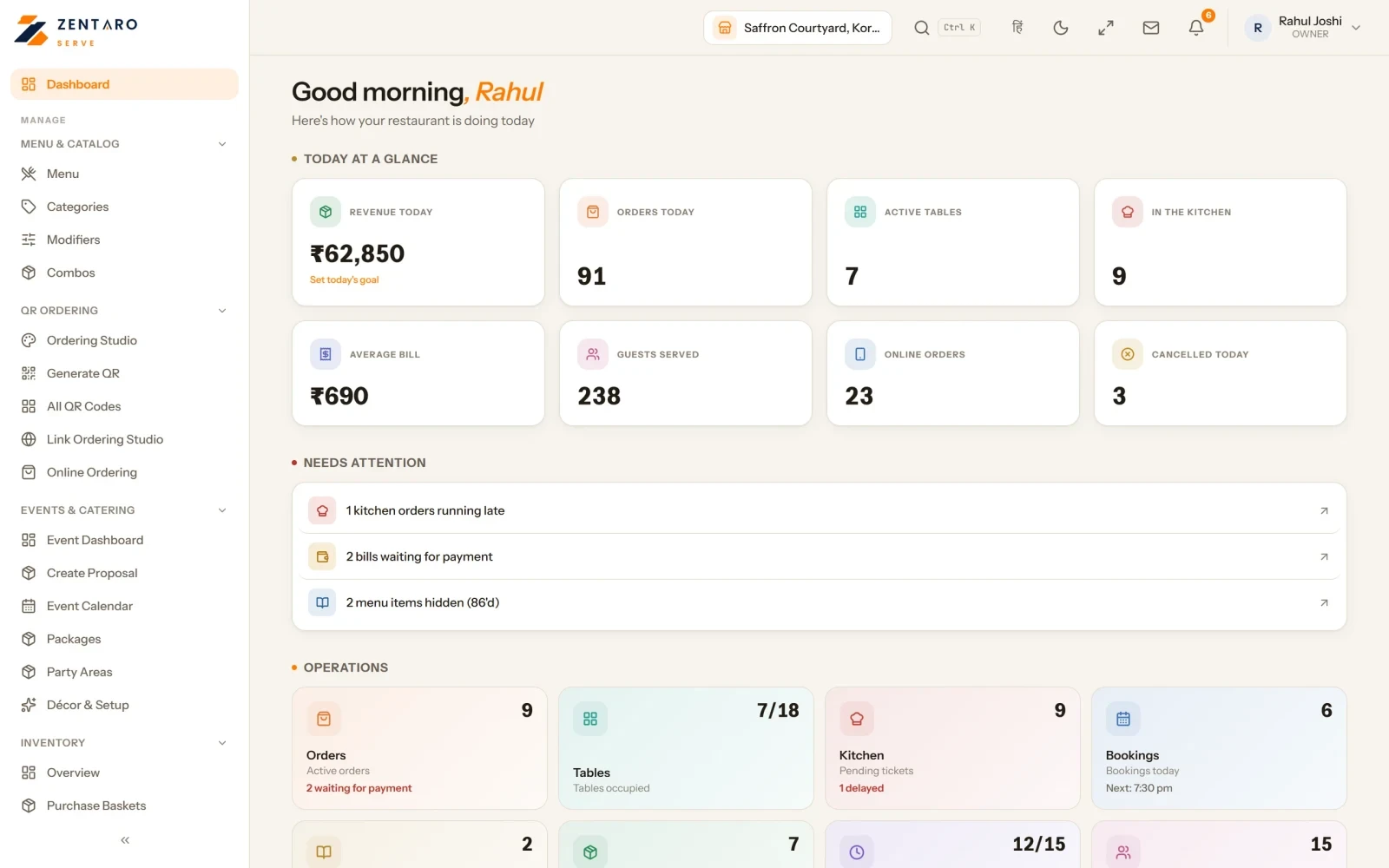
The owner dashboard

Example screens with sample data

The problem you know

Why many outlets drift apart

  • Every outlet drifts to its own prices by accident.
  • Head office cannot see across outlets.
  • Setting a festival price takes a week.

How does restaurant chain software manage regions and multi-brand outlets?

  1. Set menu, prices, offers and tax at the top.
  2. Add brands, regions and outlets under the company.
  3. Change a price or a dish only where it must differ.
  4. Give each manager their part, by role and by region.
  5. Open the Brand HQ view to see every outlet together.

What multi-outlet restaurant software includes

  • Outlet benchmarking.
  • Finance across several legal entities.
  • Price lists by region, with an override for one outlet.
  • A preview of a charge rule before it takes effect.

What it is not

  • Regions go up to 25 levels.
  • One company can hold brands, regions and outlets.

Who uses it at head office and in the outlets

Who it is for

  • Head office: set once.
  • Regional manager: their region only.
  • Group finance: several entities.

Talk to us. Talk to us

Common questions.

How many levels of regions can I have?

Up to 25 levels of regions.

Do I have to set prices for every outlet?

No. Set prices once at the top. Change them only where a region or an outlet is different.

Can a region manager change another region?

No. A region manager sees and changes only their own regions.

Does Zentaro Serve support franchises?

Today Zentaro Serve runs chains of outlets you own. Franchise features are planned and are not available yet. They are on our roadmap with no date.

Can I run more than one brand?

Yes. You can run several brands under one company. One kitchen can cook for several brands, and a central kitchen can supply many brands.

What is multi-outlet restaurant software?

It is software that lets one company run many outlets, regions and brands from one place.

How do I manage prices across many outlets?

Set the price once at the top. Then change it only for the region or the outlet that differs.

Can I run more than one brand in one system?

Yes. You can run several brands under one company. One kitchen can cook for several brands.

How many region levels can I have?

Up to 25 levels.

Can I see all my outlets together?

Yes. The Brand HQ view shows every outlet together.

More on this topic

Features, free tools and guides that go with Multi-outlet restaurant software.

Tell us about your restaurant.

Zentaro Serve launches in 2027. Tell us what you run today and we will get in touch.

Talk to us Join the early access list

Last updated:

Pricing is coming soon

We are keeping pricing simple. We will share it when Zentaro Serve launches in 2027. Join early access and we will tell you first.