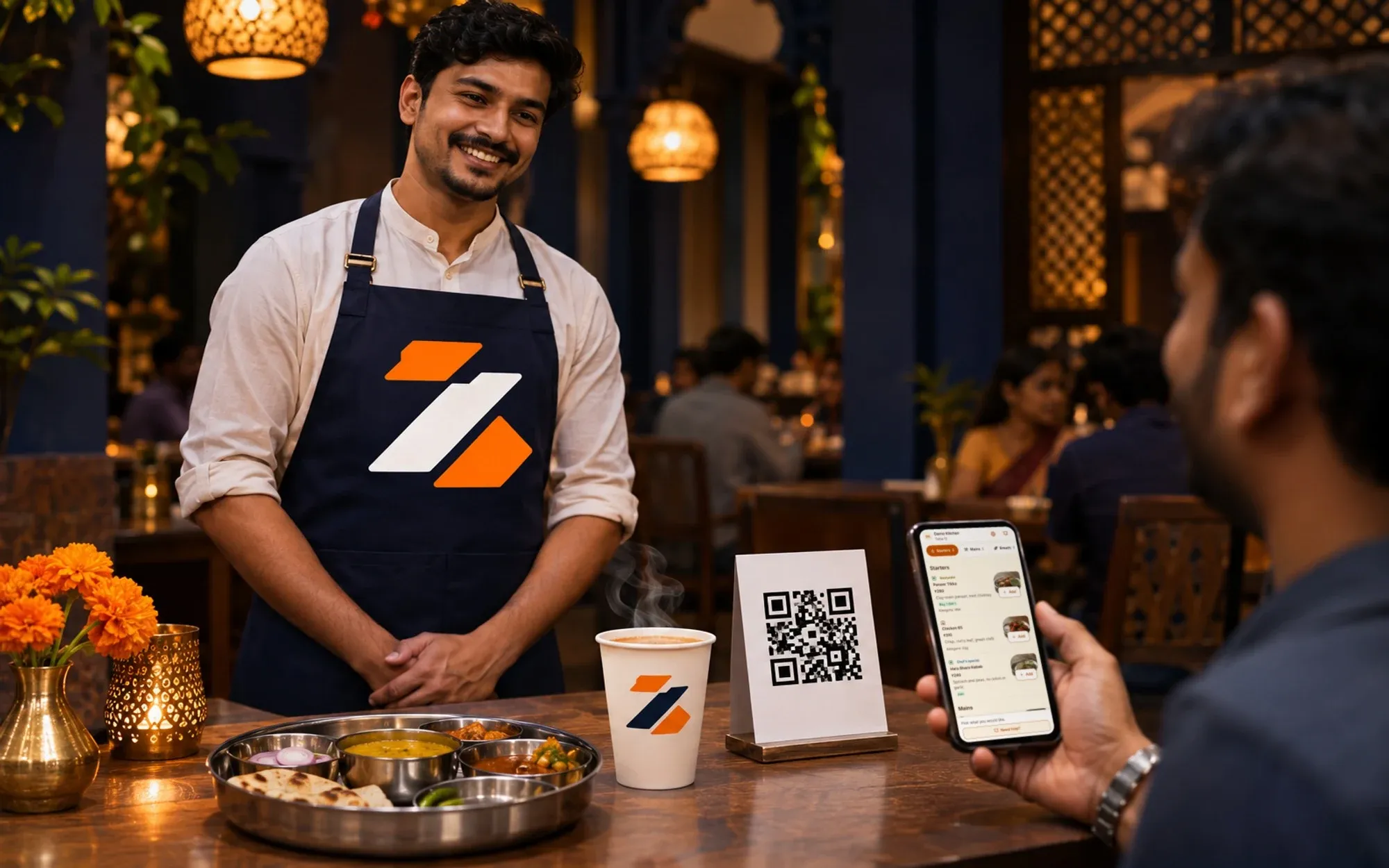
A smiling server in a Zentaro Serve apron stands at a table with a thali, a chai cup and a QR stand, while a guest holds up a phone showing the menu.
Table QR ordering

Table QR ordering: guests scan, you stay in control

Table QR ordering lets a guest scan a code on the table and order from their phone. This QR menu ordering opens your menu with scan to order, a shared cart for the table, allergen tags and a call-the-waiter button. You pick how each order reaches the kitchen.

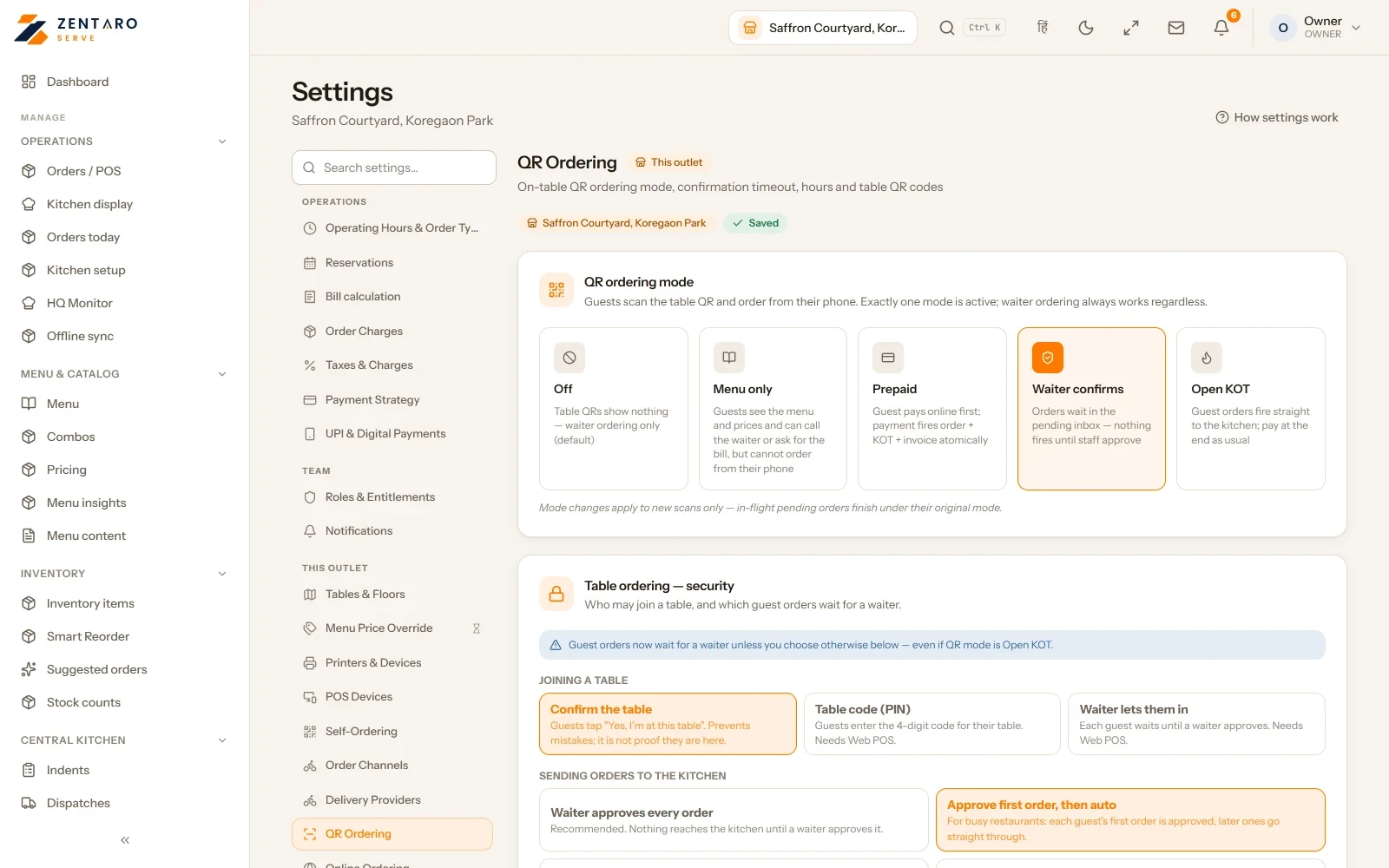
  • Four ways to take the order
  • One cart for the whole table
  • Allergens and dine-in prices
  • One best discount, plus an optional service line

Without it

  • Guests wait to catch a waiter, just to order a drink.
  • Every table runs on its own bill, even when friends share one.
  • Allergen questions get answered from memory.

What it does.

Four ways to take the order

Each outlet picks one mode: menu only, waiter confirm, prepaid or straight to the kitchen. The mode decides how an order reaches the kitchen.

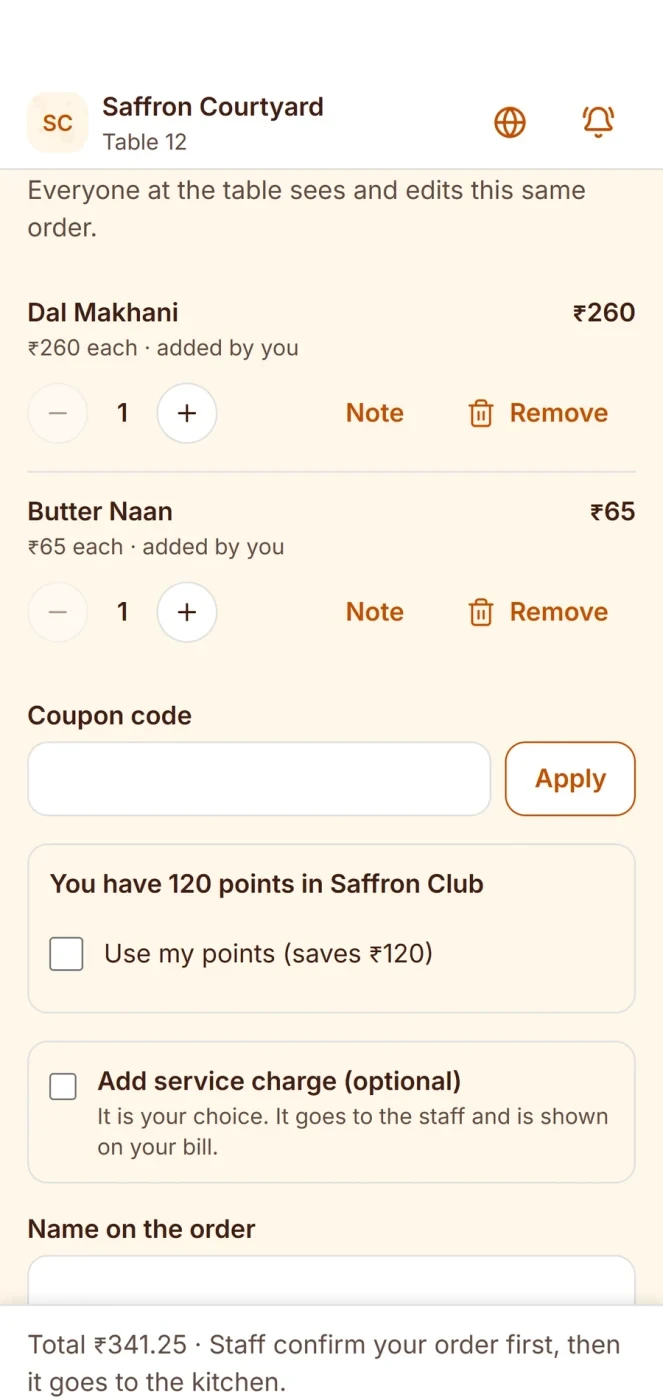
One cart for the whole table

Guests at one table share a single cart. Each guest can see what the others added.

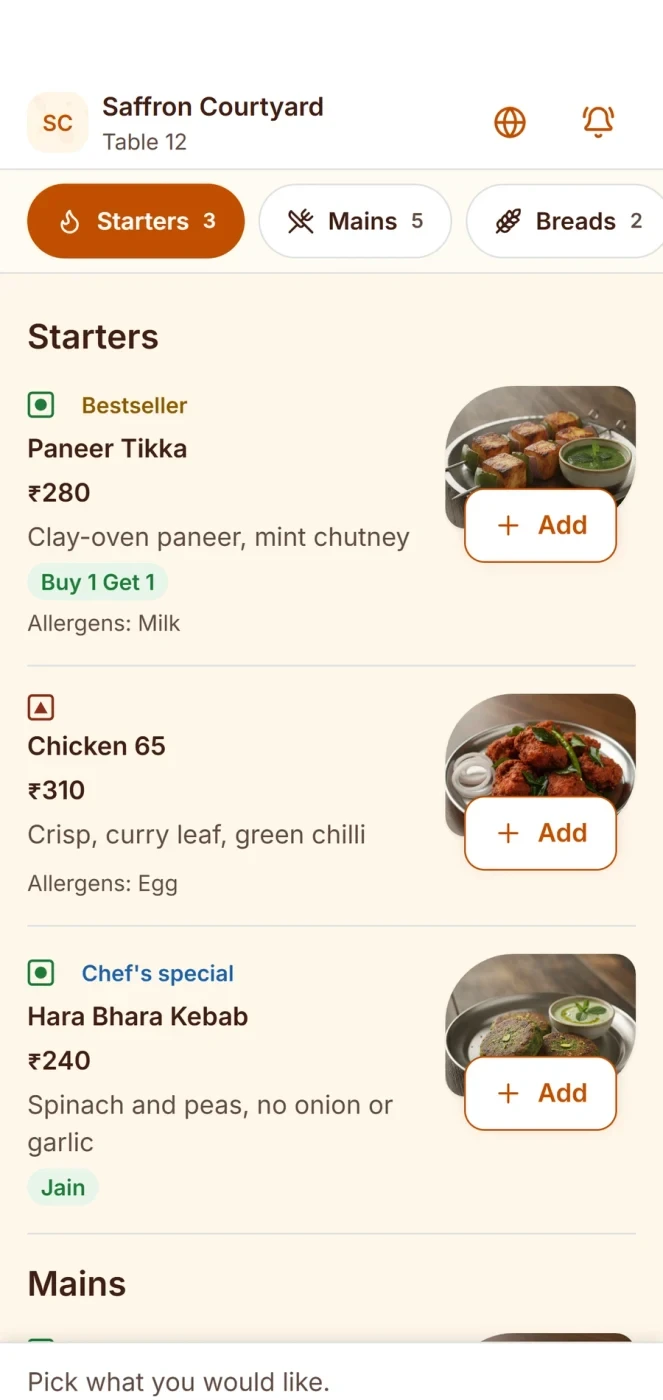
Allergens and dine-in prices

Dishes show allergen tags, so guests can check before they order. Guests see your dine-in prices.

One best discount, plus an optional service line

The bill uses the one best discount that applies. If the guest agrees to a service line, staff add it on top.

Loyalty by phone number

A guest uses loyalty with just a phone number. Their points stay with that number.

Call the waiter, ask for water, print the bill

Guests tap to call a waiter, ask for water or ask for the bill. Your team gets the request.

How it works.

Guest scans the table codeguest

Your menu opens on their phone.

The table builds one cartguest

Guests add dishes and see allergens and prices.

The order reaches the kitchenyour team

It follows the mode you chose for that outlet.

The bill is ready when they areautomated

The discount is already worked out, and so is any optional service line staff add.

Product screens

The screens you and your team will use for this.

Your settings
The menu

Your settings

The shared cart

Example screens with sample data

The problem you know

Why guests wait to order at the table

  • At lunch rush guests wait to catch a waiter, only to order a soft drink.
  • Friends at one table end up on four bills.
  • Someone asks about nuts and the waiter guesses.

How does QR menu ordering work with scan to order?

  1. Print the table QR codes. The QR studio makes them.
  2. The guest scans, and your menu opens on their phone.
  3. Everyone at the table adds to one shared cart.
  4. The order reaches the kitchen in the mode you chose: menu only, waiter confirm, prepaid or straight to the kitchen.
  5. The guest can call the waiter, ask for water or ask for the bill. They can pay by scanning, if you have switched that on.

What guests and your team get from the QR code

  • Allergen tags on dishes, and a welcome page.
  • Loyalty by phone number.
  • Suggestions in the guest cart, from your upsell rules.
  • A rating form after the bill is paid.
  • Table QR can be switched on or off for each outlet.

What it is not

  • In menu-only mode a guest browses but cannot send the order.
  • The guest needs a phone with internet to order. Your till keeps working without it.

Who uses the QR code in your restaurant

Talk to us and we will set up a table for you to try. Talk to us

Print the table codes

Print your table codes

  • Make one QR code for each table. Tables that still need a code are picked for you.
  • Download or print them, and stick each one on its table.
  • The link for a table stays the same, so you do not print it again.
Good to know

  • You choose the mode for each outlet, so one outlet can work differently from another.
  • Table QR can be switched on or off for each outlet.

Common questions.

How does a guest order with the table QR code?

The guest scans the code on the table. Your menu opens on their phone. Everyone at the table adds dishes to one shared cart.

Can I choose how orders reach the kitchen?

Yes. Each outlet picks one mode: menu only, waiter confirm, prepaid or straight to the kitchen.

Do guests see allergen information?

Yes. Dishes show allergen tags. Guests also see your dine-in prices.

Can guests ask for a waiter or the bill?

Yes. Guests can call a waiter, ask for water or ask for the bill from their phone.

When can I start using it at my tables?

Zentaro Serve launches in 2027. Talk to us and we will get you ready.

How does QR ordering work at a restaurant table?

The guest scans the code on the table. Your menu opens on their phone. They add dishes to a shared cart, and the order reaches the kitchen the way you set it for that outlet.

Do guests need an app to scan and order?

No. It opens on the phone, with nothing to install.

Can I choose whether the waiter confirms a QR order?

Yes. Each outlet picks a mode: menu only, waiter confirm, prepaid or straight to the kitchen. In waiter confirm mode your team accepts the order before the kitchen sees it.

Do QR menus show allergens?

Yes. Dishes show allergen tags, and the guest sees them before they order.

Can friends at one table share one cart?

Yes. Everyone at one table adds to a single shared cart, and each guest sees what the others added.

Tell us about your restaurant.

Zentaro Serve launches in 2027. Tell us what you run today and we will get in touch.

Talk to us Join the early access list

Last updated:

Pricing is coming soon

We are keeping pricing simple. We will share it when Zentaro Serve launches in 2027. Join early access and we will tell you first.