Restaurant automation means routine work happens without someone doing each step. In Zentaro Serve a sale deducts stock, low stock drafts an automatic reorder for you to approve, and the day-end closes with a drawer count and tip-out. Booking advances chase themselves too.
Anything that acts for you, like sending a purchase order or a guest message, stays off until you switch it on. You set the limits, decide what needs your approval, and every switch is recorded. Alerts and reminders only tell you. They never act.
You switch it on.
Start simple. Turn on only what your restaurant needs.
You set the limits.
Choose your own stock levels, times and amounts.
You approve what matters.
Orders, refunds and changes can wait for your yes.
You can switch it off any time.
Nothing is locked in.
What you can switch on
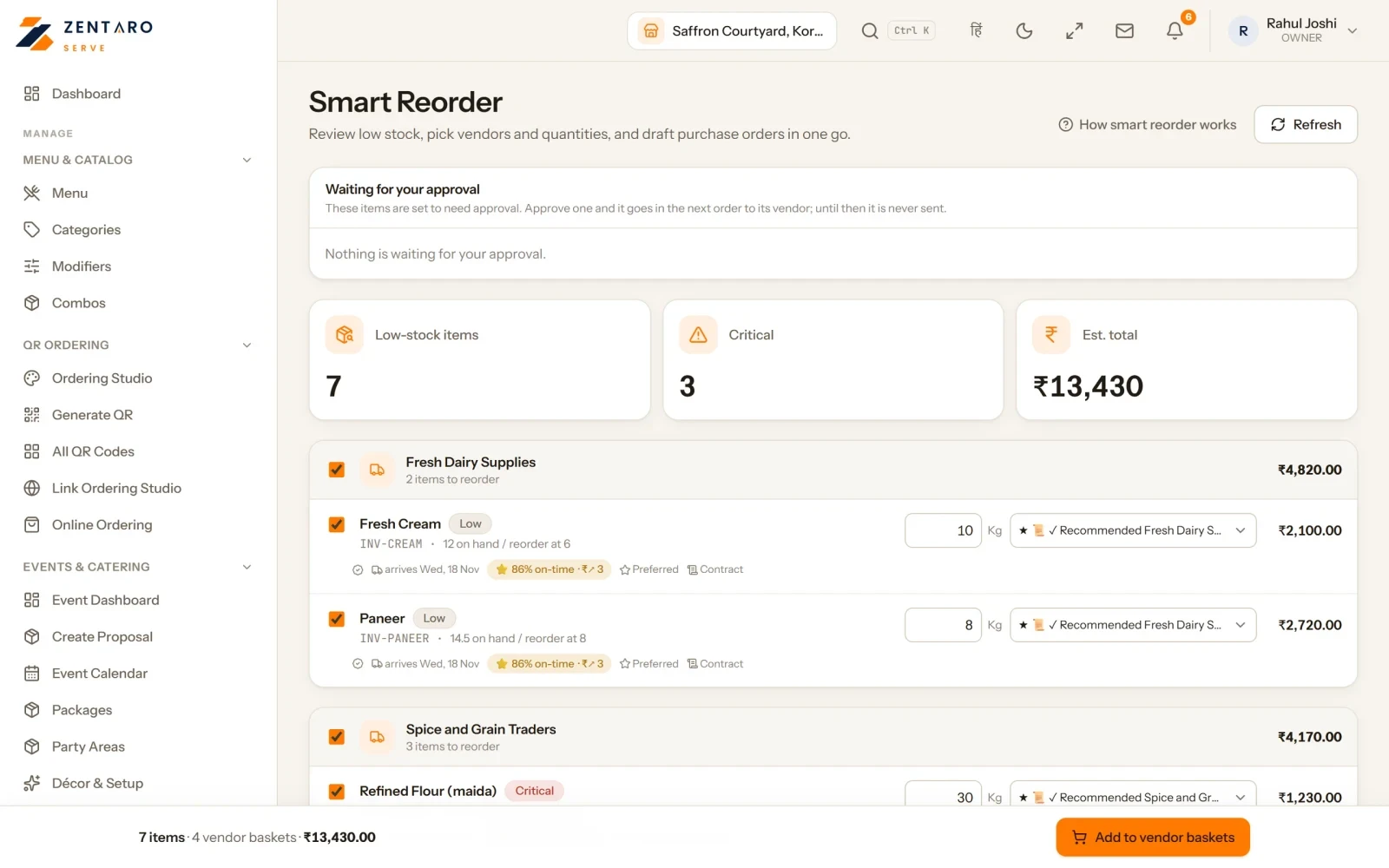
Reorder suggestions. Drafts a purchase order when stock runs low. You set the stock levels.
Sending purchase orders. A separate switch. An order over your value limit, or one where a price jumped, waits for a person. You set the value limit.
The daily supplier-ordering routine. Runs with a reminder. You set the time.
Production autopilot. Raises production orders and reserves ingredients for you. You choose when to turn it on.
Tiffin autopilot. It proposes each action and a person approves it.
Central kitchen auto-indent and auto-approve. Central kitchen is licensed separately. Dispatch stays a person’s act. You set the times and amounts.
Win-back and marketing messages. A win-back message goes only to guests who agreed to marketing. A marketing campaign goes only after a person approves it. Both stay off until you switch them on.
Some things are always on because they only tell you. The daily low-stock alert goes to your manager and owner. Reminders do the same. Neither one acts for you. Switches are for each business. Thresholds and times are for each outlet.
What it does.
Stock goes down with every sale
Map a dish to its recipe once. Each ingredient deducts from stock in the right unit on every sale.
Low stock shows early
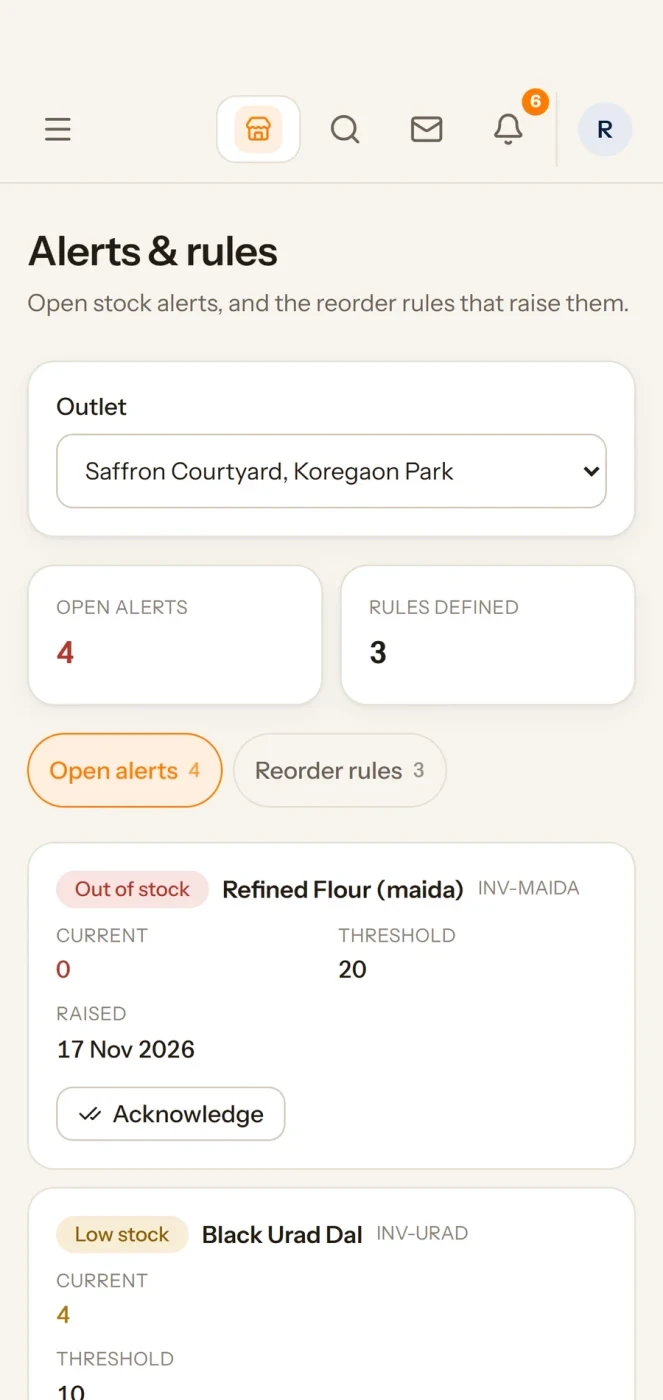
A sweep watches your levels through the day. Low stock appears on your dashboard before a dish runs out.
A draft order for each vendor
Suggested quantities are grouped into one open basket per vendor.
You approve the order
You adjust quantities, drop a line and pick the moment. Orders can go out on a schedule you set, with a value cap you set.
Food cost updates live
As purchase prices move, every mapped dish's plate cost and margin move with them.
Tickets go to the right station
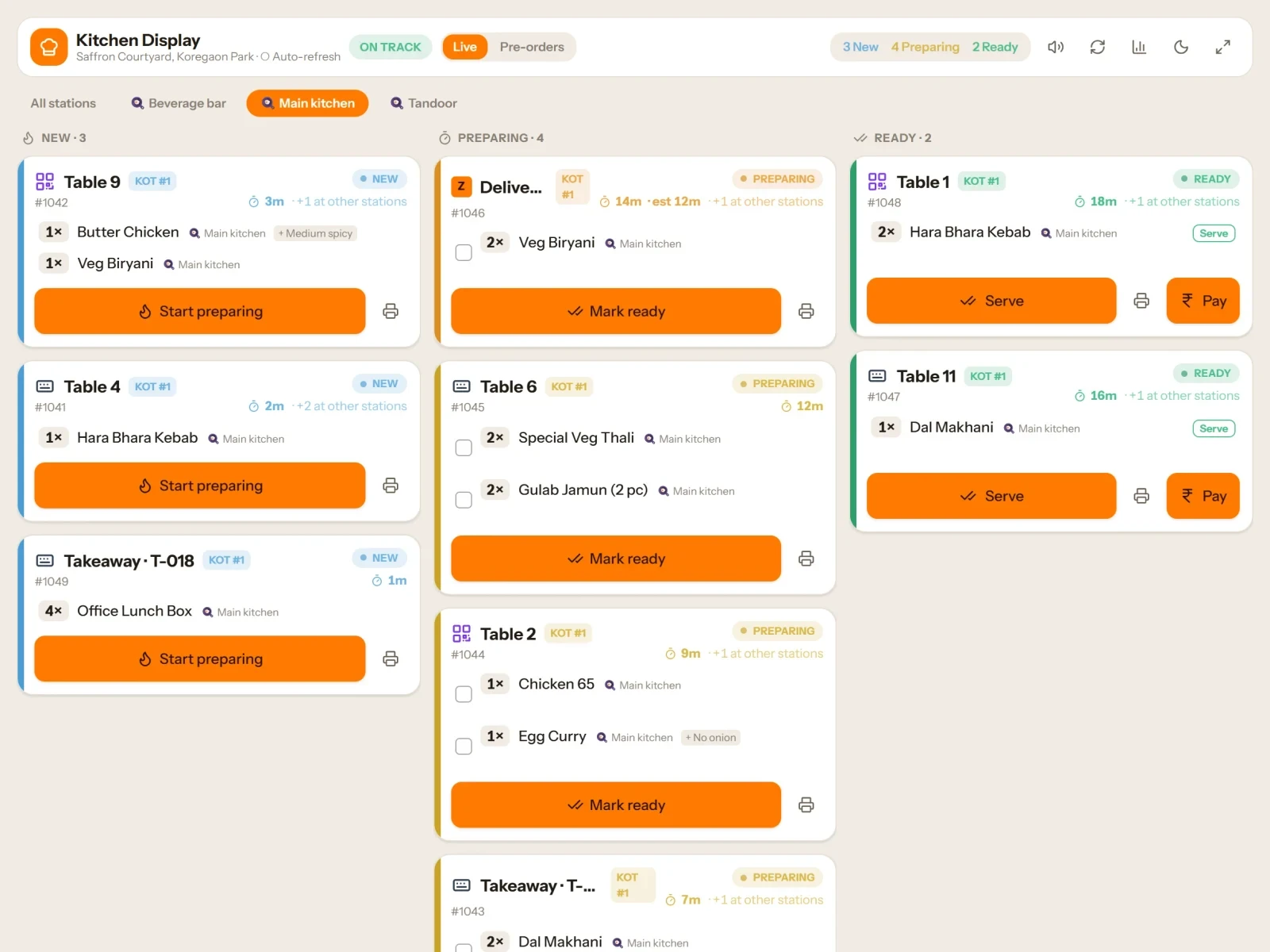
Each menu item goes to the station set for it. Tickets can print for each station, or as one ticket for the kitchen.
Work that stops needing you.
Off until you switch it on
On a new account nothing that acts for you is on. A person with permission turns each one on, and each switch is recorded.
A retry never does the job twice
If a CRM routine runs again, it does not send the same message twice.
Runs are listed
Where a routine keeps a run list, you can see each run and its result.
The inventory loop
From plate sold to purchase order, with you approving the order.
Map a dish to its recipe once. From then on, the loop runs itself.
🍽
A butter chicken sells automatic
The recipe fires: chicken, butter, cream, tomato, spices — each ingredient deducts from stock in the right unit, every single sale.
📉
Stock crosses its reorder point automatic
A sweep watches your levels through the day. Low stock appears on your dashboard, and a daily alert goes to your manager and owner. It is visible before it becomes an 86'd dish on Saturday.
📝
A draft purchase order appears automatic
Once you switch on reorder suggestions: suggested quantities, grouped into one open basket per vendor. Drafts accumulate — a sent order is never touched again.
👀
You review the basket your call
This step is deliberately human. Adjust quantities, drop a line, pick the moment.
📤
POs go out on your schedule automatic
Once you switch on sending, approved vendors receive their orders on a schedule you set, with a value limit you set. An order over the limit, or one where a price jumped, waits for a person.
📊
Your food cost updates live automatic
As purchase prices move, every mapped dish's plate cost and margin move with them. You see which dishes earn — before the month-end surprise.
Reservations
A booking that holds the table with an advance.
A guest books. You can ask for an advance by payment link, or record an advance taken at the venue. A slot can require an advance, and a guest with earlier no-shows gets a nudge to protect the slot with a deposit.
Advance payment links for bookings and events
Payment reminders before each due date on an event
Mark a booking as a no-show. A cancelled booking shows the policy amount, and the refund waits for another manager to approve it
Advance orders too: take a party's order days ahead and manage it on the till
The payment link needs your own Razorpay account. Advances land with you, never through us
Table for 6 · Sat 8 pmbooked
Advance link sent · ₹1,000paid
Guest arrivesseated
Example with sample numbers
Banquets & events
Proposals guests approve themselves.
An enquiry becomes a proposal with per-cover packages; the customer receives it, reviews it and approves it themselves — verified by OTP, no staff marking things "accepted" on their behalf. The advance is collected by payment link, and event-day task reminders go to the teams you've assigned.
Meal plans with their own skip rules. When a meal is skipped, the plan end date moves out or the meal becomes credit, as the plan says. Kitchen counts take skips into account, deliveries follow your drop points, and each meal can be checked in. Big enough to be its own page. See the tiffin & mess workflow →
Prices & feedback
Small automations that add up.
Prices with a calendar — set a price profile with a start and an end date. Outside the dates, the outlet price applies. Good for a festival menu.
Feedback after the bill — guests get a feedback request a few minutes after the bill is settled. Ratings land on a sentiment screen, with a queue for your replies.
Dish demand forecast — what each dish is likely to sell, tested on past days. You can change a day's figure. It is on plans that include operations planning.
Straight answers
What stays in your hands — on purpose.
Recipe mapping is a one-time job. Automatic deduction starts when a dish is mapped to its recipe. Unmapped dishes just sell normally — nothing breaks, they simply don't deduct until you map them.
Purchase orders wait for a person. Money leaves your account on your decision. The system drafts, reminds and sends on the schedule you set — it never invents an order you didn't approve.
Low stock shows on your dashboard. It's on screen the moment you look — we'd rather tell you exactly how it works than promise a ping that isn't there yet.
The day-end ritual
Close the day in minutes — and let the numbers argue for you.
At the end of the night, the close takes you through the day in a few steps.
Shift close begins your team
A shift is one cash-drawer session. Each cashier opens it with a float and closes it at the end.
Count the drawer your team
The cashier counts the cash in the drawer. The app shows the cash it expected, which is the float plus cash sales, and the variance.
Review the day automated
The close shows gross sales, discounts, tax, tips, net sales and refunds. It shows cash and each other payment method on its own line.
The Z-report automated
Sales, tax, discounts and the payment mix, ready to open. Print it, or keep a PDF or a CSV.
Acknowledge the exceptions your team
Cancelled and voided orders are listed for you to acknowledge before you close. Tips show on the close, and the tip-out report is on plans that include it.
The kitchen line
The pass, without the shouting.
How a ticket moves through the kitchen, and how you see the line.
Ticket fires to the right station automated
Each kitchen has stations, and a menu item goes to the station set for it. An order with no set route goes to the outlet's default station. Tickets can print for each station, or as one ticket for the kitchen.
Mark it out once your team
Mark an item unavailable (86) in the menu, and the till shows it as sold out. You can bring it back the same way.
A remake needs a manager your team
To send one kitchen line again, a manager approves it. The remake takes stock off again, and the kitchen flow score counts how often it happens.
The line has a flow score automated
Kitchen HQ gives each outlet a live score from 0 to 100, from Excellent to Stressed. It mixes prep time, late tickets, station balance, the queue and remakes.
Menu engineering
Your menu, sorted into four honest boxes.
Every dish is judged on two axes — how often it sells, and how much it earns. The matrix tells you what to do with each box.