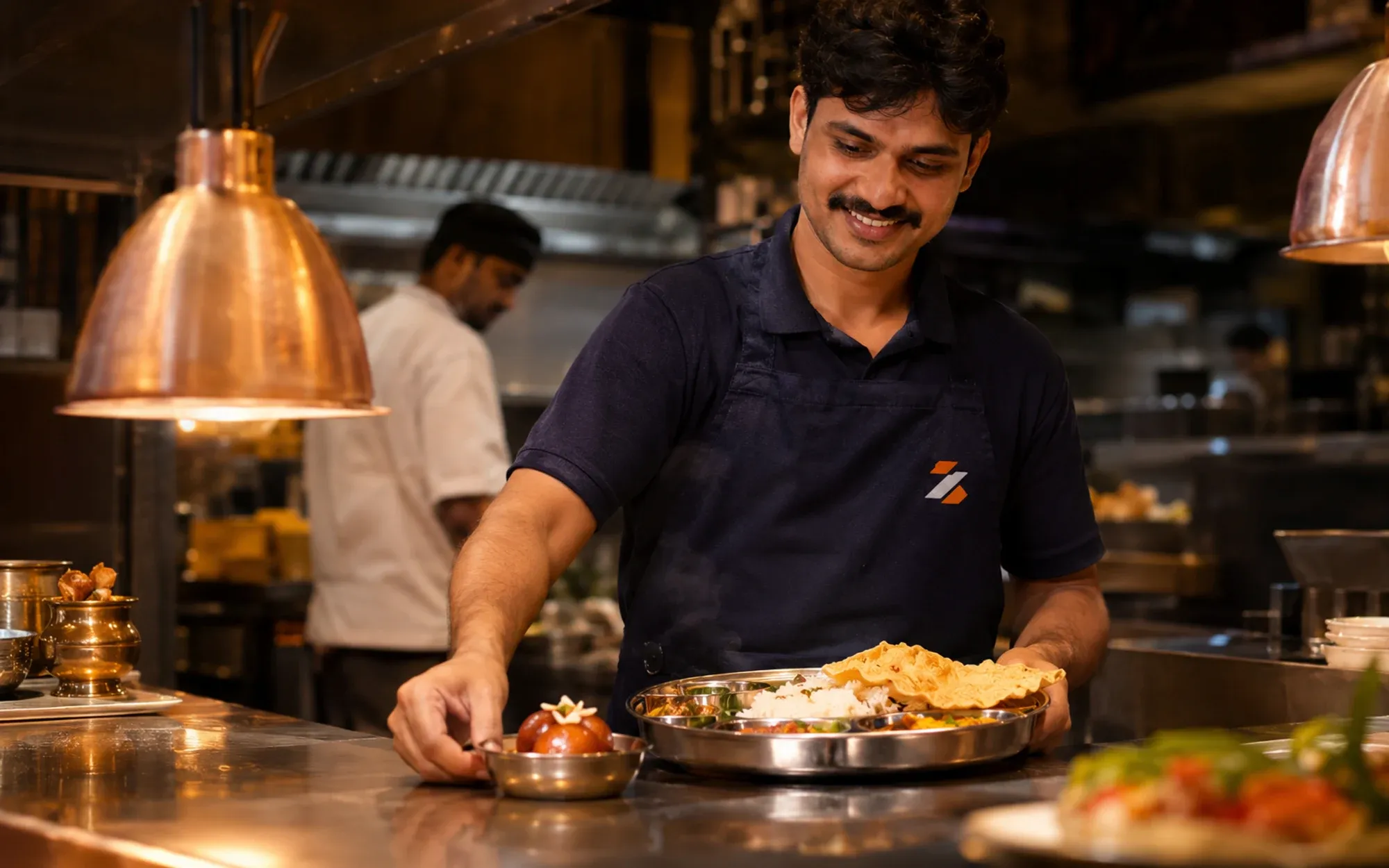
Restaurant upsell suggestions that count what they earn
Restaurant upsell suggestions offer a dish to add when a guest orders. In Zentaro Serve you write add-on suggestions as rules, such as a lassi with a thali. Staff see them in the POS cart, table guests see them on the QR menu, and a report counts what each rule earned.
- Upsell rules
- Courses
- Suggestions in the POS cart
- Suggestions for table guests
Without it
- Staff upsell when they remember to. Most nights, they forget.
- Guests never see the dessert or the side that goes with the dish.
- Nobody knows whether a suggestion earned anything.
What it does.
Upsell rules
You write a rule: when a guest orders this dish, suggest that one. You can change or stop a rule at any time.
Courses
Courses help suggest the next part of a meal, such as a dessert after a main. You set them up once.
Suggestions in the POS cart
While staff take an order, the cart shows your suggestions. Staff can offer them with one tap.
Suggestions for table guests
Guests who order from the table QR menu see suggestions too. They add them to the shared cart.
A performance report
The report shows how each suggestion did. You see which rules to keep.
Revenue counted honestly
Money is counted only when an order is linked to the suggestion. If a sale cannot be linked, it is not counted.
How it works.
You set a ruleyour team
Pick the dish and the extra to suggest.
The suggestion appearsautomated
At the POS cart or on the guest's phone.
The guest says yes or noautomated
Each result is recorded against the order.
You read the reportyour team
Keep the rules that earn. Drop the rest.
Product screens
The screens you and your team will use for this.
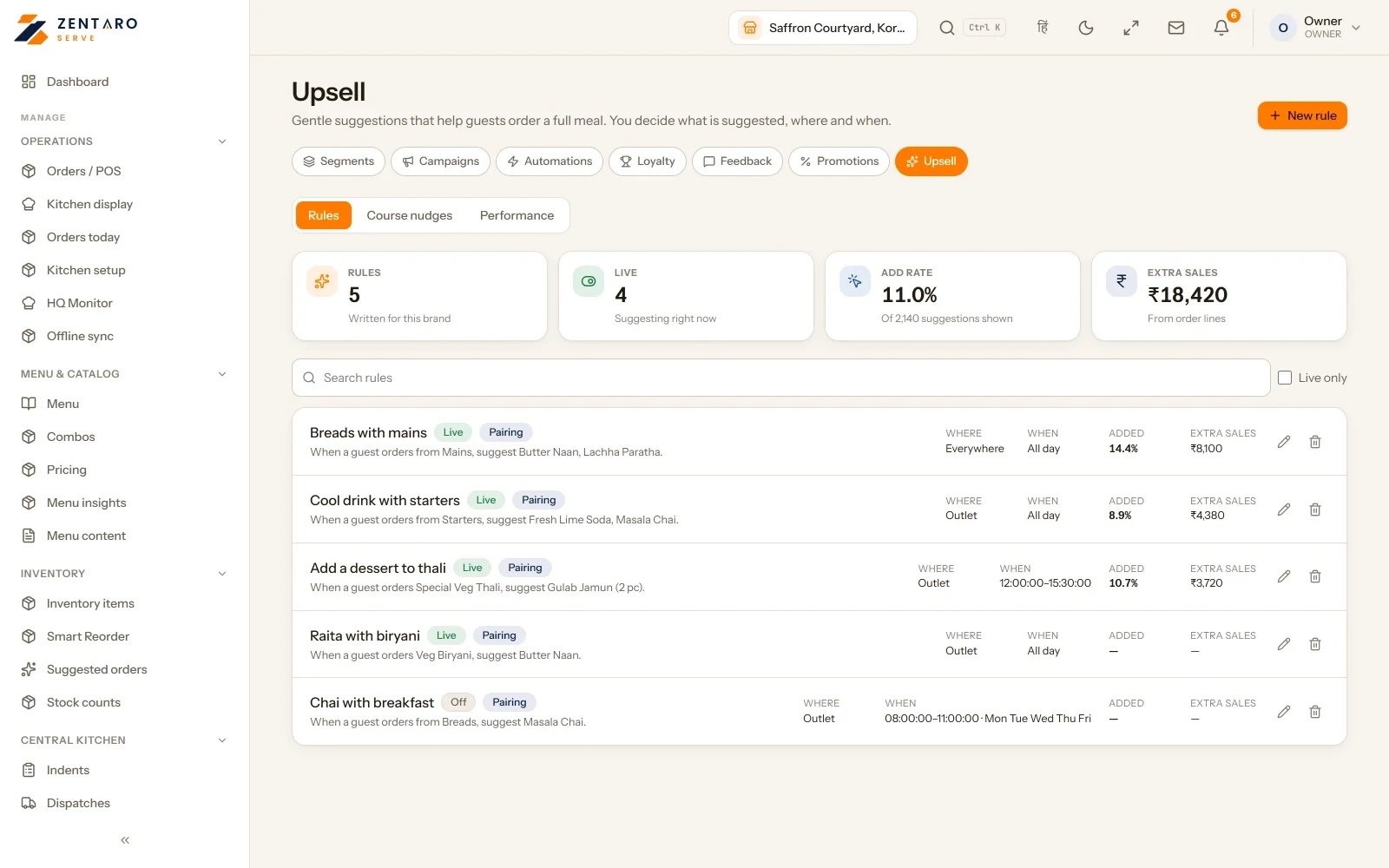
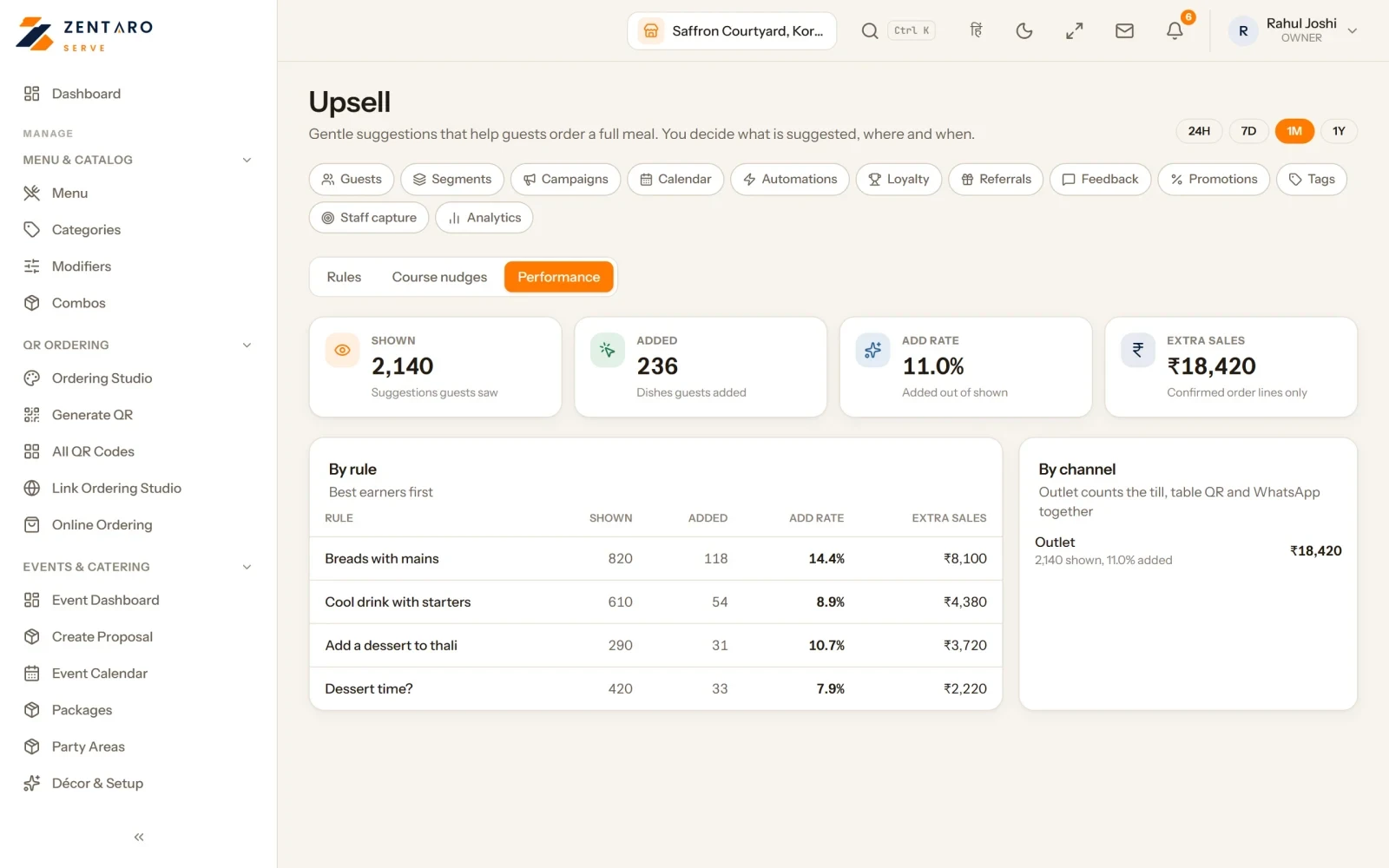
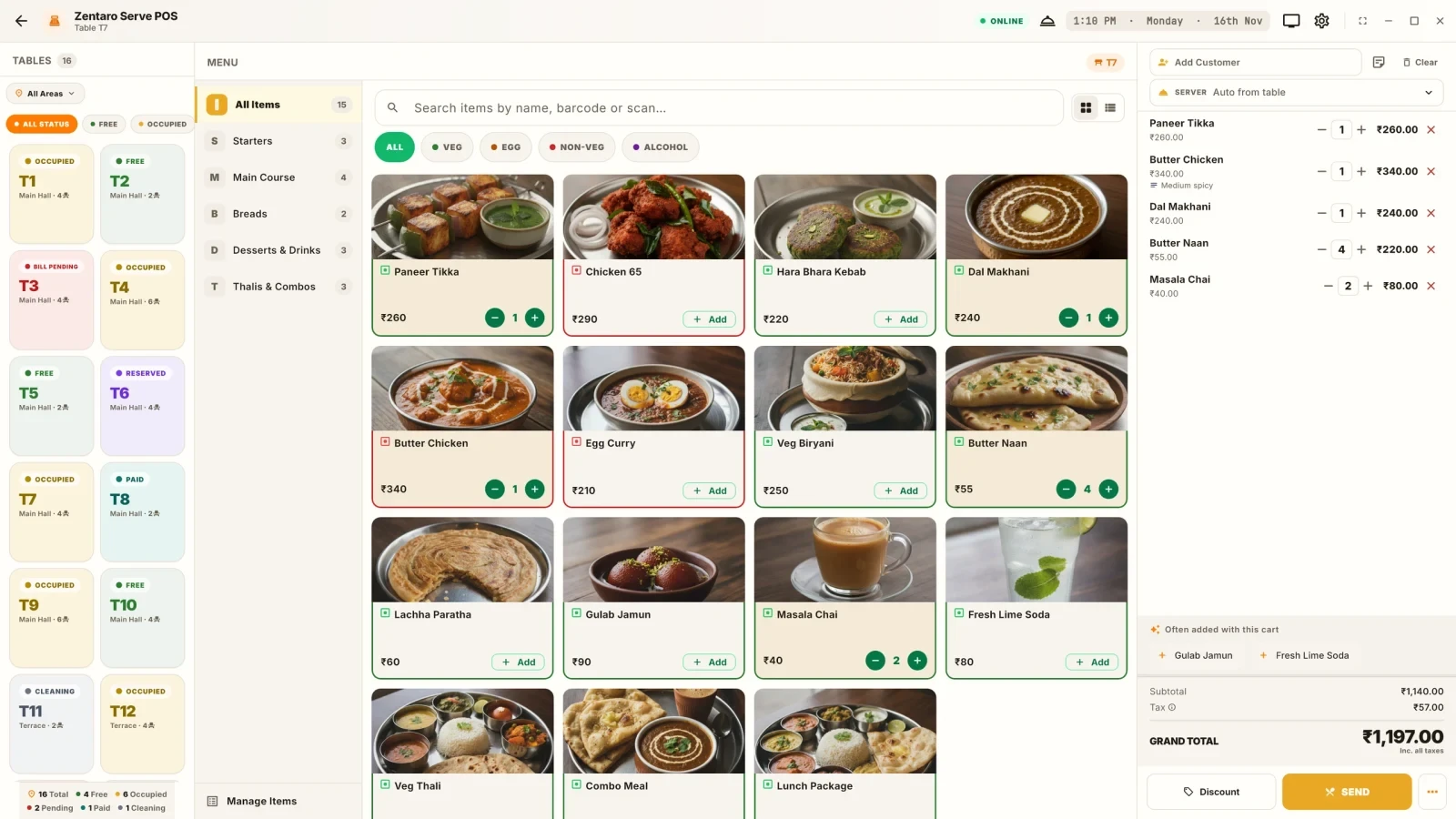
Example screens with sample data
The problem you know
Why the extra dish rarely gets suggested
- Staff upsell when they remember to. Most nights they forget.
- Guests never see the dessert or the side that goes with the dish.
- Nobody knows whether a suggestion earned anything.
How do add-on suggestions work?
- Write a rule: when this dish is ordered, suggest that one.
- Set courses if you want the next part of the meal suggested.
- Your cashier sees the suggestion in the POS cart.
- Table guests see it on the QR menu and add it to the shared cart.
- Read the report and keep the rules that earn.
What restaurant upsell suggestions include
- Rules you can change or stop at any time.
- A count that includes only orders linked to a suggestion.
What it is not
- Suggestions come from your rules and your own sales. AI is used only when there is no sales history yet.
Who uses upsell rules
Who it is for
- Owner and manager: write rules and read the report.
- Cashier and guest: see the suggestion.
Talk to us. Talk to us
Good to know
- Revenue is counted only when an order is linked to the suggestion.
- Suggestions show at the POS cart and to table guests.
Common questions.
What is an upsell rule?
It is a simple rule: when a guest orders one dish, suggest another. You write the rule and can change it at any time.
Where do guests and staff see suggestions?
Staff see them in the POS cart. Guests who order from the table QR menu see them too.
How do I know a suggestion earned money?
A report shows how each rule did. Money is counted only when an order is linked to the suggestion.
What is upselling in a restaurant?
It is when you suggest one more dish. In Zentaro Serve you write the rule once, for example a lassi with a thali, and it shows at the right time.
How do I suggest a dessert with a main course?
Write a rule: when the main is ordered, suggest the dessert. Courses help suggest the next part of a meal.
How do I know whether an upsell worked?
The performance report shows how each rule did. Money is counted only from orders linked to the suggestion.
Do guests see suggestions on the QR menu?
Yes. Guests who order from the table QR menu see suggestions and can add them to the shared cart.
Can I change a rule at any time?
Yes. You can change or stop a rule at any time.
Tell us about your restaurant.
Zentaro Serve launches in 2027. Tell us what you run today and we will get in touch.
Last updated: