Tiffin subscription software: sixty customers, zero notebooks
Tiffin subscription software runs prepaid meal plans, and mess management covers who ate and who skipped. Zentaro Serve gives each subscriber a numbered plan, applies your skip rules, extends the end date for a valid skip, nets the kitchen count, and lists deliveries by drop point.
Set the meals, timings, price and duration, and the skip policy: how many skips, how much notice and the cut-off time.
Every subscription is prepaid
Each one is numbered and dated, with its own payment record. "Till when am I paid?" has an answer.
Skips follow your rules
A skip inside the rules moves the plan end date out, or the meal becomes credit, as the plan says.
The kitchen cooks from a netted count
Each meal's count is already minus the day's skips and pauses.
Drop points and check-ins
Dabbas group under the drop points you define. Mess meals check in for each subscriber.
Renewals remind themselves
The end date shows all week and reminders go out before the plan expires.
The difference
The notebook doesn't argue back. It just gets it wrong.
How it usually works
Sixty subscribers, one notebook — who paid, who skipped, whose month ends Friday.
"I told you I was travelling" — and there's no record either way.
The kitchen guesses the day's count and cooks ten extra, daily.
A skipped day just disappears — the customer quietly pays for food they never got.
Renewals lapse because nobody asked, and the subscriber drifts to the mess next door.
How Zentaro Serve works
Every subscription is numbered, dated and prepaid — "till when am I paid?" has an answer.
Skips follow the plan's own rules: notice hours, cut-off time, weekend policy. The rules decide, not an argument.
A skip inside the rules extends the end date by itself — the customer loses nothing, you cook one plate less.
The kitchen cooks from a per-meal count already netted of skips and pauses.
Deliveries group by drop point; counter meals check in per subscriber; renewals remind themselves.
A notebook records the mess. Zentaro Serve runs it.
The subscription workflow
From plan design to renewal — on rails.
Example: a 30-day lunch + dinner plan, ₹3,600, four skips allowed with 12 hours' notice.
Design the plan — rules included once
Meals, timings, price, duration — and the skip policy: how many skips, how much notice, the cut-off time, weekends on or off. Every future argument, settled in advance.
Subscriber joins, prepaid automated
A numbered subscription with its own dates and payment record — home delivery to a drop point, or meals at the counter.
Skips extend the subscription by themselves automated
A 9 p.m. "skip tomorrow's lunch" inside the rules moves the end date forward on its own. The customer loses nothing, you cook one plate less, nobody negotiates.
Kitchen cooks from a netted count automated
Each meal's count is already minus today's skips and pauses. Sixty plans, four skips, two paused — the kitchen sees 54 and cooks 54.
Delivery by drop point, counter by check-in automated
Dabbas group under the drop points you define — the list is sorted by where they actually go. Mess meals check in per subscriber, so "did #43 collect lunch?" has a timestamp.
Renewals remind themselves automated
Ends-Friday is visible all week and reminders go out before expiry. The quiet churn of "nobody asked me to renew" stops.
Try it yourself
Press skip. Watch the ledgers agree.
Rahul's 30-day lunch plan allows 4 skips with 12 hours' notice, cut-off 9 p.m. Try both sides of the rule.
📱 Rahul's subscription
Plan30-day lunch · ₹3,600
Ends on24 Aug
Skips used1 of 4
Tomorrow's lunchcooking for him ✓
🎛️ The rule decides
Kitchen count, tomorrow54 plates
Two identical requests. Only the clock differs.
Launching 2027
Your subscribers manage their tiffin from their phone.
With the Zovi web app, which goes with Zentaro Serve, each subscriber sees their own plan: days used, days left, and the end date moving when they skip. They skip tomorrow's meal themselves, inside the rules you set. The 9 p.m. phone call to the mess counter retires.
Launching 2027. The subscription rules it needs are already built in Zentaro Serve.
My plan · 30-day lunch18 days left
Skips used2 of 4
Skip tomorrow's lunchallowed till 9 pm ✓
Ends on26 Aug → extends on skip
Built for the counter and the kitchen — honestly.
Skip rules are YOUR rules — the system enforces whatever fairness policy you set, it doesn't invent one.
Skips are recorded against the subscription, by your team or through the skip link, with the cut-off deciding what qualifies.
Drop points organise the delivery list; assigning riders and routes stays your call.
More for tiffin and mess kitchens
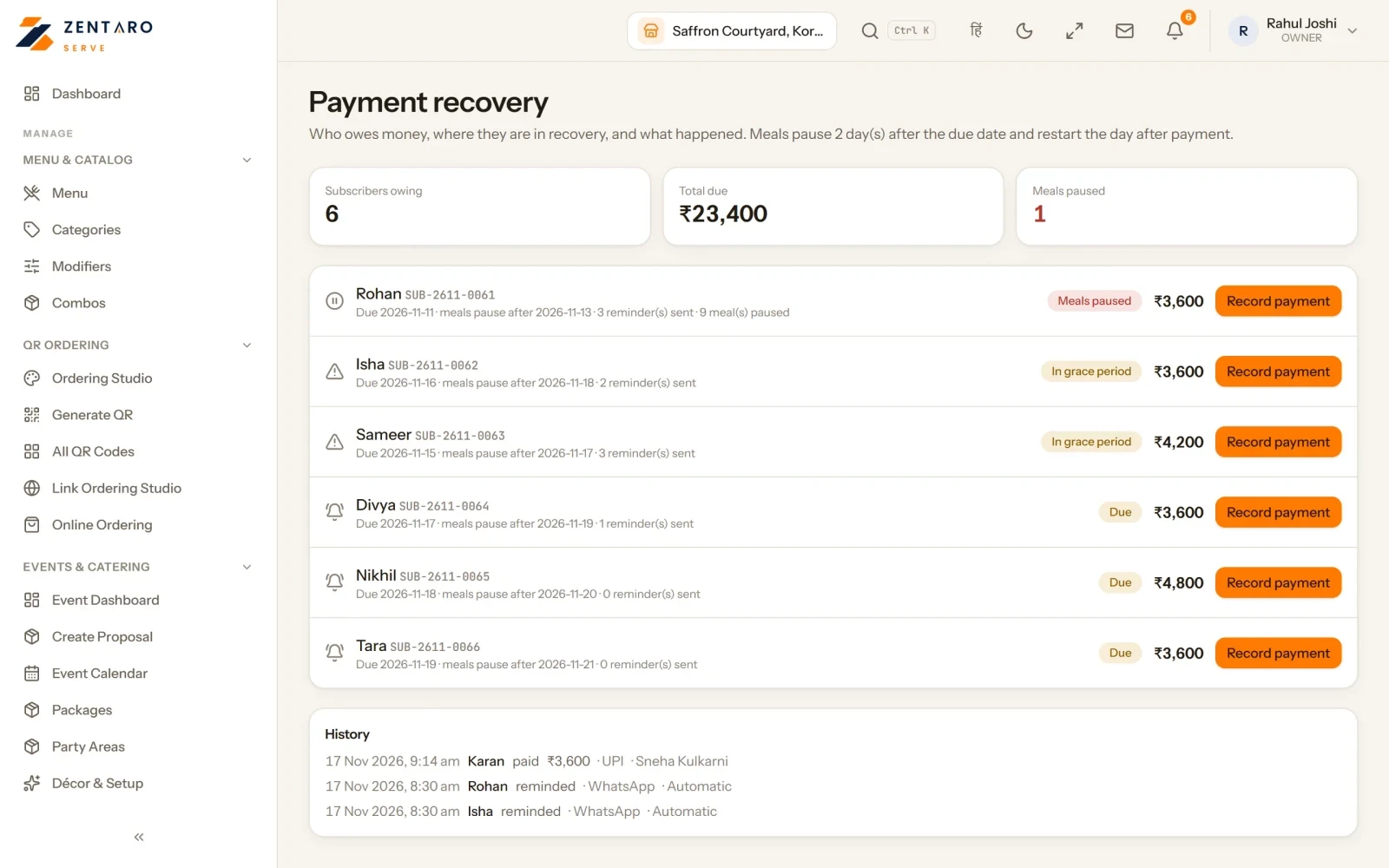
Payment recovery
See who owes money and where each subscriber stands: due, in the grace period, or paused.
Subscribers in the grace period are reminded every day. Meals pause from the day after it ends.
Record money taken at the counter. The plan is marked paid and paused meals return from tomorrow.
Every step is kept, with the name of the person who did it.
The day sheet
See what goes in each box, and the ingredients you need, have and must buy.
A plan is made against demand frozen for the slot. Locking the slot ends planning.
The board follows each batch from planned to produced, with rejects shown on their own.
Draft buying lists send nothing to a supplier.
What each batch cost
A batch cost is the ingredients plus labour, fuel, packaging and a share of overhead.
Ingredients come from your stock value. The rest you enter as a flat amount, a rate per unit or a rate per minute.
Quality release before dispatch
Every finished batch gets a quality lot. The lot decides if the batch may move.
A release carries the name of the person and the time. There is no anonymous release.
A released batch past its use-by time is refused at dispatch.
The packing bench
Nothing leaves the kitchen except through the packing bench.
It shows what is ready to pack and what is held.
Food safety
Report a problem, stop the suspect dish at once, and find everyone who had it.
Tell them, put it right, and record why it happened.
Where every meal went
See where each cooked meal went. A day closes only when nothing is left unexplained.
Control tower
One list of everything that puts today's or tomorrow's meals at risk: payment, ingredients, capacity, riders, containers, quality and more.
Each item has an owner, a deadline and a next step.
The checks run every 15 minutes. You can run them now.
Supplier shares and scores
Record which suppliers share an ingredient and in what share. The shares must total 100.
Scoring shows how each supplier really delivered: on time, how much of the order, and whether the lead time held.
Reallocation suggests a change. A person decides.
Change a dish for one day
When a dish cannot be made, swap it for that day only.
The kitchen sheet and packing follow, and subscribers are told.
Counter check-in
Look up each member's meal pass by name or number.
The screen says SERVED, or says why not.
Kitchen capacity
Set how much each kitchen can make in a meal slot. The planner plans against it.
Every capacity window stays on record.
Profit and forecast
See what each plan earns per meal, where money leaks and how many will eat next week.
The forecast is a suggestion. Ingredients are still bought for everyone scheduled.
A nightly money check
Every night, Zentaro Serve re-works each subscription's credit and skip records from their rows and compares them.
It reports what it finds. A person acts on it.
Waitlist and holidays
When a plan is full, add a person to the waitlist. When a place opens, the first person is offered it.
Mark days the kitchen is closed. Subscribers are told and no deliveries are set for those meals.
Policy studio
The brand sets each rule: skip and credit, meal scheduling and production. It sets the default and the allowed range.
The brand also decides whether a region or an outlet may change a rule.
Every change is a dated version with a reason, and the history shows who did it. The screen shows where each value comes from.
Product screens
The screens you and your team will use for this.
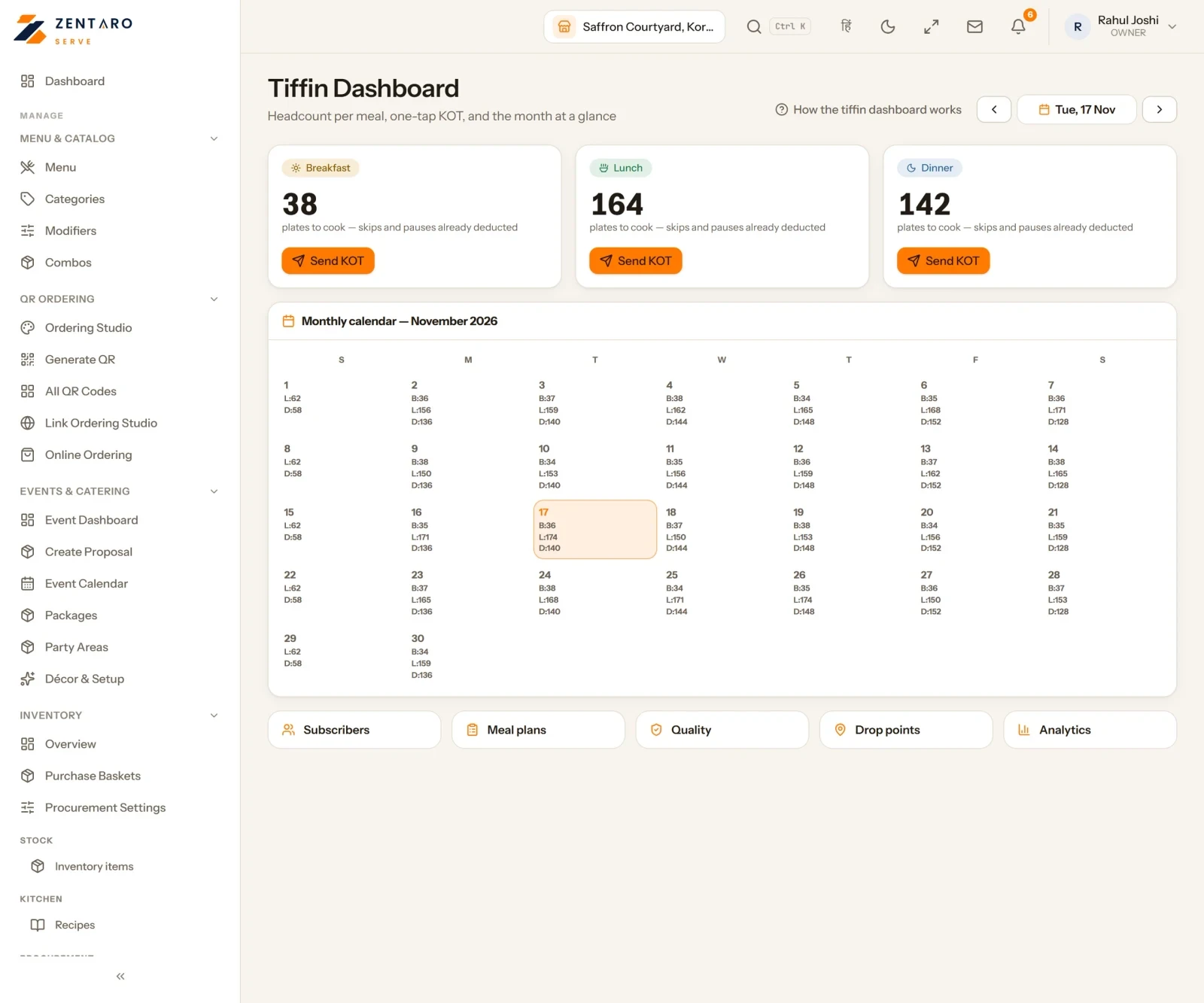
Plates to cook for each meal
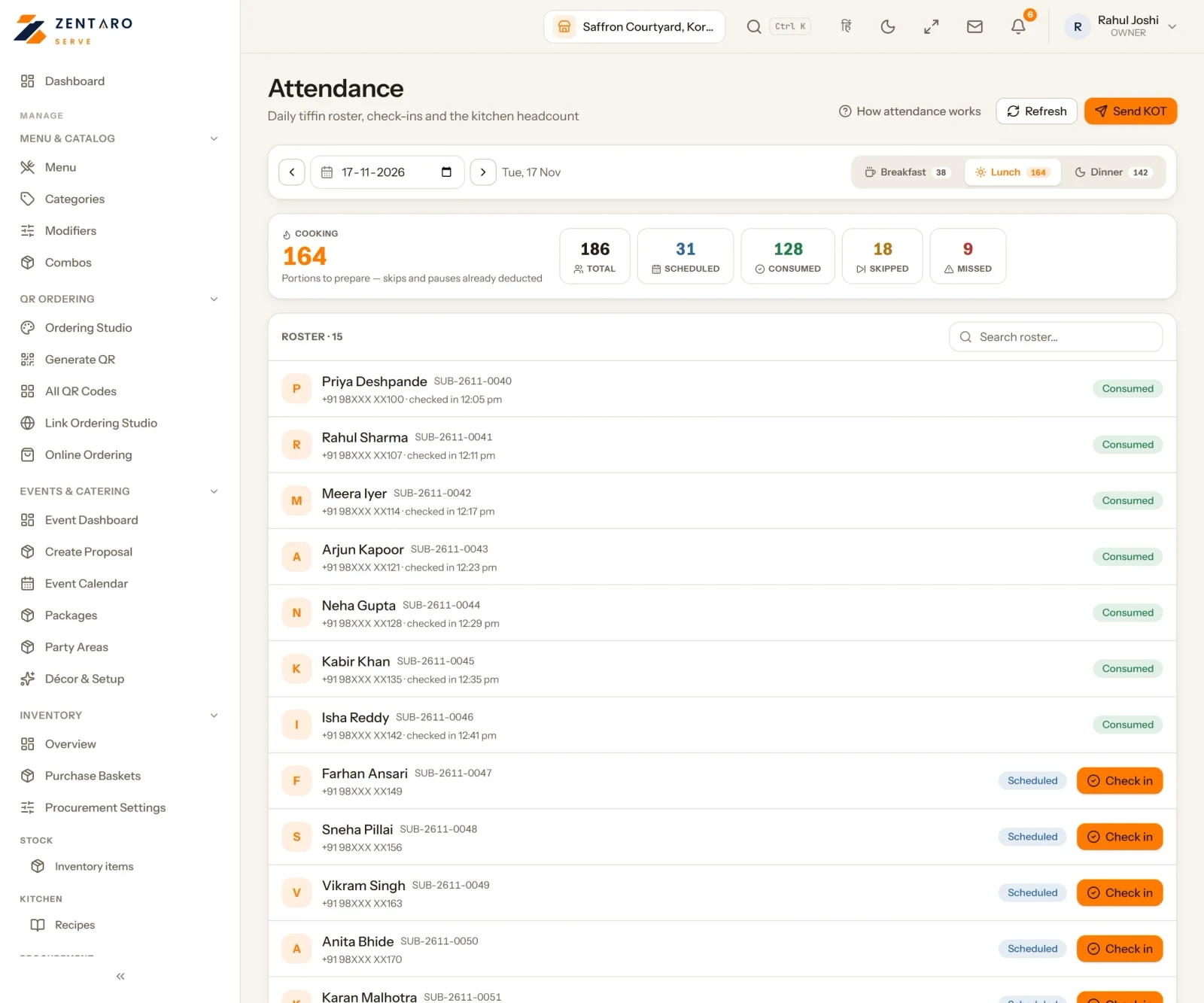
Who ate, who skipped, who missed
Members who owe money
Example screens with sample data
The problem you know
Why a tiffin business runs on a notebook
Sixty subscribers, one notebook: who paid, who skipped, whose month ends Friday.
A skip is argued with no record either way.
The kitchen guesses the count and cooks ten extra every day.
How does tiffin subscription work for mess management?
Design a plan: meals, price, days and the skip rules.
Add subscribers. Each has a numbered subscription.
A skip inside the rules moves the end date for you.
The kitchen cooks from the count after skips and holidays.
Pack and deliver by drop point, or check meals in at the counter.
Renewals are reminded before they end.
What tiffin subscription software includes
Payment recovery and reminders.
A waitlist, holidays and attendance.
Containers and packing, a rider run and drop points.
A food safety log, and vendor allocation and scoring.
A skip link for subscribers.
What it is not
Automatic renewal by bank mandate is not available yet. Renewals are reminded.