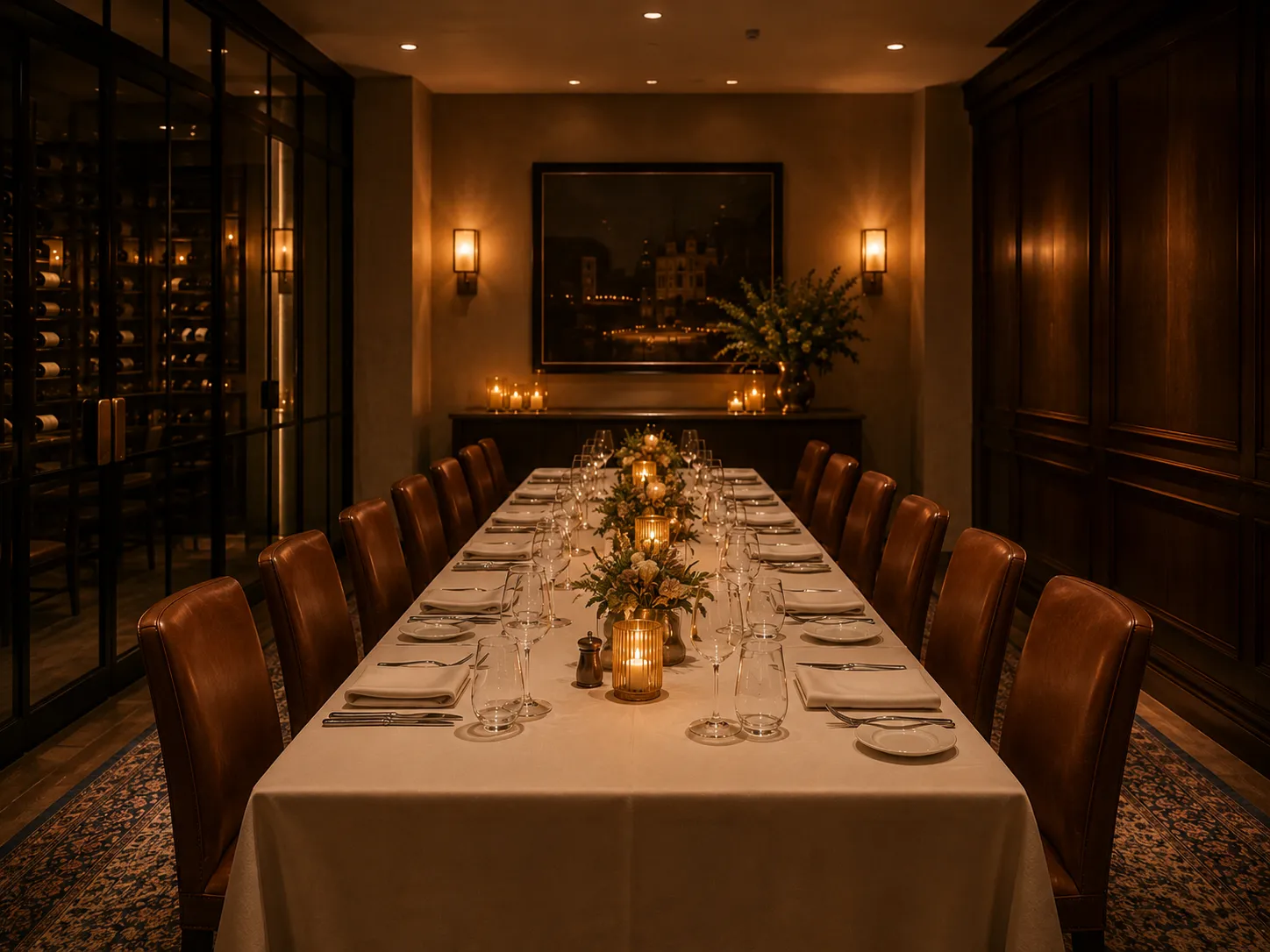
A private dining room laid for a booked party before anyone arrives: one long table set for twelve, candles lit, chairs pushed in, a wine room through glass to one side.
Event & booking automation

Banquet and event booking software: one enquiry, whole event

Banquet and event booking software takes a function from enquiry to the day itself. Zentaro Serve builds a proposal from your packages and lets the client approve it. It collects advances by payment link and handles party bookings. Task reminders go to your teams, so the kitchen is never told late.

  • Proposals priced from your packages
  • The client approves it on their own phone
  • The advance by payment link
  • Reminders before every due date

What it does.

A proposal from your packages

The enquiry becomes a priced proposal from your buffet packages, with course groups.

The client approves it themselves

Approval is verified by OTP on the customer's own phone. Nobody on your staff marks it accepted for them.

The advance by payment link

The advance is tracked against the event and settles to your own account.

Reminders before every due date

The customer, your manager and the teams you assign are reminded as the date approaches.

Bookings with an advance

A booking can ask for an advance, under a cancellation policy you set.

Party orders, days ahead

Take a party's order days ahead, with the advance collected and the balance tracked.

The difference

Everyone has an events diary.
A diary doesn't do anything.

How it usually works

  • The function is written in a diary or a booking screen — and that's where the software stops.
  • Someone calls the customer to confirm. Then calls again.
  • "Has the advance come?" means checking the bank and a WhatsApp thread.
  • The kitchen finds out about the event when someone remembers to tell them.
  • A no-show party still owns your best table on Saturday night.
  • The 50-plate order for Saturday lives on a sticky note near the till.

How Zentaro Serve works

  • The enquiry becomes a priced proposal from your packages — in minutes.
  • The client approves it themselves, OTP-verified, on their own phone.
  • The advance arrives by payment link and is tracked against the event — no bank-checking.
  • Task reminders reach every team you've assigned, before every due date.
  • Bookings can ask for an advance, under a cancellation policy you set.
  • Party orders are taken days ahead, with the advance collected and the balance tracked.

A diary remembers the event. Zentaro Serve runs it.

The event workflow

From "do you do receptions?" to event day — on rails.

Watch the chain. Green means the platform did it; blue means your customer did it themselves.

Enquiry captured your team

Date, covers, budget and requirements go in once — "Mehta reception, 120 covers, 14 December".

Proposal built from your buffet packages automated

Pick the package, set the covers — the proposal prices itself. No spreadsheet, no re-typing the menu.

Sent to the customer automated

The customer gets a link to a proposal page of their own — no app to install, nothing to print.

Client approves it — themselves your customer

The yes is OTP-verified on the customer's own phone. Nobody on your staff "marks it accepted" on their behalf — it is genuinely theirs, with a record.

Advance collected by payment link automated

The advance is requested the moment they approve. Paid, tracked and receipted against the event — UPI or card, settled to your own account.

Everyone is kept informed — without anyone chasing automated

Your customer is reminded before every due date — balance, confirmation cut-offs. Your manager sees exactly what's pending. The teams you've assigned — kitchen included — get their preparation task reminders as the date approaches. Nobody keeps a call-back list.

Event day runs off a task list automated

Everyone knows what they own and when. The function you quoted three weeks ago executes without anyone re-reading an email thread.

the platform does it your customer does it your team does it

You quoted once. The platform chased everything else.

The advance-booking workflow · tables

Reservations that chase their own advance.

The same discipline, table-sized: a booking that hasn't paid isn't allowed to quietly block your Saturday night.

Booking taken with an advance amount your team

Party size, table, time — and the advance the booking is worth.

Payment link goes to the guest automated

The guest pays from their phone. No card machine over the phone, no "transfer to this number".

Paid → table held automated

A paid advance holds the table. Your cancellation policy decides what happens to the advance if the guest does not come.

Guest arrives, advance already on the bill automated

The advance is sitting against the reservation and settles into the final bill — no arithmetic at the table.

The advance-order workflow · party orders

Fifty biryanis for Saturday — ordered Tuesday, ready on time.

Big orders placed days ahead — pickup or delivery — run on the same rails: paid in advance, on record for the kitchen, nobody surprised.

Order taken days ahead your team

Items, quantity, pickup or delivery, date and time — with special instructions attached to the order, not to somebody's memory.

Advance collected, balance tracked automated

Your advance percentage is applied and collected by payment link; the balance is tracked against the order until it's settled.

On record for the kitchen your team

The order sits in Zentaro Serve with its date, time and instructions, so the kitchen can plan for it. Saturday's order is not on a sticky note.

Handed over — pickup or delivery automated

Balance settles on handover and the order closes with its whole trail: who ordered, what was paid, when it was ready, when it left.

In the app

The proposal, the advance and the calendar.

Event automation

What runs by itself after you approve.

You set the rules once in Payment rules and Reminders. Then Zentaro Serve does these jobs on its own.

  • Payment link on approval

    When you approve a proposal, the guest gets a secure link for the advance. Once per proposal.

  • Confirmed when the advance is paid

    The event moves to Confirmed as soon as the advance arrives. You can switch this off.

  • Payment reminders

    Reminders before the due date, on the day and after it, up to a limit you set. Each one carries the payment link.

  • Overdue balance, chased politely

    After the due date the guest is reminded at the spacing you set, up to a cap, and the booking is marked overdue.

  • Payment links expire

    An unpaid link expires after the days you set, so an old link cannot be paid.

  • No payment is lost

    If a payment confirmation never arrives, Zentaro Serve checks with the payment provider and records the payment once.

  • Unpaid bookings released, after a warning

    An approved proposal that is not paid is released after a warning to the guest.

  • "See you tomorrow" messages

    The day before a confirmed event, the guest gets a "see you tomorrow" message. Your managers are told about money still due. You can set more reminder days.

  • Balance nudge three days out

    A part-paid event gets one balance reminder three days before.

  • Thank-you the morning after

    Guests of yesterday's events get a thank-you message.

  • Events finish themselves

    Confirmed events turn Completed once their date has passed, so your counts stay right.

  • Task reminders for your teams

    Decor, DJ, photography and other tasks get reminders as the date comes closer.

  • Ingredients go to the vendor basket

    What an event needs goes into the vendor's draft order on its order date.

Off by default

  • Alert for a new event request

    Managers get one alert for each new request from a guest. Built, off by default. Ask us to switch it on for you.

  • Holds that expire

    Temporary holds on party areas and ticket seats are freed when they expire. Built, off by default. Ask us to switch it on for you.

The buffet builder

Design the buffet once. Quote it forever.

Build your packages the way you actually sell them: courses and sections with choice rules — "any two starters, one main per cover, dessert counter included". Set the per-cover price, a minimum and a guaranteed cover count, even different variants of the same package. When the next enquiry comes, the quote is a selection, not an evening with a calculator.

Royal Wedding Buffet₹1,450 / cover
Starterschoose any 3
Mainschoose any 4
Dessert counterincluded
Minimum covers100 · guaranteed 120

What stays in your hands — on purpose.

  • The enquiry and the quote are yours: pricing a wedding is judgement, not automation. The platform takes over the moment the proposal leaves your hands.
  • Task reminders go to the teams you assign — you decide who owns the mandap, the buffet line and the bar.
  • Vendor purchase orders are a separate flow you trigger from inventory — event confirmation doesn't order stock behind your back.

Add-ons, guest changes and who may change a deposit

Add-ons you sell

  • Keep a catalogue of add-ons, such as platters, a cake, a table upgrade or parking.
  • Each add-on has a price and a tax rate.
  • On ticketed events, alcohol cannot be sold as an add-on.
When a guest asks for changes

  • The guest can ask to change guests, dishes, add-ons and special requests.
  • You see what was added and removed, and the change waits for you.

Who may change a deposit

  • Give a role the right to waive, reduce or extend a deposit, up to a limit you set.
  • Nobody has this right by default. You can withdraw it at any time.

Cancel a paid event

  • When an advance is already paid, a manager must approve the cancellation.
  • The screen shows the refund your cancellation policy gives right now, before you confirm.
  • You say why: the customer asked, or the event cannot be hosted. Every step is kept on record.

Every step on the event record

  • Each event has a history: proposal sent, customer comments and counter-offers, approvals, payments, reminders, confirmation, refunds and cancellation.
  • You can see who did each step and when.

Product screens

The screens you and your team will use for this.
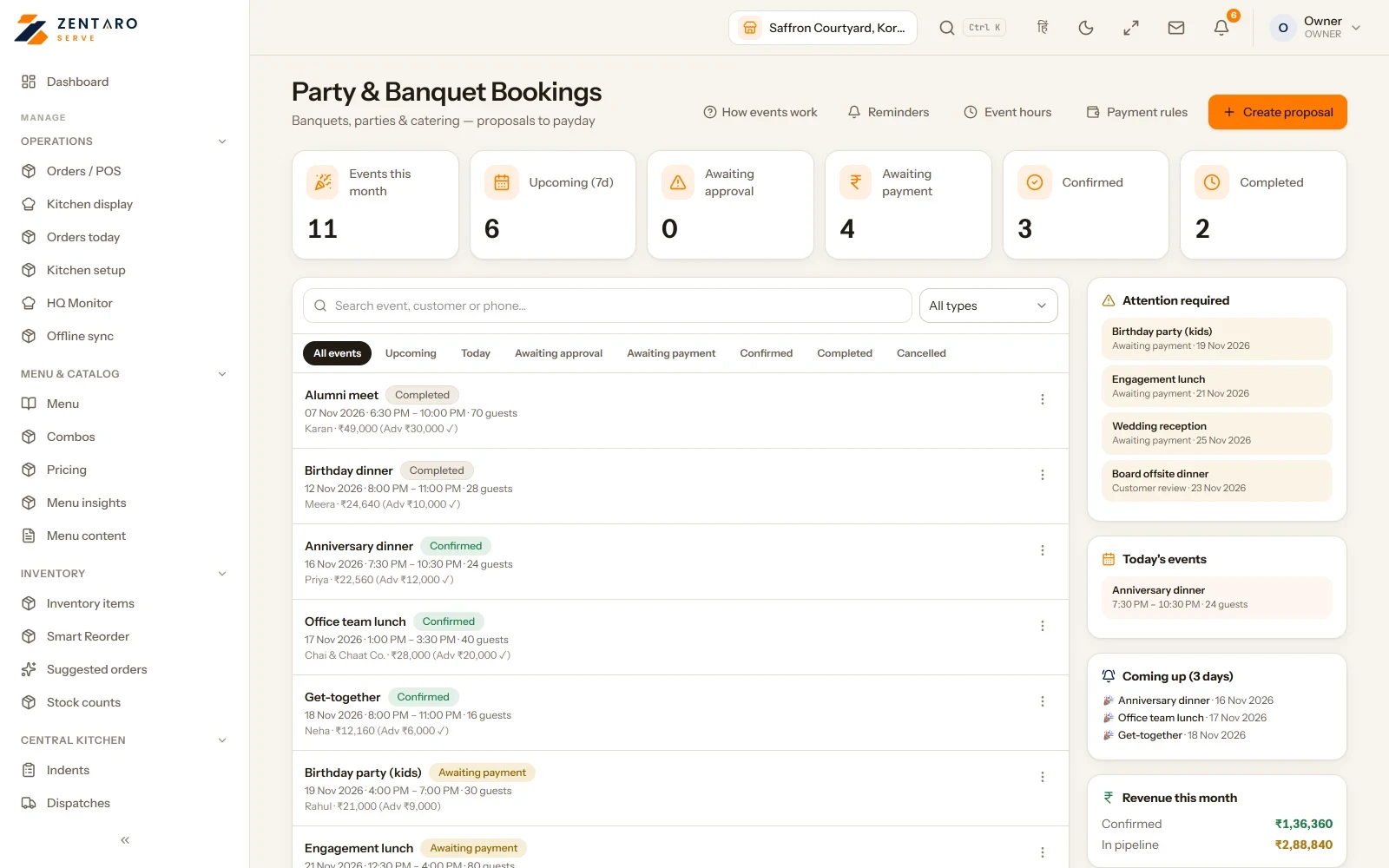
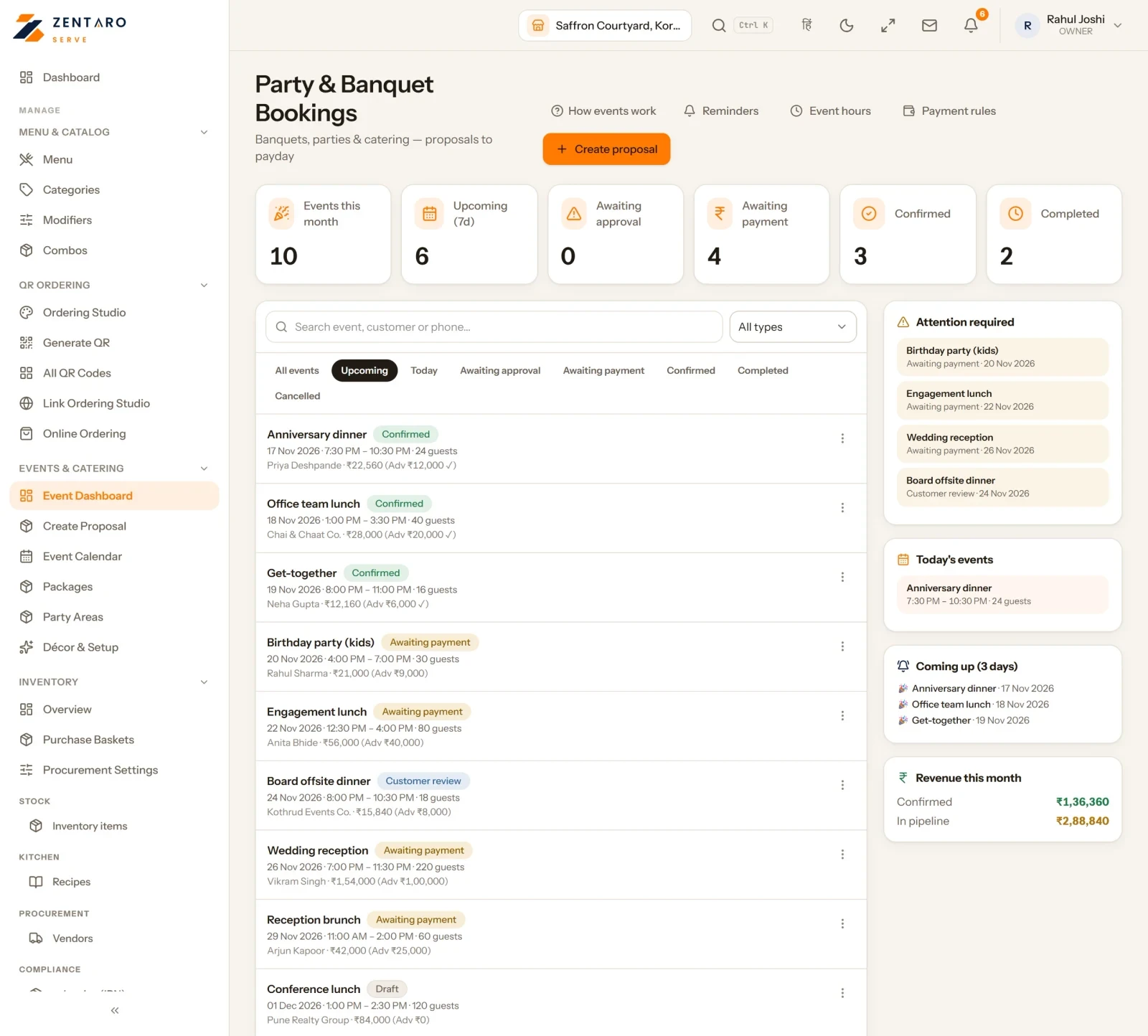
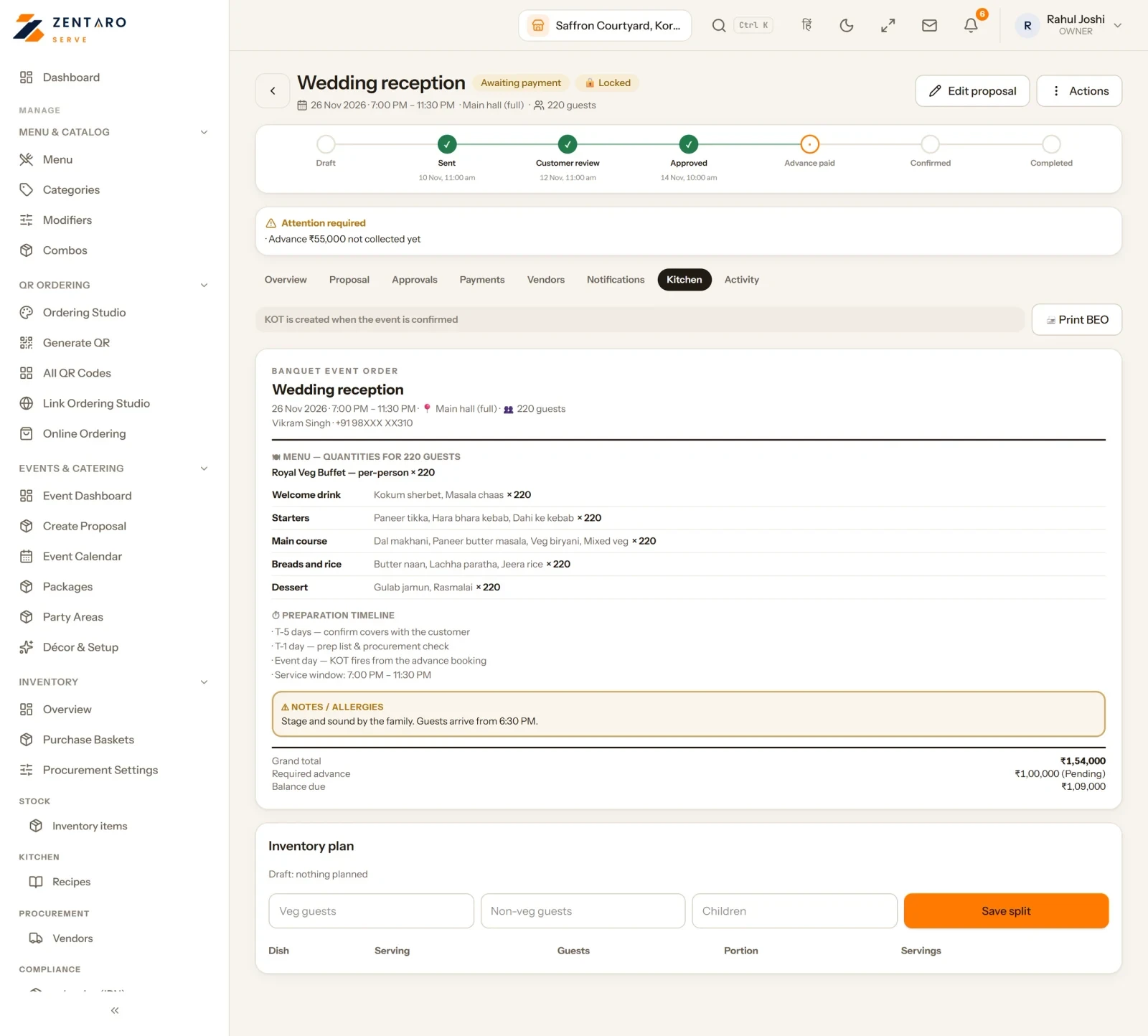
The events board
All bookings in one list
The kitchen tab of an event

Example screens with sample data

The problem you know

Why events run on diaries and phone calls

  • The function is in a diary, and that is where the software stops.
  • Someone checks the bank and a WhatsApp thread to see if the advance came.
  • The kitchen hears about the event when someone remembers.

How do party bookings and advances work, from enquiry to the day?

  1. Write down the enquiry once: date, covers, budget.
  2. Build the proposal from your packages.
  3. The customer reviews it on their phone, can negotiate, and approves it with an OTP.
  4. The advance is paid by a payment link, to your own account.
  5. Task reminders go to every team before each due date.
  6. On the day, the readiness list shows what is done.

What banquet and event booking software includes

  • An event calendar, requirement lists and an add-on catalogue.
  • Party areas and a payment policy for each event.
  • A list of payments not yet matched to an event.
  • Event groups for multi-day events.
  • Table booking with advance, packages, add-ons and a cancellation policy.

What it is not

  • An approved proposal that is not paid is released after a warning.
  • Some advance-table-booking features are still coming.
  • Alcohol pre-orders are not offered.

Who uses event booking

Who it is for

  • Owner and banquet head: the full chain.
  • Kitchen: gets its tasks.
  • Client: approves on their phone.

Talk to us. Talk to us

Common questions.

What happens after an event enquiry?

It becomes a proposal. The guest approves it with an OTP. An advance is paid and a task list is made for the day.

Can reservations collect an advance?

Yes. Reservations can chase their own advance.

Can customers order food for a function?

Yes. Party orders are supported, ordered ahead and ready on time.

What is banquet booking software?

It runs a function from enquiry to the day itself: proposal, approval, advance, tasks and readiness.

How do I collect an advance for a party booking?

The advance is requested by a payment link when the client approves. It is tracked against the event and settles to your own account.

Can a client approve an event proposal online?

Yes. The customer gets a page of their own, can negotiate, and approves with an OTP.

How do I plan a multi-day event?

Link the days into one event group, so you plan and track them together.

Can the same system handle table booking?

Yes. Table booking is part of the product. It has advance payment, packages, add-ons and a cancellation policy.

Quote your next function on it.

Build one real proposal and let a client approve it from their own phone. That moment sells it better than this page can.

Talk to us Join the early access list

Last updated:

Pricing is coming soon

We are keeping pricing simple. We will share it when Zentaro Serve launches in 2027. Join early access and we will tell you first.