
Stock does not match. Ask why.
After a stock count, Zentaro Serve shows what is missing or extra. A manager can ask AI for likely causes and what to check next. The counts and figures come from Zentaro Serve. Zentaro Serve launches in 2027. Optional AI features, switched on after launch.
- Counted against expected
- Likely causes
- What to check next
- Optional, switched on after launch
What it does.
Counted against expected
Zentaro Serve shows what you counted against what should be there.
Likely causes
AI suggests where the gap may come from, in plain words.
What to check next
You get the next steps for the investigation.
How it works.
You count stockyou
Zentaro Serve finds the gap.
A manager asks AIAI
For likely causes.
You investigateyou
And close the case.
Product screens
The screens you and your team will use for this.
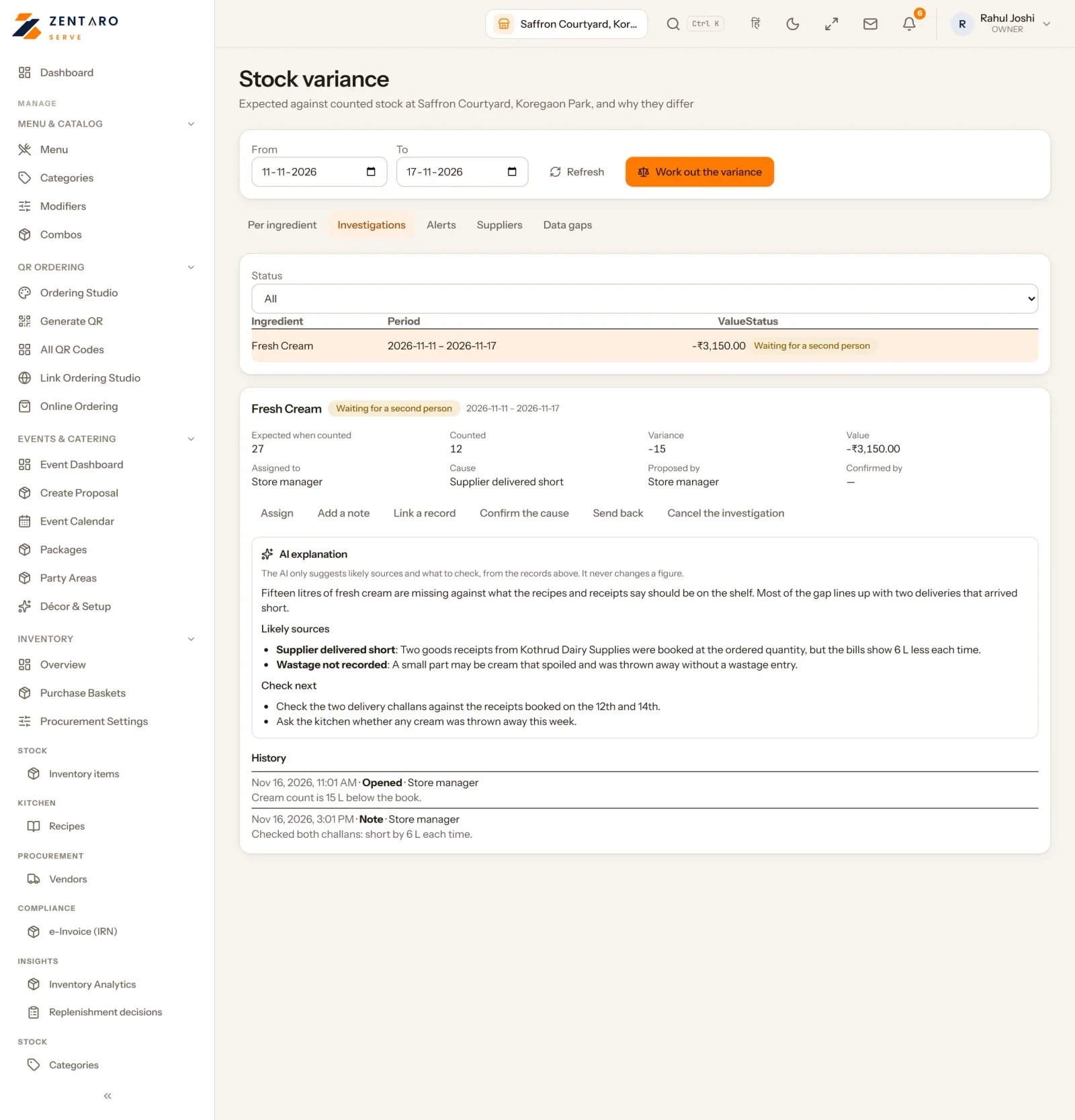
Example screen with sample data
Who it helps.
Start an investigation with ideas, not a blank page.
See why stock went missing.
You stay in control. It is off until you switch it on. Only a manager allowed to can ask. The figures come from Zentaro Serve.
Good to know
- This AI feature is optional. You switch it on or off for each brand.
- Each AI task uses credits from your balance.
Common questions.
Is this on by default?
No. You switch it on, and only allowed managers can ask for an explanation.
Does AI decide what went wrong?
No. It suggests likely causes. You check them.
More AI in Zentaro Serve.
Tell us about your restaurant.
Zentaro Serve launches in 2027. Tell us what you run today and we will get in touch.
Last updated: