Restaurant payments and settlement: your money in view
Restaurant payments covers how money reaches you: UPI, card and cash at the till, a QR on the bill, or a payment link. In Zentaro Serve you connect your own Razorpay account, split tender across methods, count each cash drawer by shift and person, and approve refunds with a manager PIN.
"Did that settle?" is answered by opening the bank app.
One person can request and approve a refund without anyone noticing.
A gateway outage stops food service, or double-charges a guest.
What it does.
Your Razorpay, your account
Use your own Razorpay keys. Money settles to you. A saved secret can never be read back.
See your payouts beside your sales
Your Razorpay payouts are shown next to what you sold. You can see what has been paid out.
Check a delivery partner statement
Upload your delivery partner payout statement (CSV or Excel). A person confirms it, then each order is marked paid right or flagged. Launching 2027. The statement layouts are not yet verified on real statements.
A refund needs two people
A refund can need a second, different person to approve it. You choose who can refund.
Every cash drawer has an owner
Cash sessions are checked against a person. A till difference can be traced.
Disputes show their deadline
A chargeback shows its time limit. You do not miss it by forgetting.
Payouts and disputes in one place
See each payout, the payments it covers and any gap. Disputes show their deadline. Stuck payments wait in their own list.
Closing the day needs permission
A responsible person closes the figures for the day. It is not whoever leaves last.
Every adjustment has a reason and a name
A manual change to money needs permission and a reason. It is never a hidden back door.
Launching 2027
Did the platform pay you right?
Delivery apps pay you in one lump, after they cut commission, fees, penalties and refunds.
The statement is long, so most restaurants never check it.
A short payment goes unnoticed.
How it helps.
Load the statementyou
Load the delivery partner statement as CSV or Excel, or forward the email to the Import Email address of your outlet.
Zentaro lines it up with your orderschecked
Each statement line is matched to an order, one by one, on the order number. A person confirms what was read first. Each order is marked paid right, problem, waiting, not due or cancelled.
It shows what looks wrong, and whyflagged
Delivered but unpaid. Commission above what you agreed. Wrong cancellation penalty. Refund without evidence. Tax withholding that does not match. Amount differs. Order not captured in Zentaro. A line that does not add up.
You send the claimyou
You get a claims pack to send to the platform.
What you get.
Find money you were owed
Orders never paid, or paid short, show up with the reason. Zentaro does not promise an amount. It shows what the statement says.
Stop guessing
See the payout of each order in one place, next to what you sold.
Save time
The results and your claims sit on one screen, so nobody retypes the statement.
Zentaro Serve checks the statement you load. A person confirms what was read. Tax withholding differences are marked for your CA to confirm, and are never counted as money you can recover. Limits today: the statement layouts are not yet verified on real statements, the orders must already be in Zentaro, and you enter the commission terms you agreed. Reading a PDF statement with AI is an optional paid add-on, and a person confirms each one. CSV and Excel need no AI. Launching 2027.
Example, not real data
Order total₹1,000
Paid to you₹720
Paid less than the order, commission above the agreed rate
Planned
Planned.
Not built today. Shown so you know what is coming, with no dates.
Bank statement import
Load your bank statement and match it to your payouts. Not built today.
A link to your accounting software
A link for sales and GST data is planned, with no date.
A screen to check your own Razorpay settlements
The check runs in the back end. A screen to see it is planned.
A direct link with delivery apps for payouts
Today you load their statement. A direct link is planned, with no date.
How it works.
Guest paysautomated
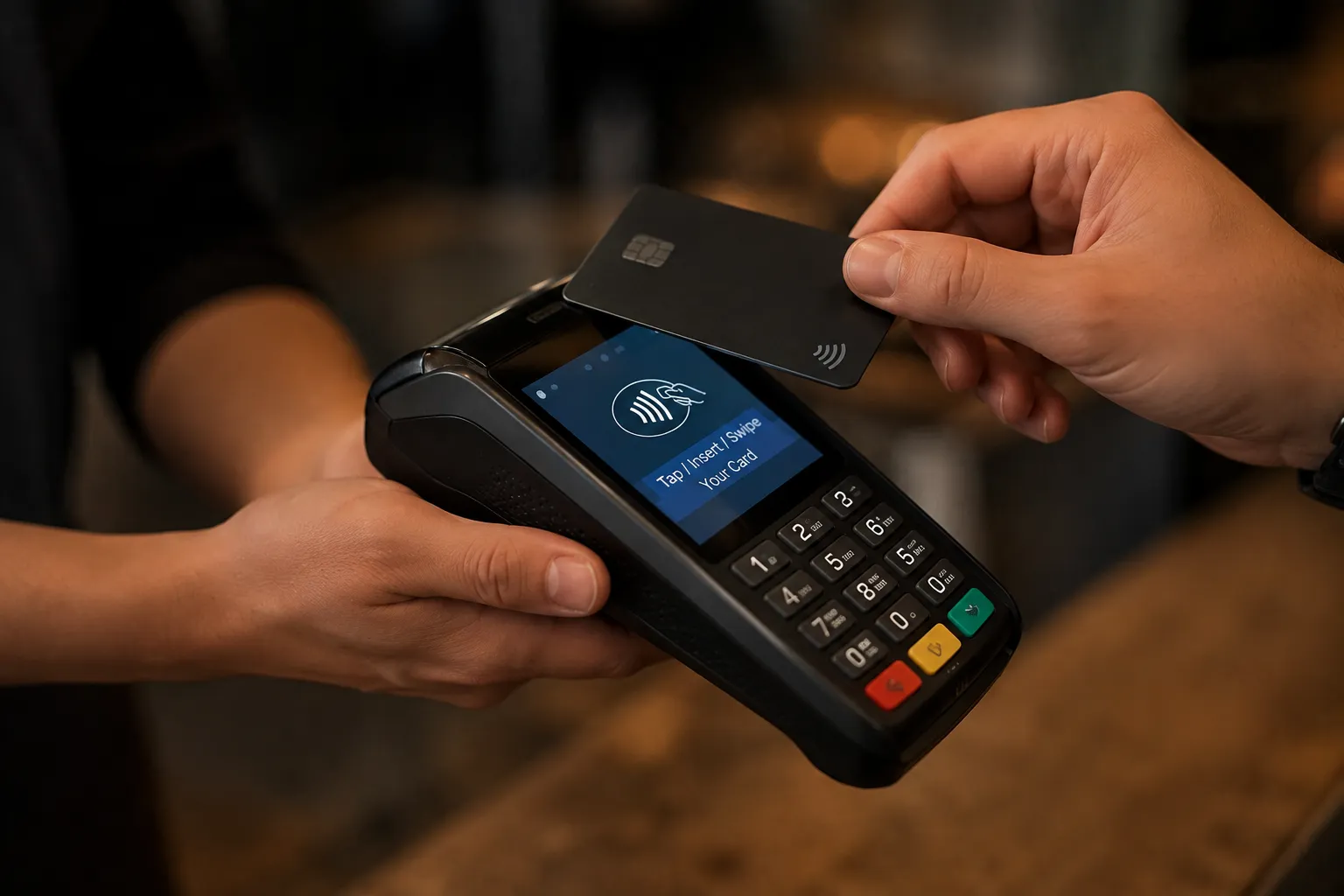
At the counter, by QR, by payment link, or split across all three.
Recorded onceautomated
A retry or a weak connection never bills twice.
Checked beside your payoutsautomated
You see what you collected next to what Razorpay paid out. Delivery partner statements you load are checked order by order.
Refunds need a second persontwo people
Cash cannot leave your business on one signature.
Try it.
Split ₹1,300
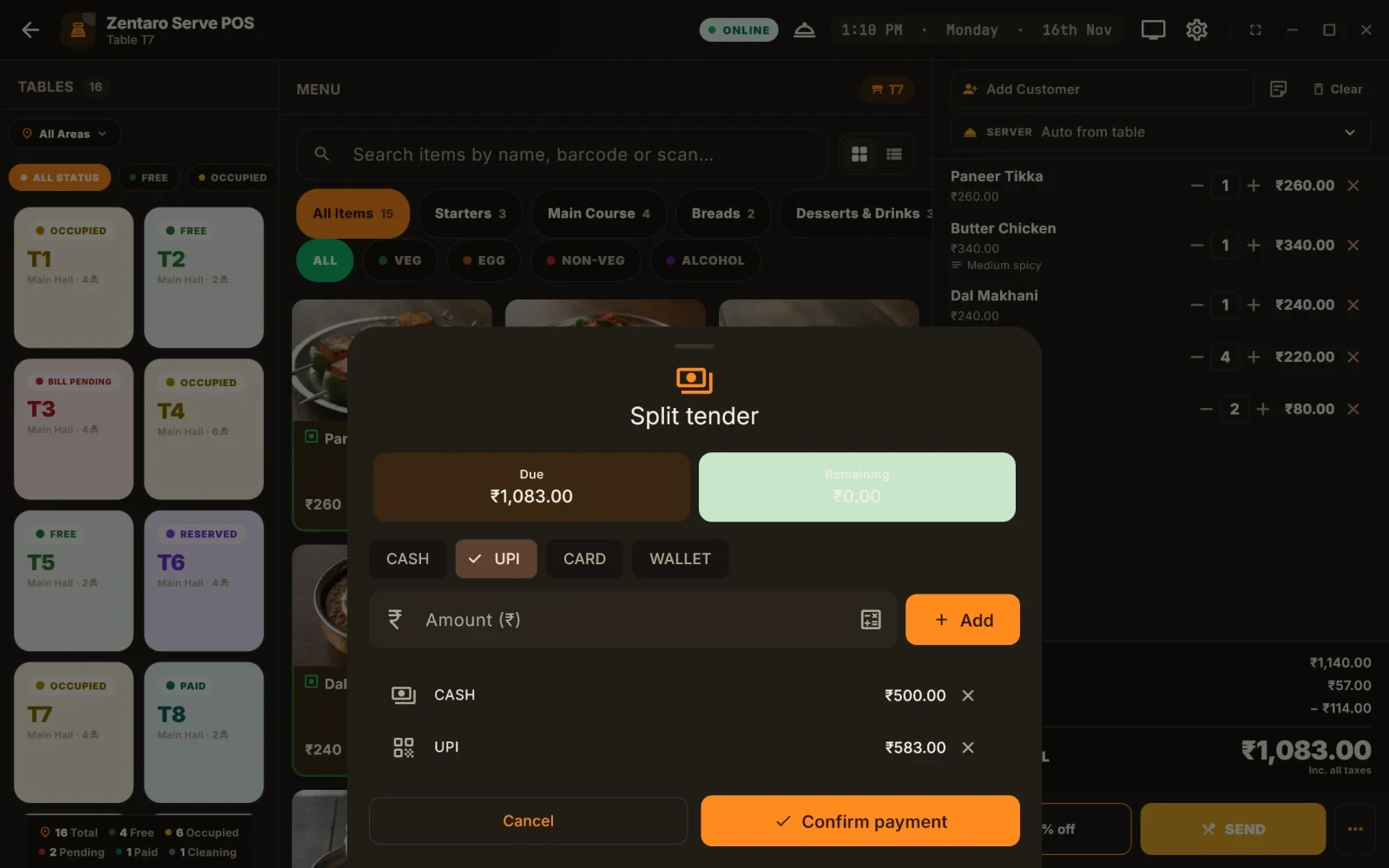
Four friends, one bill, three payment methods. Add amounts until the bill clears.
Table 12₹1,300 due
Collected₹0
Remaining₹1,300
Any combination, in any order. The bill closes when it is settled, not before.
Example figures, for illustration only.
Product screens
The screens you and your team will use for this.
Settling a bill
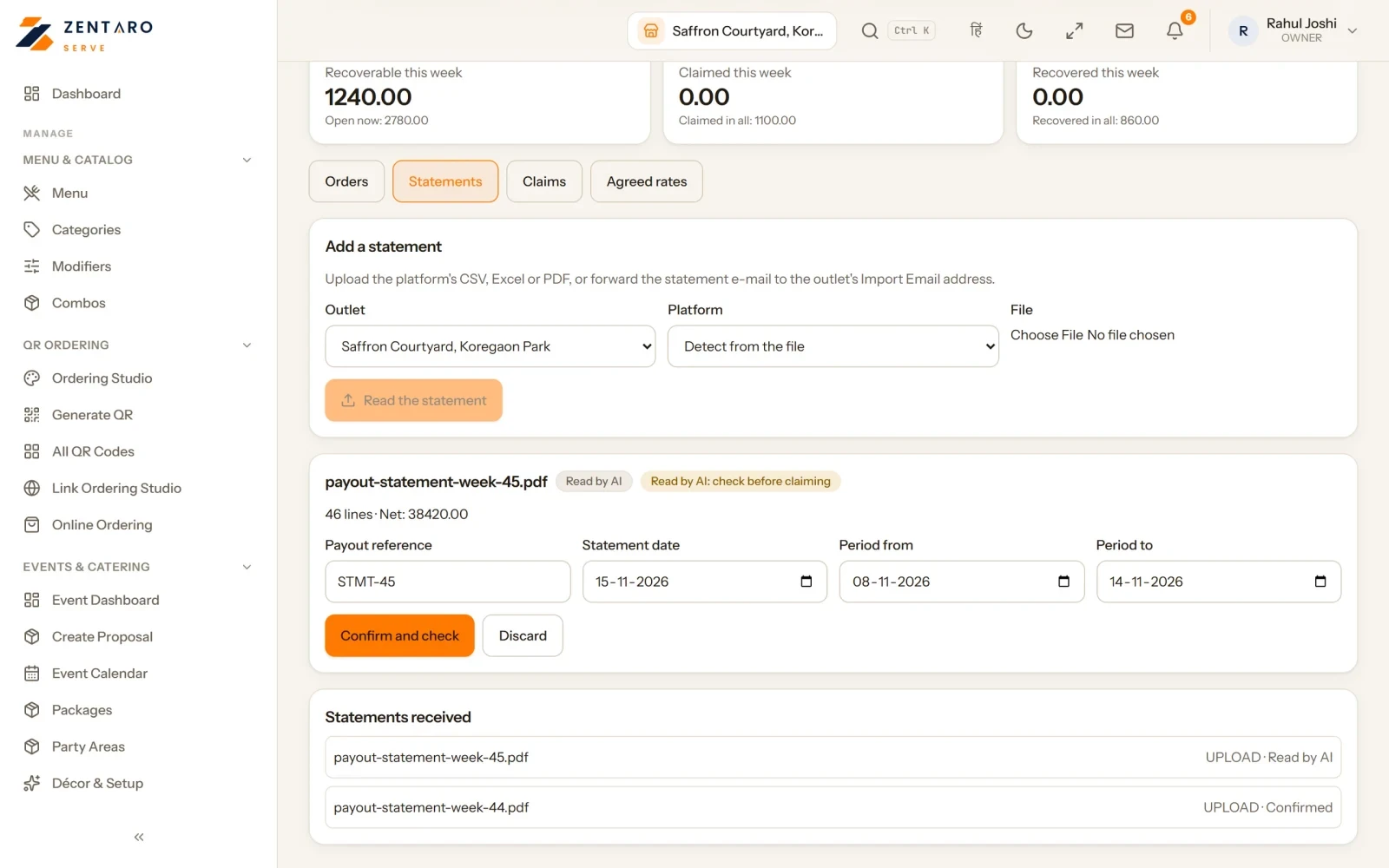
A payout statement read, to check
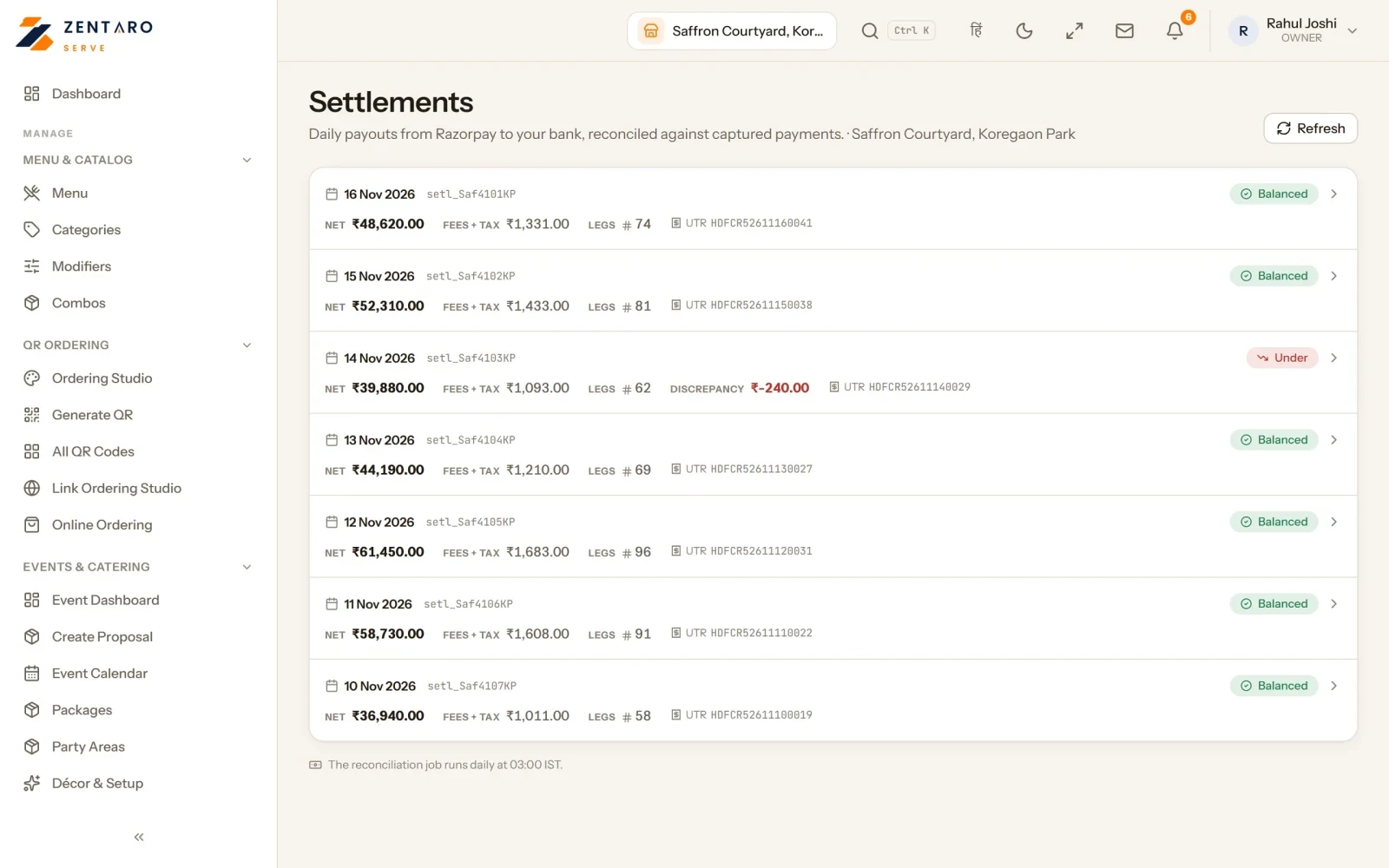
Daily payouts beside payments
Example screens with sample data
The problem you know
Why restaurant payments go wrong
You find out what settled by opening the bank app.
One person raises and approves a refund.
The drawer is short and nobody can say whose shift it was.
How do UPI, card and split tender payments reach you?
Connect your own Razorpay account, so money goes to your account.
Guests pay at the till, by a QR on the bill, or by a payment link.
Cash is counted for each shift and each person.
A refund is asked for with a reason and approved by a second person.
See your Razorpay payouts beside your sales, and respond to a chargeback before its deadline.
Upload a delivery partner payout statement (CSV or Excel) and see each order marked paid right or flagged.
What restaurant payments and settlement includes
UPI checks on payments.
Advance payments for bookings and events, and a list of payments not yet matched to an event.
Till payout and daily expenses written where they happen.
A saved gateway secret is never shown again, not even to you.
You can replace your Razorpay keys yourself.
Payout account changes wait before they take effect, and the owner is told.
What it is not
Zentaro Serve does not hold your money. Razorpay fees are between you and Razorpay.
Your payouts sit beside your sales, and delivery partner statements you load are checked order by order.
There is no bank statement import today. It is planned.
Supplier bills can be sent to Zoho Books. A direct link for sales and GST data to accounting software is planned.
Talk to us. Payments go through your own Razorpay account.Talk to us
Bills to pay, daily expenses and paying from a phone
Expenses and bills to pay
Daily expenses show what was paid today in one row each. The month is a calendar of daily totals.
Copy a day's rows into another day. Download a day or a month as PDF or CSV.
See where the money went, how it was paid and who was paid most. Till payouts appear by themselves.
To pay is one list of everything unpaid: pay-later expenses, unpaid supplier bills and goods received with no bill yet.
Pay the bill from the phone
At the till, show a QR code for the bill. The guest pays from their own phone.
The till screen waits for the payment, for up to about two minutes, and shows when it is paid.
Close the books up to a date
Close a period up to a date, for each legal entity. Choose the areas: sales, payments, purchases and bills, or stock adjustments.
Nothing dated inside a closed period can be added, changed or voided. Corrections go in the open period.
A close only moves forward. To move it back, a second person approves a reopening.
Common questions.
Can I use my own payment gateway?
Yes. You use your own Razorpay account, and money goes to your own account.
Can I check what a delivery partner app paid me?
Yes, from the payout statement you load, as CSV or Excel. A person confirms what was read, and each order is marked paid right or flagged: delivered but unpaid, commission above what you agreed, a wrong cancellation penalty and more. Orders must already be in Zentaro, and you enter the commission terms you agreed. This is Launching 2027.
Does it import my bank statement?
No, not today. Bank statement import is planned.
Who can approve a refund?
A second, different person must approve it before money moves.
Can a restaurant take UPI, card and cash on one bill?
Yes. Cash, card and UPI can all pay one bill, or the bill can be split between guests.
How do restaurant payments settle to my bank account?
You connect your own Razorpay account, so money settles to your account. You can see the payouts beside your sales.
How do I stop one person refunding alone?
A refund can need a second person to approve it. You choose who can refund.
How do I find a cash drawer shortage?
Cash is counted for each shift and each person, and the shift breakdown shows the difference.