A restaurant owner reviewing the business on a laptop after closing
Restaurant management software

Restaurant management software, in one place

Built simple for one outlet. Chain tools stay out of the way until you need them. Restaurant management software joins billing, kitchen, stock, tax and reports in one system. Zentaro Serve is a restaurant management system for India that runs in the cloud and keeps billing offline. It starts with one outlet and grows to many brands and regions. Zentaro Serve launches in 2027.

  • Billing and POS
  • Kitchen
  • Stock and recipes
  • GST and tax

Without it

  • Billing sits in one tool, stock in a notebook and reports in a spreadsheet.
  • The numbers from two tools never agree.
  • You find out about yesterday tomorrow.

What it does.

Billing and POS

Bill dine-in, counter, takeaway and delivery orders on one till.

Kitchen

Tickets go to the right station, on a printer or a kitchen screen.

Stock and recipes

Every sale takes its ingredients out of stock. Food cost follows your buying prices.

GST and tax

GST-ready invoices and GST return figures for your accountant.

Payments

Cash, card and UPI on one bill, with your own Razorpay account.

Reports

Sales and menu insights, for every outlet.

Many outlets

One company can hold brands, regions and outlets.

Guest ordering

Table QR ordering and your own online ordering link.

Offers and loyalty

Offers, coupons, loyalty points and gift cards.

How it works.

Set up your menuyour team

Dishes, prices, taxes and recipes.

Bill and cookautomated

Orders go from the till to the kitchen.

Stock follows salesautomated

Once a dish is linked to its recipe, its ingredients leave stock as it sells.

Read the dayautomated

See sales and costs for every outlet.

Access for every role

Everyone sees only what they need.

The same app, signed in by different people. Each one sees only the screens their role allows.

  • Waiters

    A waiter sees tables, orders and bills. Not your reports, costs or settings.

  • Managers

    A manager runs their outlet. Not your company settings.

  • Roles

    You decide what each role can do.

  • Regions

    A region manager sees only their region.

See staff access control →

Product screens

The screens you and your team will use for this.

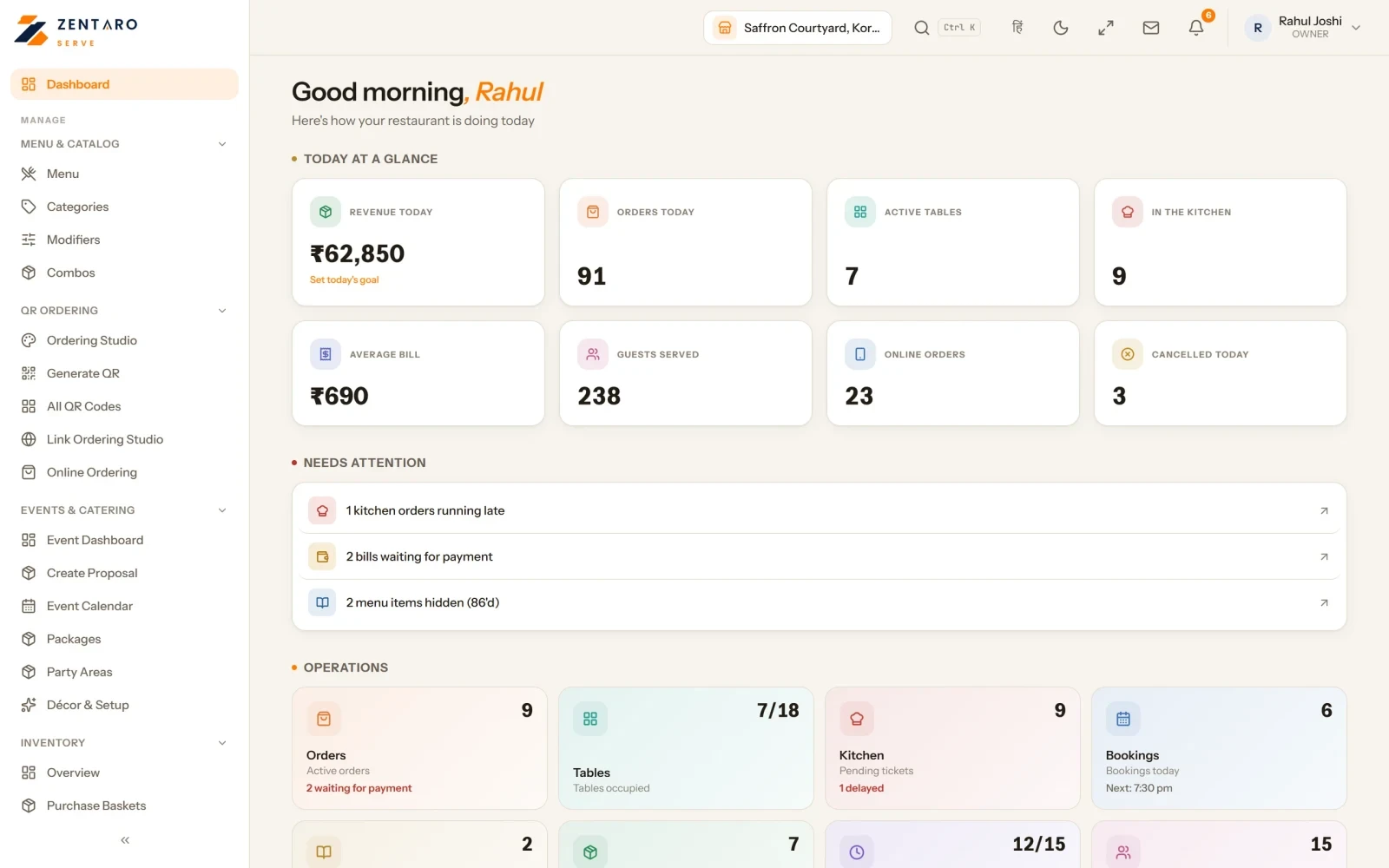
The owner dashboard
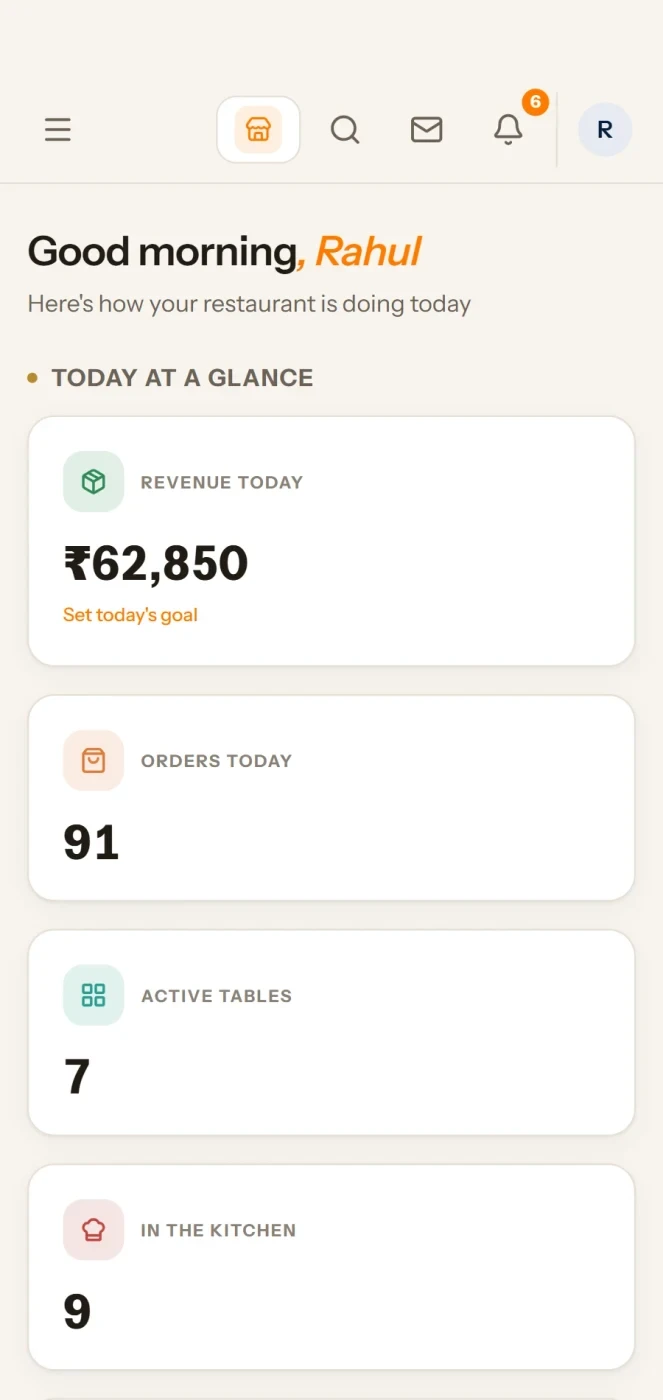
On your phone

The owner dashboard

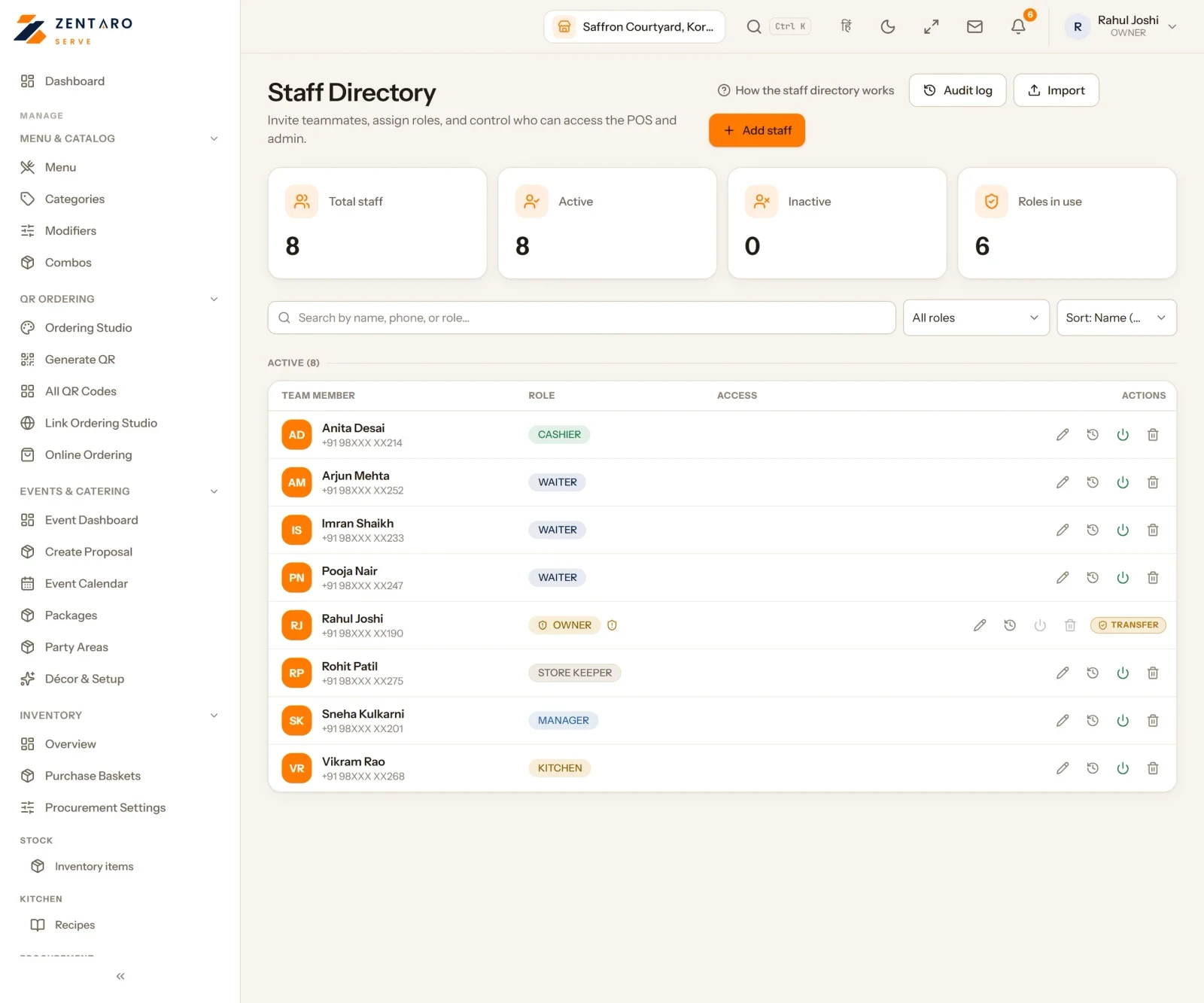
Your staff list, by role

Example screens with sample data

The problem you know

Why one restaurant runs on many tools

  • Billing sits in one tool, stock in a notebook and reports in a sheet.
  • The numbers from two tools never agree.
  • You find out about yesterday tomorrow.

How does a restaurant management system for India work?

  1. Set up your menu, prices and tax.
  2. Take orders on the POS, by QR or by your own link.
  3. The kitchen cooks from tickets or screens.
  4. Stock follows sales.
  5. Read the day for every outlet.
  6. Add outlets, brands and features as you grow.

What restaurant management software includes

  • Billing, kitchen, stock, tax, payments and reports in one system.
  • Billing that keeps working offline.
  • A start with one outlet, and room for many brands and regions.

What it is not

  • Zentaro Serve launches in 2027.

Who uses it, from one outlet to many

Talk to us. Talk to us

Your team and your screens

Staff directory and invitations

  • Everyone who works for you is in one list, active and inactive. Search by name, phone or role.
  • Give each person a role, and choose whether they reach one outlet, a region or the whole brand.
  • Invite by e-mail. A person who already has an account gets an invitation, and it stays off until they accept it.
  • Nobody sets or sees another person's PIN. You can reset it, and the person sets their own.

Staff Arena

  • A friendly leaderboard built from real sales.
  • The top person for the period is shown with their orders and revenue. The top three sit on a podium.
  • Badges such as Volume King come from real order data.

Hand over ownership safely

  • The Owner role cannot be deleted or lowered.
  • To hand it over, type TRANSFER to confirm. The swap happens in one step.
  • Open History to see every change to your team.

Add your team from a spreadsheet

  • Download the template. The columns are name, phone, e-mail, role and designation.
  • Add up to 200 rows and drop the file in.
  • Bad phones, unknown roles and duplicates are flagged. Fix them in place before anything is saved.

Who runs each table

  • Give each area a lead and each table one waiter.
  • Tables with nobody show a prompt, so you fill the floor before service.
  • History shows who was assigned or removed, by whom and when.

Search for any screen

  • Type a few letters to jump to a screen.
  • You see only the screens your role can open.

Common questions.

What is restaurant management software?

It is software that joins billing, kitchen, stock, tax and reports in one system, so the numbers agree.

How do I choose a restaurant management system in India?

It is the one that fits how you run. Look for GST, offline billing, stock that follows sales and room to add outlets. Talk to us and we will show Zentaro Serve on your menu.

Does it replace separate billing and stock tools?

That is the aim. Billing, kitchen, stock and reports sit together, so you do not keep a notebook beside the till.

Can it handle GST?

Yes. Zentaro Serve has GST setup in Settings > Taxes, a GST invoice on each bill and a GSTR-1 figures export. Turn GST off if you are not registered.

Does it work for more than one outlet?

Yes. One company can hold many brands, regions and outlets.

Tell us about your restaurant.

Zentaro Serve launches in 2027. Tell us what you run today and we will get in touch.

Talk to us Join the early access list

Last updated:

Pricing is coming soon

We are keeping pricing simple. We will share it when Zentaro Serve launches in 2027. Join early access and we will tell you first.