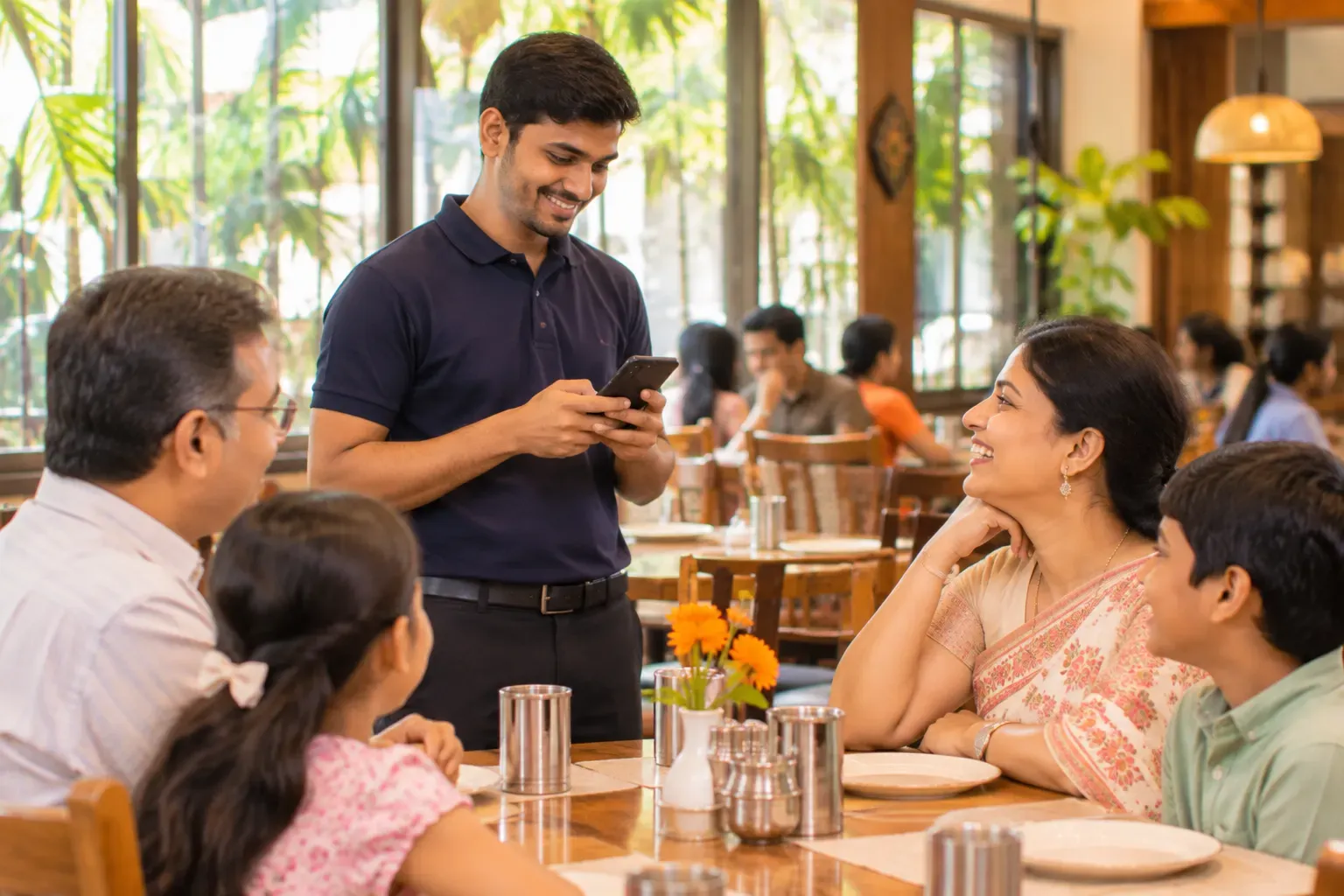
Captain ordering app: take the order at the table
Taking the order at the table means nobody walks back to the counter to type it in. Take orders on any device: Android and iOS phones and tablets, Windows and Linux computers. Zentaro Serve launches in 2027. In Zentaro Serve, the captain opens the table on the POS app, adds dishes with size and extras, and sends. The kitchen ticket is made at once and carries the waiter's name.
- The POS on any device
- Tables first
- Sizes, spice and extras
- Straight to the kitchen
Without it
- Orders are written on a pad and typed in again at the counter.
- The kitchen starts late because the waiter is still walking.
- Nobody knows who took which order.
What it does.
The POS on any device
The same POS app on a phone, a tablet or a computer: pick a table, then take the order.
Tables first
See which tables are free, busy or waiting for the bill.
Sizes, spice and extras
Choose the options for a dish as the guest says them.
Straight to the kitchen
Sending the order makes the kitchen ticket at once.
Every order has a name
An order is linked to the person who took it.
Keeps working offline
The till keeps taking orders when the internet drops.
How it works.
Pick the tableyour team
The waiter opens the table on the POS app.
Add the dishesautomated
With size, spice level and extras.
Sendautomated
The kitchen gets the ticket at the right station.
Bill at the endautomated
The bill is made from the same order.
Product screens
The screens you and your team will use for this.
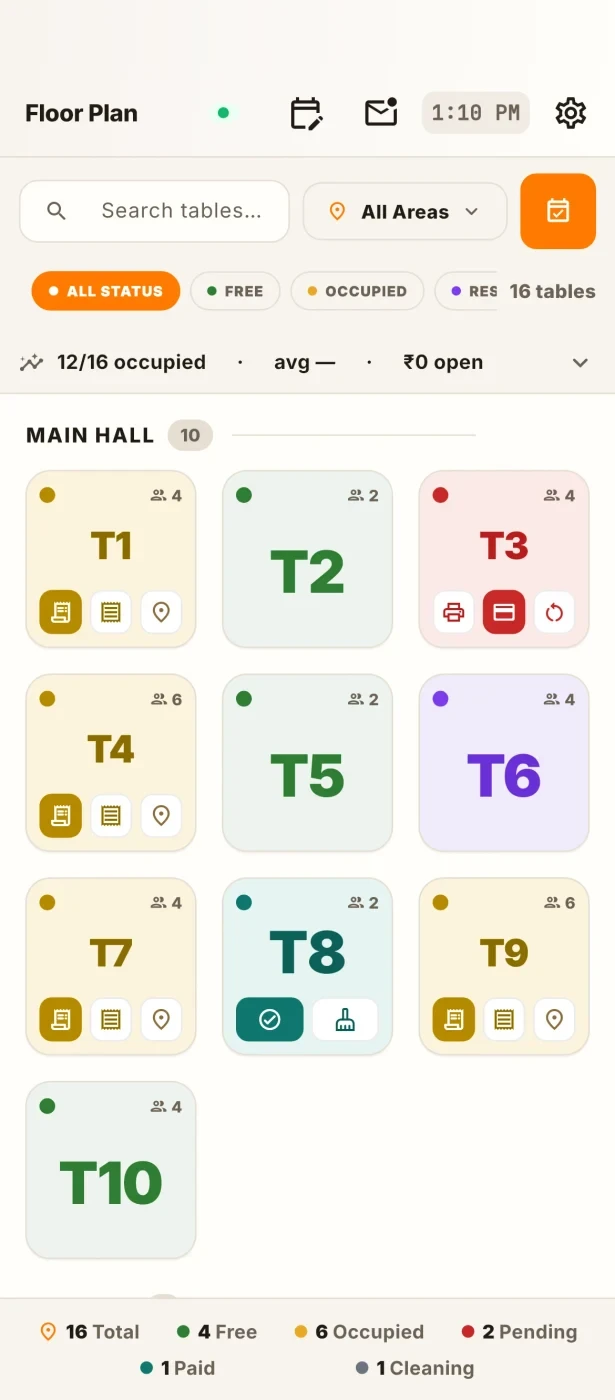
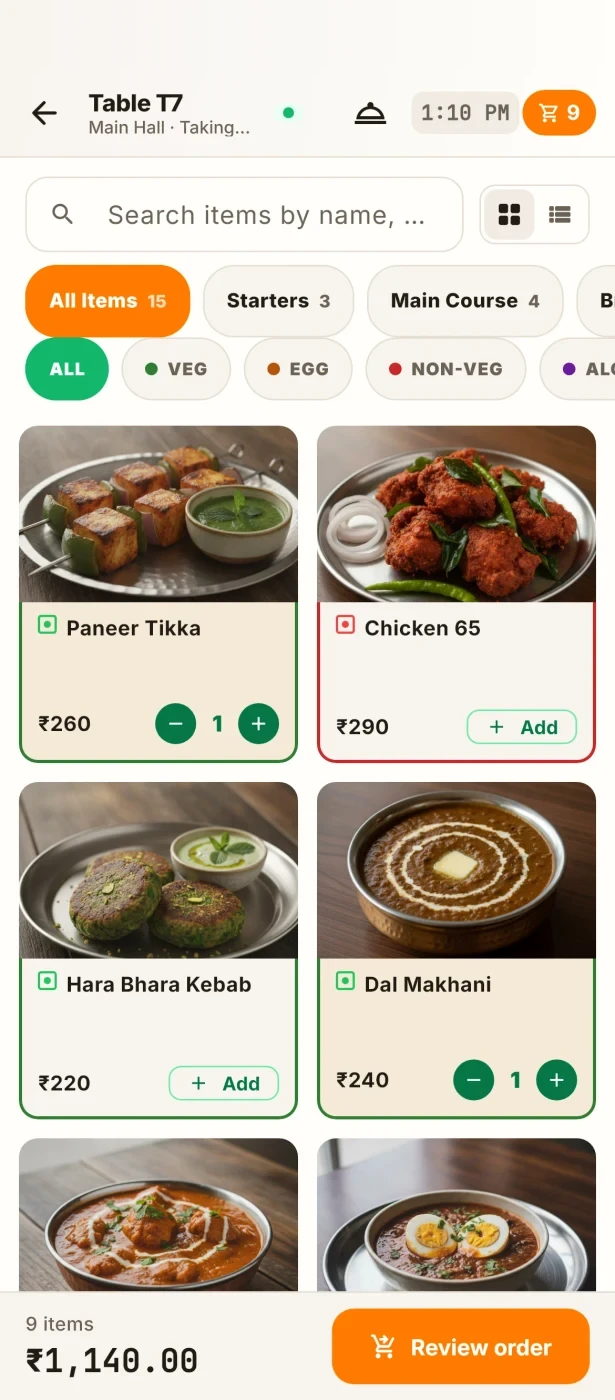
Example screens with sample data
The problem you know
Why taking orders on a pad slows service
- Orders are written on a pad and typed again at the counter.
- The kitchen starts late because the waiter is still walking.
- Nobody knows who took which order.
How does taking an order at the table work?
- The captain or waiter signs in on the POS app, on a phone, a tablet or a computer.
- They open the table.
- They add dishes with size, spice and extras.
- They send. The kitchen ticket is made at once, at the right station.
- When the table is done, the bill is ready to settle.
What table-side order taking includes
- Floor assignment, so each table has its own server and orders carry that name.
- Every order carries the name of the person who took it.
- Hold an order and add more later.
- A manager PIN for voids and large discounts.
What it is not
- One POS app for the till and for captains. Captains take orders on a phone or tablet, and each staff member sees only what their access allows.
Who takes the orders
Who it is for
- Captain and waiter: take the order at the table.
- Floor manager: assigns tables.
- Owner: sees orders by person.
Talk to us and tell us how many captains you have. Talk to us
Common questions.
What is table-side order taking?
It is the way a waiter takes the order at the table and sends it to the kitchen, without walking to the counter. In Zentaro Serve this is the POS app on a phone or tablet.
Can waiters take orders on a phone?
Yes. Take orders on any device: Android and iOS phones and tablets, Windows and Linux computers. Zentaro Serve launches in 2027. Staff open the table, add the dishes and send. The kitchen ticket is made at once.
Does order taking work without internet?
The POS app keeps working when the internet drops. Kitchen tickets keep printing on your own network.
Is order taking separate from the POS?
No. It is one POS app for the till and for captains, and each staff member sees only what their access allows. There is nothing else to buy for waiters except any extra devices.
Can I limit what a captain can do?
Yes. Roles decide what each person can do. A void or a large discount needs a manager PIN.
Tell us about your restaurant.
Zentaro Serve launches in 2027. Tell us what you run today and we will get in touch.
Last updated: