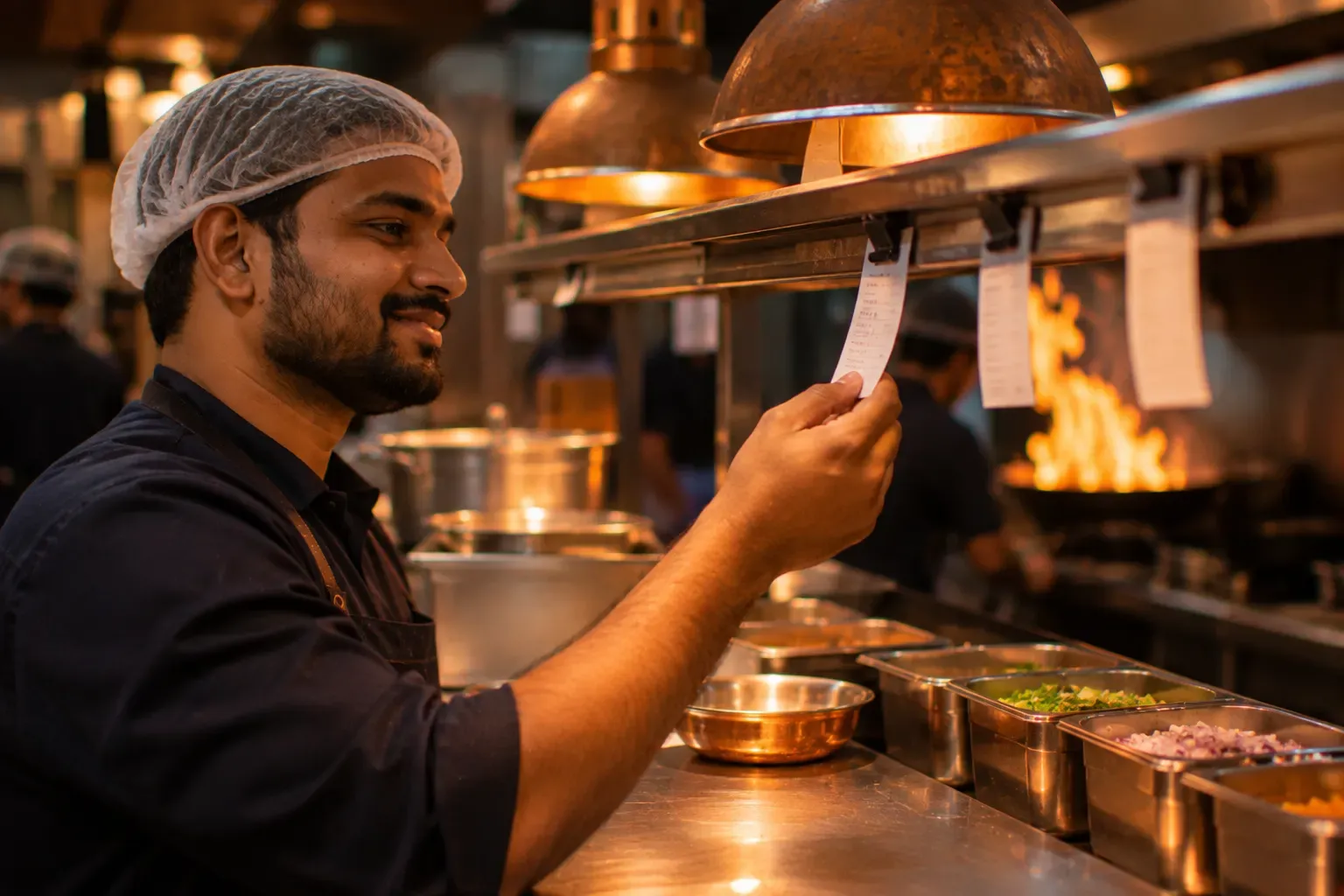
KOT software: every order reaches the right cook
KOT software makes the kitchen order ticket the moment an order is sent and puts it in front of the cook who makes the dish. In Zentaro Serve, each item goes to its own station, on paper or on a screen. Printers sit on your own network, so tickets keep printing when the internet is down.
- KOT on a printer
- KOT on a kitchen screen
- Sent to the right station
- Sent and not yet sent
Without it
- A waiter walks each order to the kitchen and reads it out.
- The tandoor ticket prints at the main counter.
- Nobody knows which items of a table were already sent.
What it does.
KOT on a printer
Print the kitchen order ticket at the station that cooks the dish.
KOT on a kitchen screen
Show the same ticket on a kitchen display in place of paper, or beside it.
Sent to the right station
Each item goes to its station: main kitchen, tandoor, bar.
Sent and not yet sent
The order shows which items are in the kitchen and which are new.
Fire by course, cook again
Send starters first and mains later. Ask the kitchen to make a dish again when you need to.
The channel on the ticket
A ticket shows where the order came from: table, takeaway, delivery.
How it works.
Order takenyour team
At the table, at the counter, or from the guest's own phone.
KOT madeautomated
Sending the order makes the kitchen order ticket.
Station cooksautomated
Each station sees only its own items.
Marked readyautomated
The cook marks the dish ready. The pass sends the table out together.
Product screens
The screens you and your team will use for this.
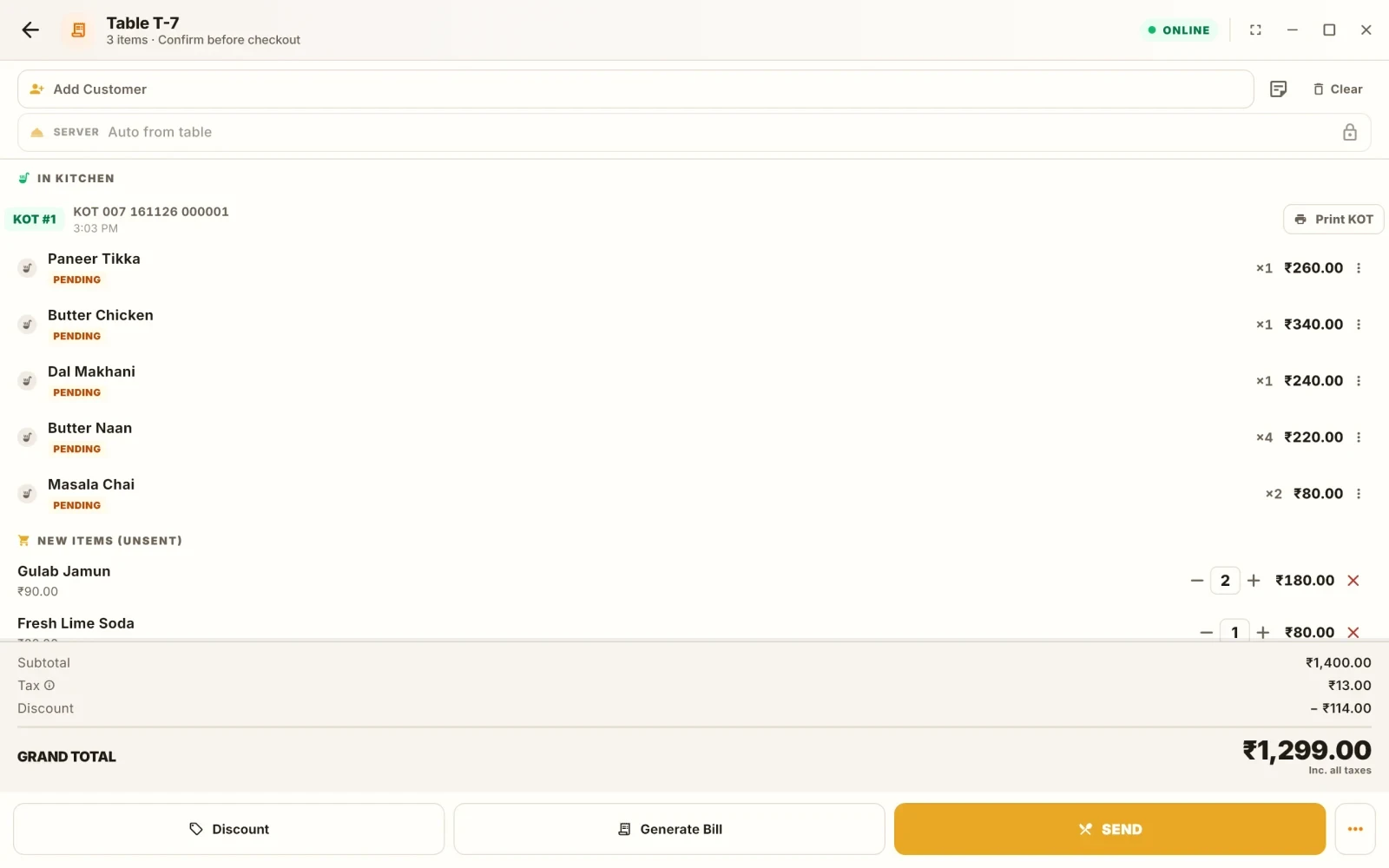
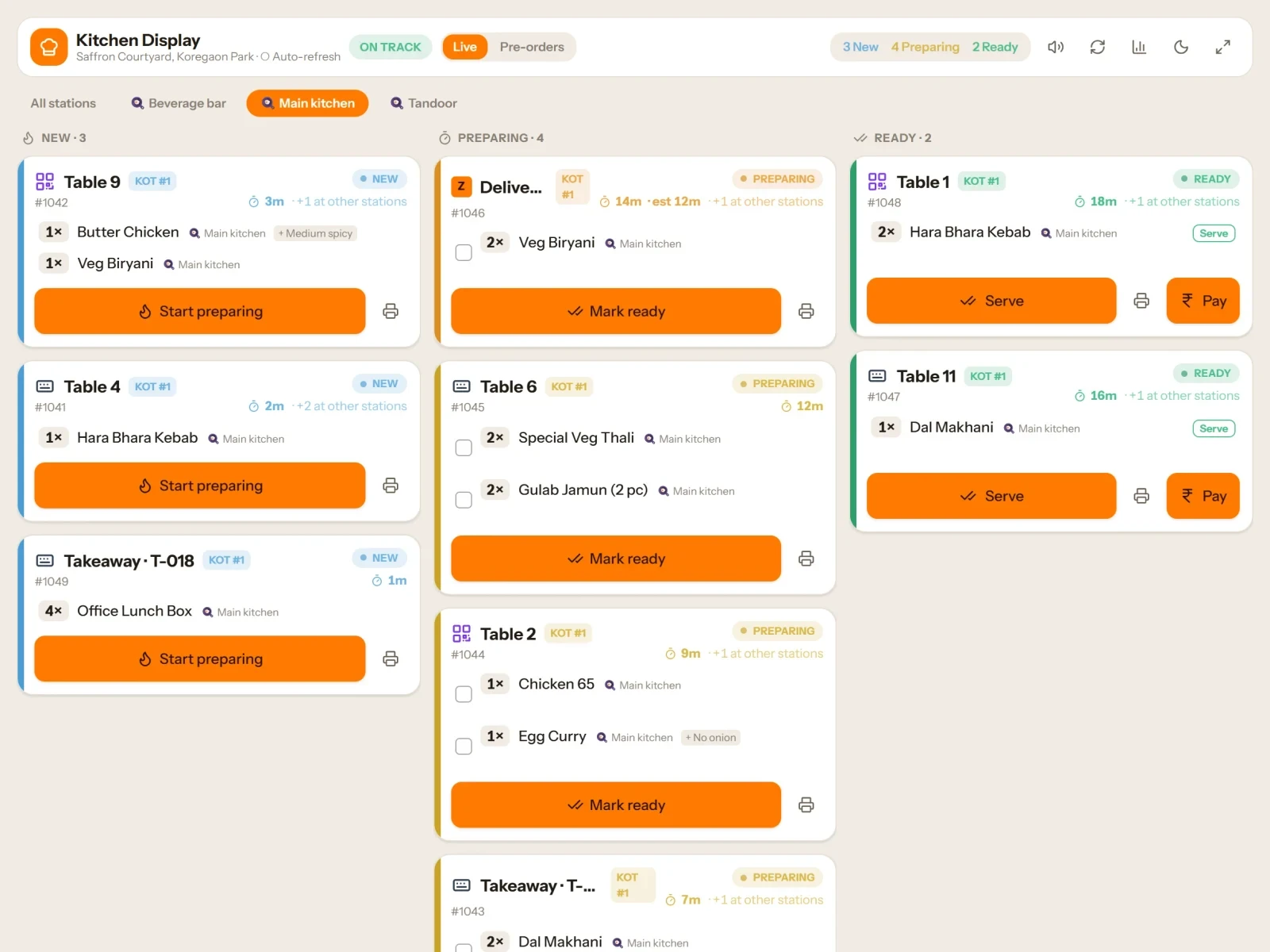
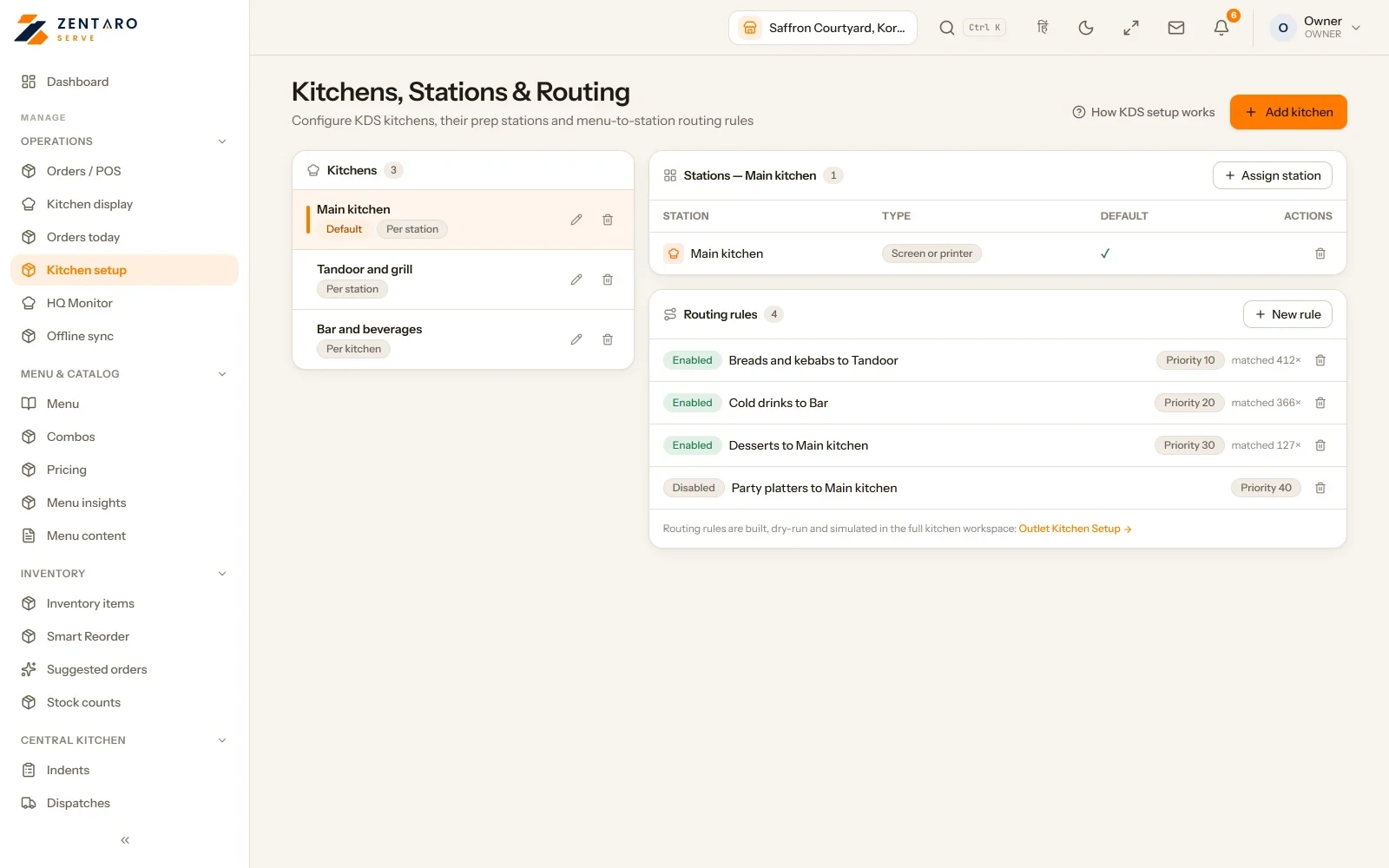
Example screens with sample data
The problem you know
Why kitchen orders get lost
- A waiter walks each order to the kitchen and reads it out. Half is forgotten in the rush.
- The tandoor ticket prints at the main counter, so the tandoor cook never sees it.
- A table orders twice and nobody knows which items the kitchen already has.
How does a KOT system work?
- Take the order and press send.
- Each item goes to its station: main kitchen, tandoor, bar.
- The ticket prints, or shows on a kitchen screen, or both.
- The cook marks the dish ready.
- If a dish must be made again, use refire. If the table wants starters first, fire the courses one at a time.
What KOT printing and course firing include
- A channel badge on each ticket, so the cook knows if it is dine-in, takeaway, delivery or an outside order.
- Allergen routing with a hard block: a flagged dish is stopped, not just marked.
- The order shows which items are already sent and which are new.
- A packing queue and order slots for busy periods.
What it is not
- A failed print waits in a queue and tries again. It is not lost, but a jammed printer still needs a person.
Who uses KOT software in your kitchen
Who it is for
- Chef: your own station only.
- Captain: sees what is sent.
- Manager: sees failed prints.
Talk to us and tell us which printers you have. Talk to us
Common questions.
What is a KOT in a restaurant?
A KOT is a kitchen order ticket, the slip that tells the cook what to make. Zentaro Serve makes one as soon as the order is sent.
How does KOT printing work?
Sending the order makes the ticket and prints it at the printer for that station. A print that fails waits in a queue and tries again. Network (IP) thermal printers and serial printers work.
Can a KOT system send tickets to the tandoor and the bar separately?
Yes. Each item goes to its own station, so tandoor dishes print at the tandoor and drinks at the bar.
Does a KOT system work without internet?
Kitchen tickets keep printing on your own network when the internet is down. Kitchen screens catch up when the connection returns.
Do I need a kitchen screen to use KOT software?
No. You can print tickets, use kitchen screens, or use both.
Part of Kitchen display system See also Central kitchen software
Tell us about your restaurant.
Zentaro Serve launches in 2027. Tell us what you run today and we will get in touch.
Last updated: