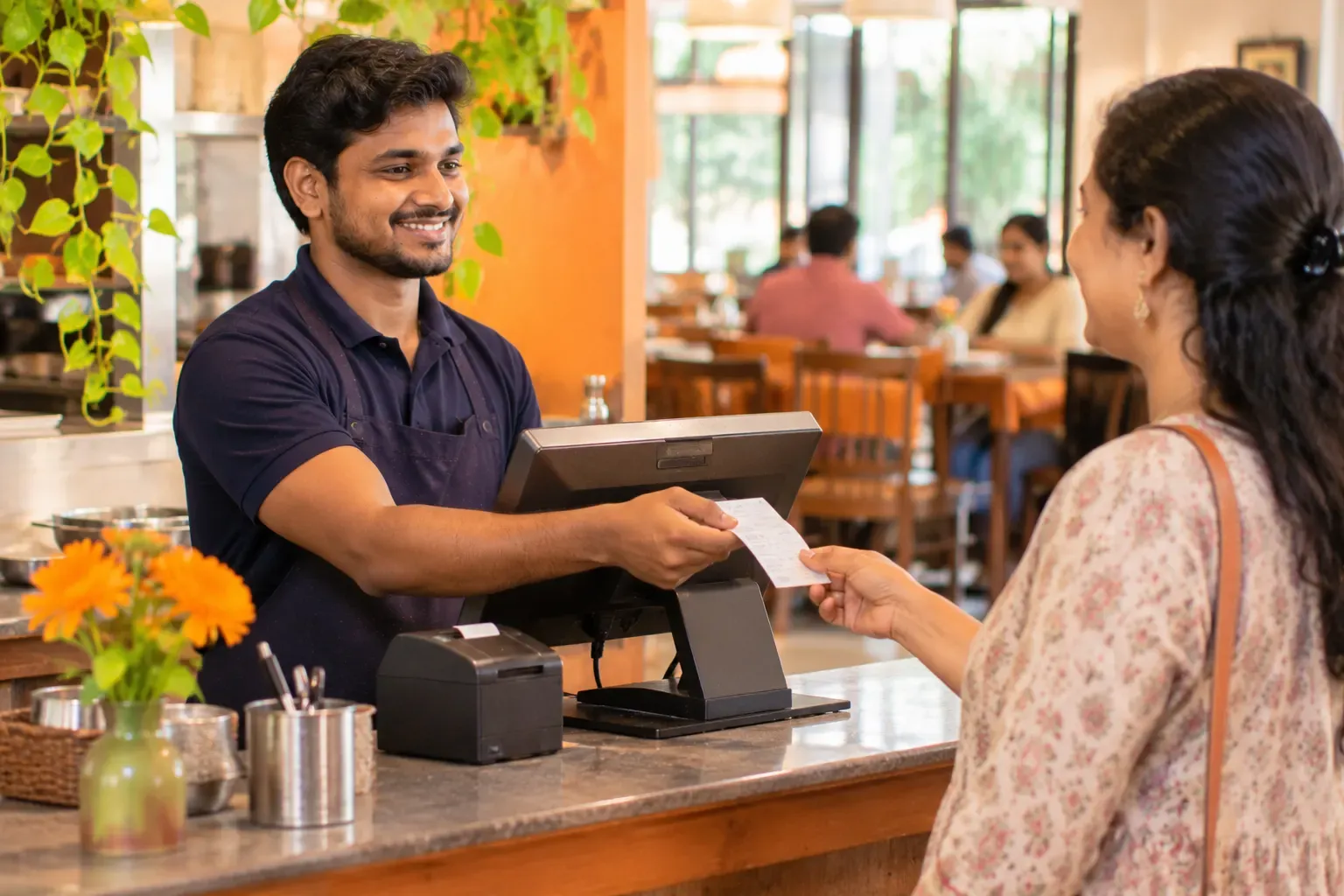
A cashier handing a printed bill to a guest at a busy restaurant counter
Restaurant billing software

Restaurant billing software that keeps billing

Restaurant billing software makes the bill for every order and adds the tax. Zentaro Serve prepares a GST bill for dine-in, counter, takeaway and delivery. It can add an optional service line when the guest agrees, takes cash, card and UPI on one bill, prints or sends the receipt, and keeps billing offline.

  • One bill, any order type
  • Split the bill
  • GST on every bill
  • Billing without internet

Without it

  • The bill is made in one tool and the kitchen ticket in another.
  • A split bill means cancelling the bill and typing it again.
  • Billing stops when the internet stops.

What it does.

One bill, any order type

Dine-in, counter, takeaway and delivery bills come from the same screen.

Split the bill

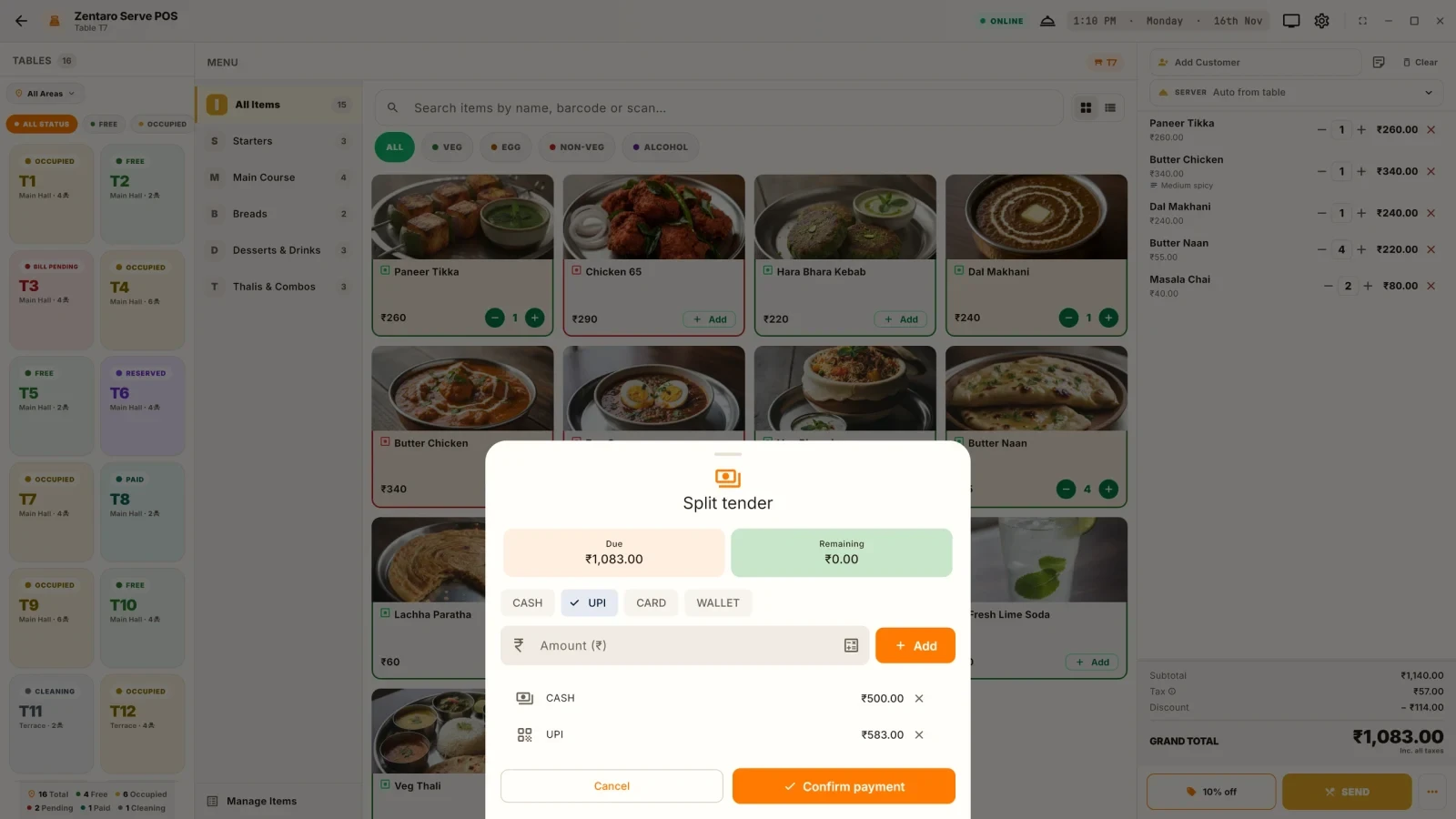
Split a bill between guests. Take cash, card and UPI on the same bill.

GST on every bill

Each bill is a GST-ready invoice. Rounding follows your settings, and an optional service line is added only when staff choose it.

Billing without internet

The till keeps billing when the internet drops. It catches up when the internet returns.

Print or send the bill

Print the receipt.

Pay from a QR on the bill

A guest can scan a QR code on the bill and pay.

How it works.

Add the itemsyour team

Pick the table or the order type, then add dishes from the menu.

Send to the kitchenautomated

The kitchen gets a KOT on paper, on a screen, or both.

Make the billautomated

GST and discounts are worked out for you, plus an optional service line if the guest agrees.

Take paymentautomated

Cash, card or UPI, in any mix. Print or send the receipt.

Product screens

The screens you and your team will use for this.

Splitting a bill
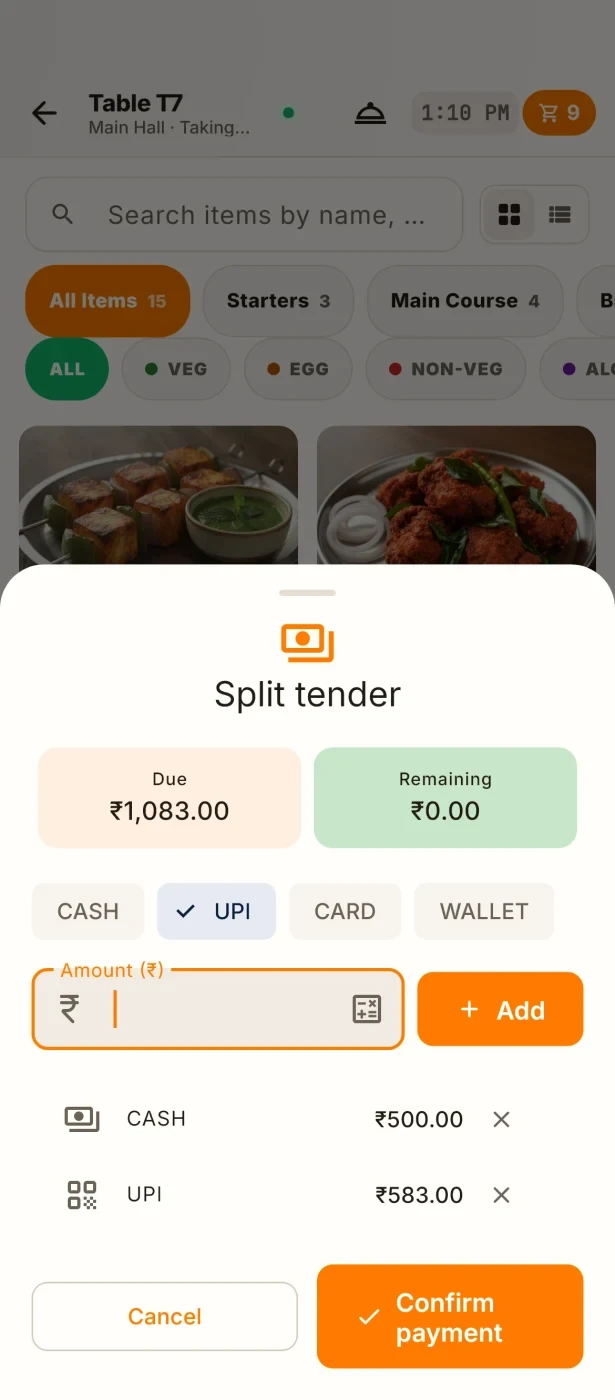
The same on a phone

Splitting a bill

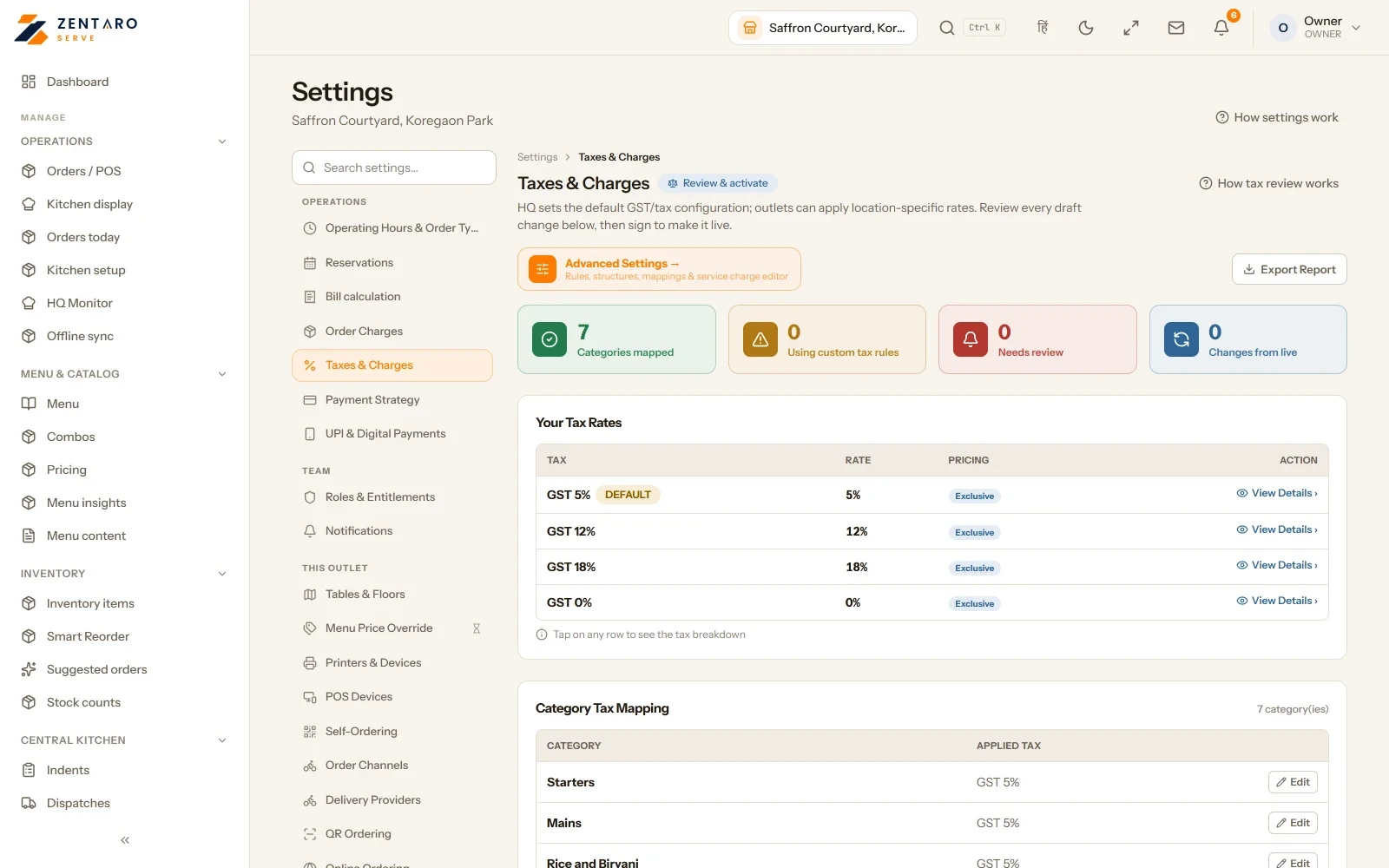
Tax setup

Example screens with sample data

The problem you know

Why restaurant billing goes wrong

  • A bill is made by hand and the GST is wrong. A guest asks for a correction while others wait.
  • A split bill means cancelling it and typing it again.
  • Delivery bills live in one tool and dine-in bills in another, so the day total never matches.

How does billing software for a restaurant make a GST bill?

  1. Set up your tax once in Settings > Taxes. Say whether your brand is GST registered.
  2. Your team makes the order. Tax and rounding follow your settings. An optional service line is added only when staff choose it.
  3. Take payment. Cash, card and UPI can sit on one bill, or the bill can be split.
  4. Find the bill later in the invoice list when a guest or your accountant asks.

What the billing software includes

  • An optional service line (off unless staff add it), rounding rules, and tax overrides by region or by location.
  • One list of bills for dine-in, counter, takeaway and delivery.
  • A GSTR export for your accountant.
  • A QR on the bill. The guest scans it and pays the amount they choose, if your outlet has switched it on.

What it is not

  • If you are not GST registered, turn GST off for your brand. Bills print clean, with no tax lines.
  • Zentaro Serve prepares the data. Your accountant files the return.

Who uses billing in your restaurant

Talk to us. Bring a sample bill and we will show it in Zentaro Serve. Talk to us

Send the bill

Send a bill by e-mail

  • Find the bill in the invoice archive by the printed number.
  • Re-print it, or e-mail a copy to any address you type.
Common questions.

Which billing software suits a restaurant in India?

It is the one that fits how you sell. Look for GST on every bill, split payments, UPI, offline billing and one list for dine-in, takeaway and delivery. Zentaro Serve is built for these, and it launches in 2027. See the roadmap for what is still launching. Talk to us.

How do I make a GST bill in a restaurant?

Set up GST once in Settings > Taxes. After that each bill carries the tax for its items, with rounding as you set it, and an optional service line only if staff add it. The cashier does nothing extra.

Can billing software take UPI and cash on one bill?

Yes. Cash, UPI and card can all pay one bill, and a bill can also be split between guests.

Can I bill without a GST number?

Yes. Turn GST off for your brand when you set up. Bills print without tax lines. When you register, switch it on.

Does billing keep working offline?

Yes. The till keeps billing offline and sends everything to the cloud when the internet returns.

Tell us about your restaurant.

Zentaro Serve launches in 2027. Tell us what you run today and we will get in touch.

Talk to us Join the early access list

Last updated:

Pricing is coming soon

We are keeping pricing simple. We will share it when Zentaro Serve launches in 2027. Join early access and we will tell you first.