What each one is
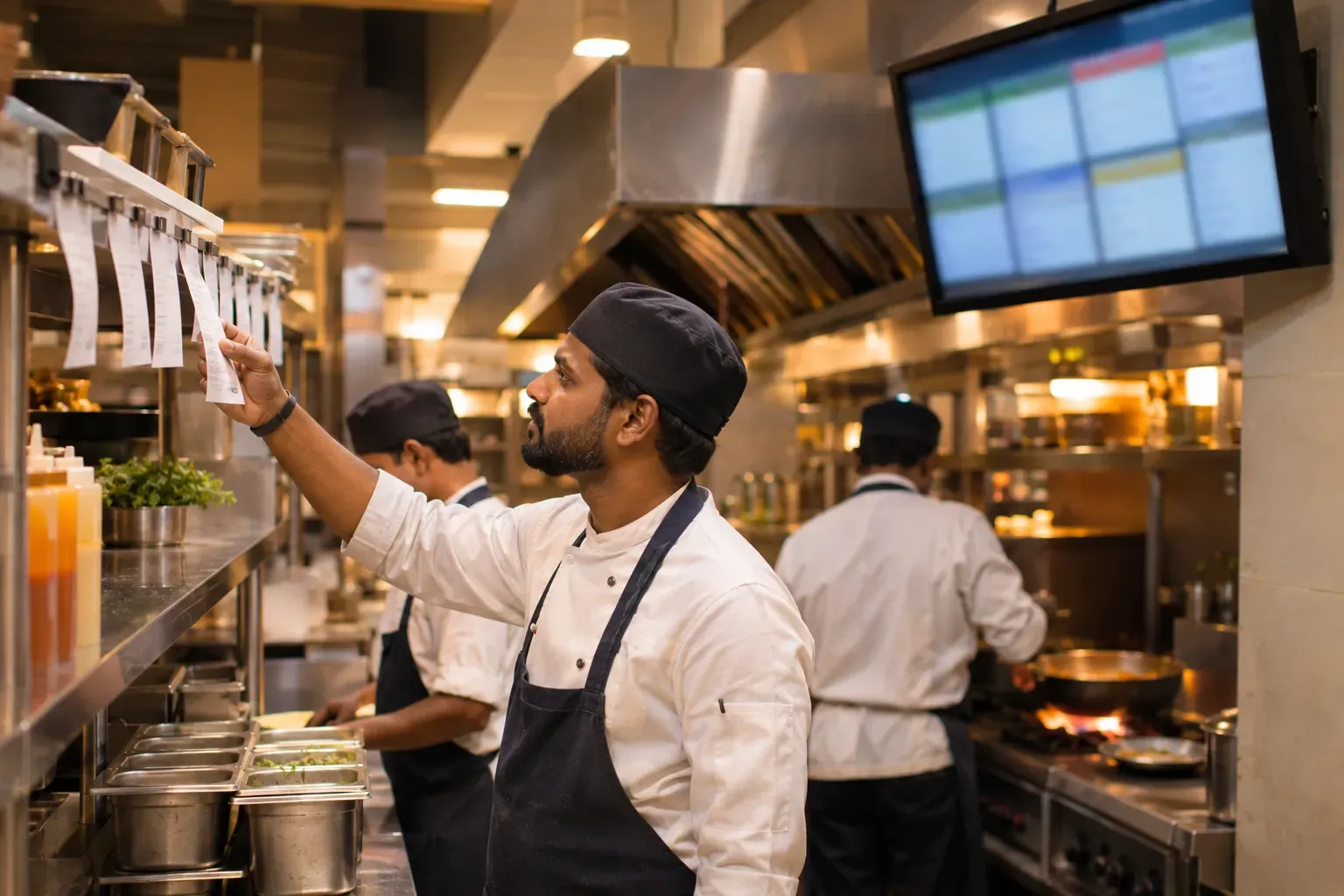
A printed KOT is a paper slip. A printer in the kitchen prints it when the order is sent. The cook reads it, cooks the dishes and sticks it on a rail.
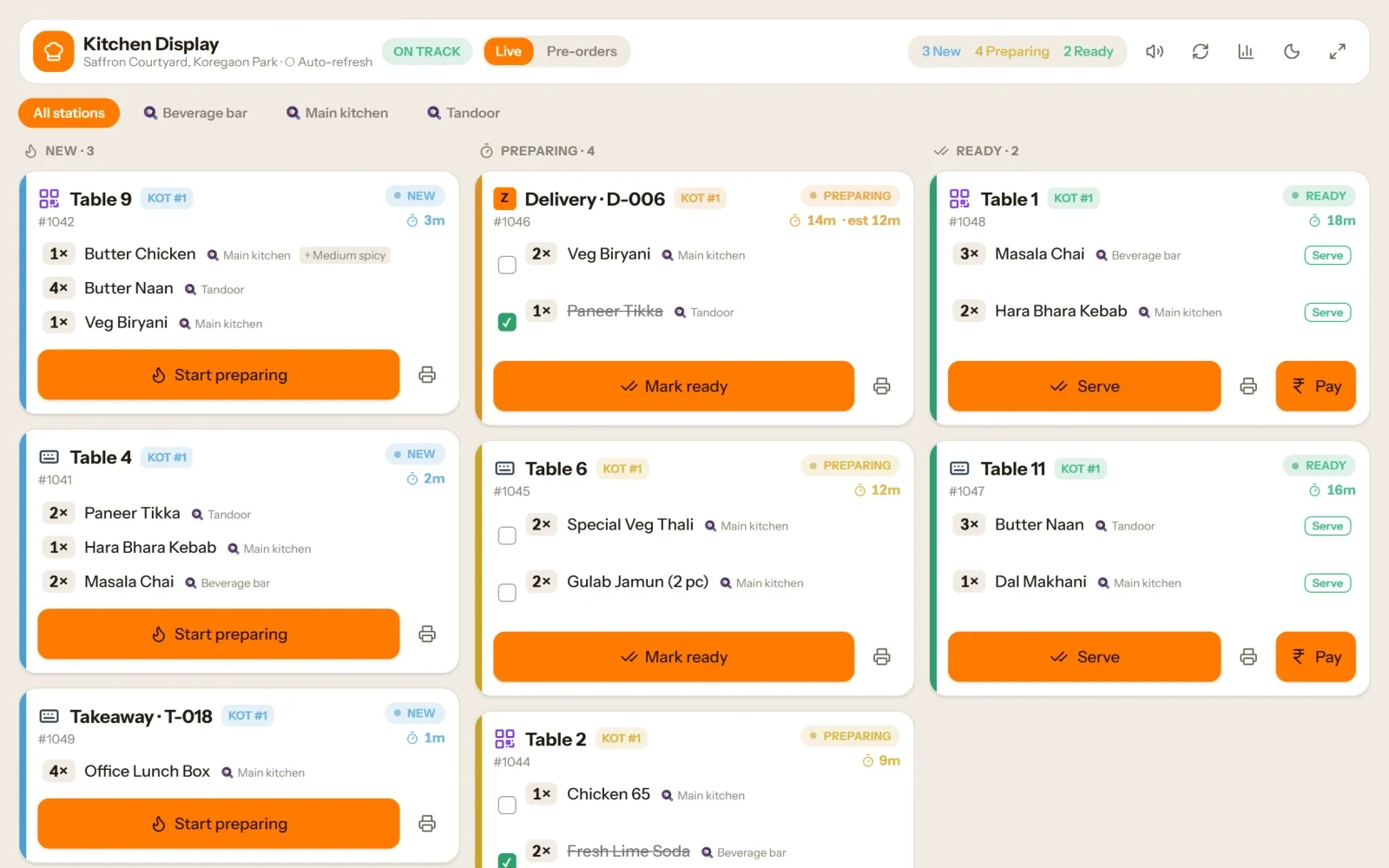
A kitchen screen, or KDS (kitchen display system), shows the same ticket on a screen. This is also called a digital KOT. The cook taps a dish when it is ready, and the ticket clears.
Our guide to what a KOT is explains the ticket itself.
Side by side
| Item | Printed KOT | Kitchen screen (KDS) |
|---|---|---|
| Set-up | Printer, paper rolls | Screen, mount, power, network |
| Running cost | Paper and spare parts | Little, after the screen is bought |
| Order timing | You must read the time on the slip | The screen can show how long each ticket has waited |
| Station routing | One printer per station | One screen per station, or one screen with filters |
| Marking dishes ready | Throw away or spike the slip | Tap or bump the ticket |
| Cooks' hands | Dry hands needed to handle paper | Touch screens can be hard with wet or greasy hands |
| If power or network fails | Printer stops, but paper in hand still works | The screen stops |
| Records | Slips can be lost | The system keeps a log |
Neither is perfect. Paper is easy but limited. A screen is smart but needs care.
Order timing
In a busy kitchen, time is the main thing. How long has table 7 waited? A printed slip has a time on it, but the cook has to read it. A screen can show a timer on each ticket and change its colour when it is late.
If late orders are your problem, a screen helps a lot.
Station routing
A large kitchen has stations: tandoor, wok, cold counter, bar. Each cook needs only their own dishes.
- With paper, you need one printer at each station.
- With screens, you set one screen at each station, or a screen with a filter.
In both cases, the order must be split by station when it is sent. Cooks should not read dishes they do not make.
Bump and ready
On a screen, the cook taps a dish when it is done. This is called a bump. The ticket then clears, or shows as ready for the pass. The waiter can see that the dish is ready.
With paper, the cook passes the slip to the runner or sticks it on a rail. This works, but nothing shows the waiter that the dish is ready.
Example: a 30-order hour
This is an example, with made-up numbers. A kitchen gets 30 orders in its busiest hour. It has two stations: grill and main.
| Item | On paper | On a screen |
|---|---|---|
| Tickets | 30 slips across two printers | 30 tickets across two screens |
| Late orders | The head cook checks times by eye, finds 4 late orders after 20 minutes | Timers turn red at 12 minutes, 4 orders flagged earlier |
| Mistakes | A slip falls off the rail, one dish is missed | A ticket stays on the screen until it is bumped, nothing is missed |
| Cooks' hands | Slips get wet and unreadable | Cooks wipe hands before they tap |
The paper kitchen works, but the late orders are found later. The screen kitchen sees the problem sooner. In this example, the screen also needs a clean, dry way to tap.
Which to pick
- Small kitchen, short menu, one cook. Paper is fine.
- Busy kitchen, several stations, many late orders. A screen helps.
- Not sure. Start with printed slips, add a screen at the busiest station, and keep the printer as a backup.
Common mistakes
- Dropping paper when you add a screen. Keep the printer for the day the screen fails.
- A screen that is hard to see. Mount it at eye level and away from steam.
- No bump habit. If cooks forget to tap, old tickets pile up. Train the team.
- Sending all dishes to one screen. Route by station.
A short checklist
- Do you have more than one station?
- Do late orders happen in the rush?
- Is there a safe place to mount a screen?
- Is a printer ready as a backup?
- Are cooks trained to tap a dish when it is ready?
Common questions
Is a kitchen screen better than printed KOTs?
It is better for a busy kitchen with several stations, because it shows order timing. Paper is simpler for a small kitchen.
What is a digital KOT?
It is the same kitchen ticket shown on a screen instead of on paper. Cooks mark dishes ready on the screen.
Can I use both a screen and a printer?
Yes. Many kitchens do. The printer is the backup if the screen goes dark.
What does bump mean on a kitchen screen?
Bump means the cook taps a ticket or dish to clear it or mark it ready.
Do I need a screen for every station?
Not always. You can use one screen with a filter for each station, but one screen per station is easier to read.
Where Zentaro Serve fits
Zentaro Serve sends each ticket to the right station on a kitchen screen, where cooks mark dishes ready. It also prints KOTs, so a kitchen can use a printer, a screen or both.
See the kitchen display system