What a platform connects that a POS leaves separate
It is not. Billing was always the easy part of running a restaurant — perhaps a tenth of the real work. The hard part is everything the bill never touches. You must keep the menu accurate and run the kitchen in a rush. You must know what is in the store room and order before something runs out. You must decide who on your team can do what. And at month end you must know whether you truly made money. In most restaurants, that work still runs on notebooks, phone calls, and one trusted person's memory.
The bill was the easy part
Consider one busy evening in your restaurant. Dozens of orders move from table to kitchen to pass to bill. Ingredients are consumed, some are wasted, a few dishes are remade. A supplier delivery arrives mid-service. A staff member gives a discount. The billing machine sees only the final few seconds of each of these stories — the moment a bill is printed.
Everything upstream of that moment is invisible to it, which is why so much of the operation still runs by hand:
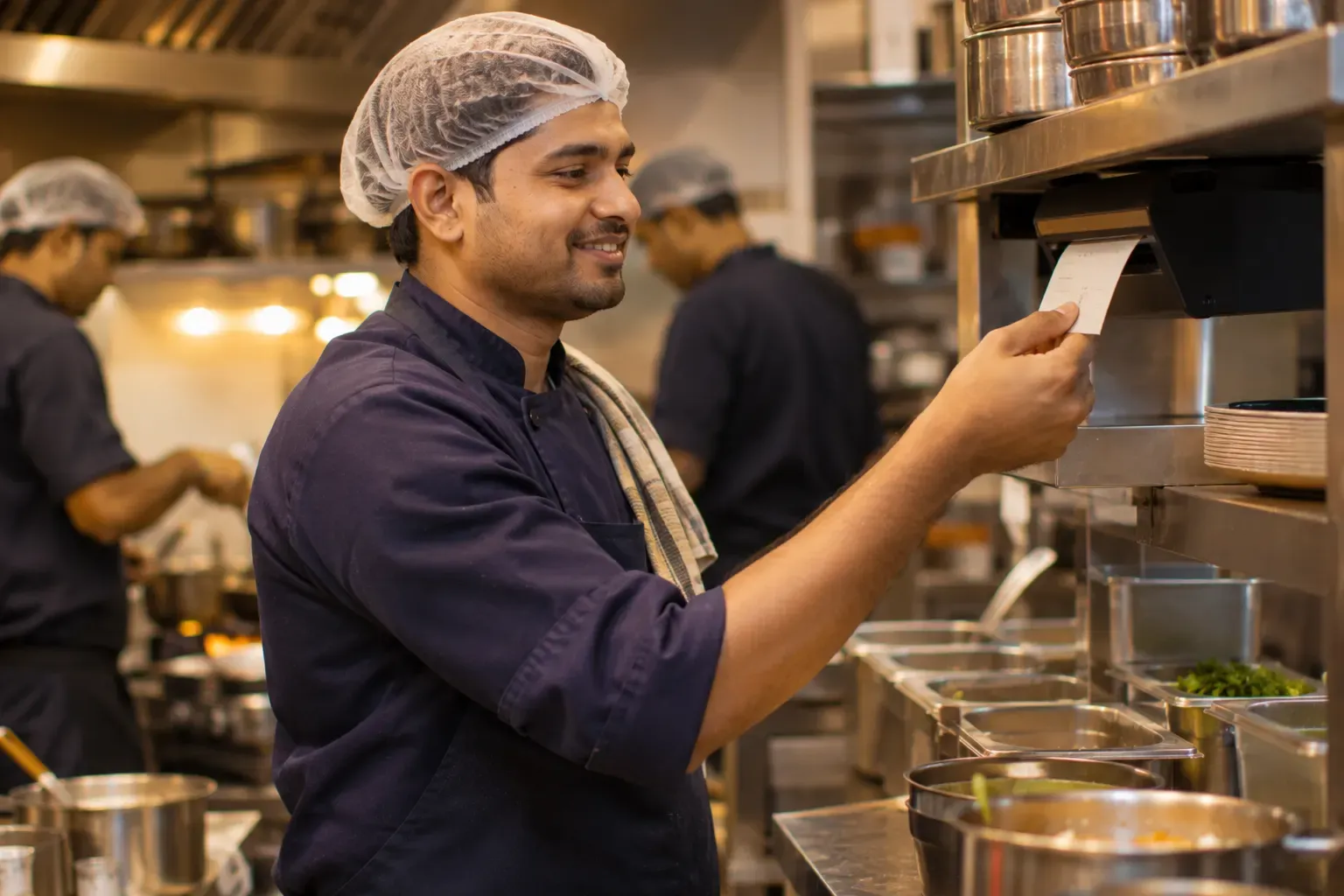
- The kitchen runs on shouted orders and paper slips, so nobody can say afterwards how long a dish took or which station was the bottleneck.
- Stock is counted in a notebook, if it is counted at all, and the gap between what should have been used and what was actually used is never measured.
- Purchasing happens over phone calls when someone notices an empty shelf, which usually means it happens a day too late.
- The menu lives in several places at once — the printed card, the billing machine, a laminated sheet in the kitchen — and the copies drift apart.
- Reports mean the owner sitting with a stack of printouts and a calculator, reconstructing the month from fragments.
None of this is a criticism of billing software. It does its job. The problem is the job description: it records a transaction and stops. The other ninety percent of the operation is left to run itself.
What a restaurant operating platform actually is
A restaurant operating platform is a single system. The menu, the kitchen, inventory, purchasing, staff and reports are connected in it. One event updates everything downstream, and nobody enters it twice.
Take the most common event there is: a sale. On a true operating platform, the moment a dish is billed, several things happen on their own. The order appears in the kitchen, routed to the right station, with no paper slip walking across the floor. The dish's recipe deducts its ingredients from stock in the quantities the recipe defines. If an ingredient falls below its reorder level, a draft purchase order is prepared for someone to review. The sale settles into the day's reports at the same moment, on a correctly numbered GST invoice.
One event, one entry, many consequences — all handled by the system. That is the defining test of the category. It is not a longer feature list; it is connectedness. A platform where the inventory module does not know what the billing module just sold is simply two products sharing a login page.
The alternative: a POS plus spreadsheets
Most restaurants that outgrow plain billing do not buy a platform. They accumulate a stack. The billing machine stays at the counter, a spreadsheet tracks stock, another tracks purchases, a diary holds reservations, and a register records attendance. Each piece is cheap or free, which makes the stack feel sensible.
But the stack carries a hidden cost: reconciliation. Because nothing is connected, a person has to carry the data between systems. They type the day's sales into the stock sheet. They match purchase entries against supplier bills. They check the diary against the floor. Every hand-off is a chance for an error, and every error surfaces weeks later as a number that does not tally.
| Task | POS plus spreadsheets | Operating platform |
|---|---|---|
| Kitchen order | Paper slip walked to the kitchen | Appears on a kitchen display, routed by station |
| Stock after a sale | Someone updates a sheet later, or never | Deducted automatically from the dish's recipe |
| Reordering | Phone call when a shelf looks empty | Draft purchase order raised at the reorder level |
| Month-end numbers | Days of matching sheets against printouts | Already consistent, because there is one record |
The reconciliation burden also grows faster than the business. One outlet with five sheets is manageable. Two outlets means ten sheets, plus a new set of questions the sheets cannot answer, such as which outlet's kitchen is slower and why.
What to actually look for
The phrase "operating platform" is easy to print on a brochure. Four tests separate the real thing from a rebadged billing product.
It works when the internet does not
Connectivity in Indian commercial buildings is unpredictable, and the failure always seems to arrive mid-service. A real platform keeps billing fully functional offline — including generating valid, correctly sequenced invoice numbers on the device itself — and syncs everything once the connection returns. Ask this question precisely, because a system that merely "caches" bills and numbers them later can leave you with invoice gaps to explain.
It automates routine work, not just records it
Many systems record stock; very few deduct it. Recording moves the notebook onto a screen — the typing still has to happen. Automation removes the task altogether: recipes deduct stock on each sale, reorder levels raise draft purchase orders, and reservations move through their lifecycle without someone shepherding each one. When a vendor demonstrates a feature, ask who performs the step in daily use. If the answer is "your manager enters it", it is a record, not an automation.
It has a real multi-outlet structure
If you run more than one outlet, or plan to, the structure matters more than any single feature. You should be able to define the menu once at the brand level and vary prices for each outlet. You should see reports both together and outlet by outlet. And you should limit each staff member's permissions to the outlets they actually work in. A separate login per outlet with a spreadsheet stitched on top is the old stack wearing a new name.
It gets GST exactly right
Tax is where software mistakes turn into real money. The platform should apply the correct rate per item category, keep invoice numbering clean and continuous even through offline periods, and produce invoices your accountant can rely on without rework. GST errors are rarely visible on the day they happen; they surface months later at the accountant's desk, when they are hardest to untangle.
Practical tip: before you evaluate any platform, write down the recipes for your ten best-selling dishes — ingredients and quantities. Recipe mapping is what makes automatic stock deduction possible. Arrive with your own recipes. Then you can test a vendor's inventory claims against your real menu, on your own data, instead of judging a demo built on their sample data.
Five questions to ask any vendor
You do not need a technical background to evaluate this category. These five questions will do most of the work.
- If the internet goes down on a Saturday night, can I still bill and print with valid invoice numbers, and what exactly happens when the connection comes back?
- When I sell a dish, does the system deduct its ingredients from stock by itself, or does someone have to enter consumption separately?
- What does the system do on its own when an ingredient reaches its reorder level?
- If I open a second outlet, how do the menu, prices, reports, and staff permissions work across both?
- Can I run my actual menu and recipes on it before I decide, and for how long?
A good vendor answers each of these in specifics, and is comfortable letting the product prove itself on your own menu. The bill was solved twenty years ago. The question worth asking now is who will run the other ninety percent of your restaurant — your notebook, or your system.
Where Zentaro Serve fits
Zentaro Serve was built as a restaurant operating platform from the start. It bills with tables and a floor plan. It has a kitchen display with routing for each station. Stock follows sales once a dish is linked to its recipe, and reorder drafts are made for you. It handles table booking and GST invoicing, staff roles, a guest list and reports with menu engineering. Billing works fully offline, and invoice numbers are made on the device. Put it through all five questions above on your own menu. Talk to us to see it.
Talk to us