
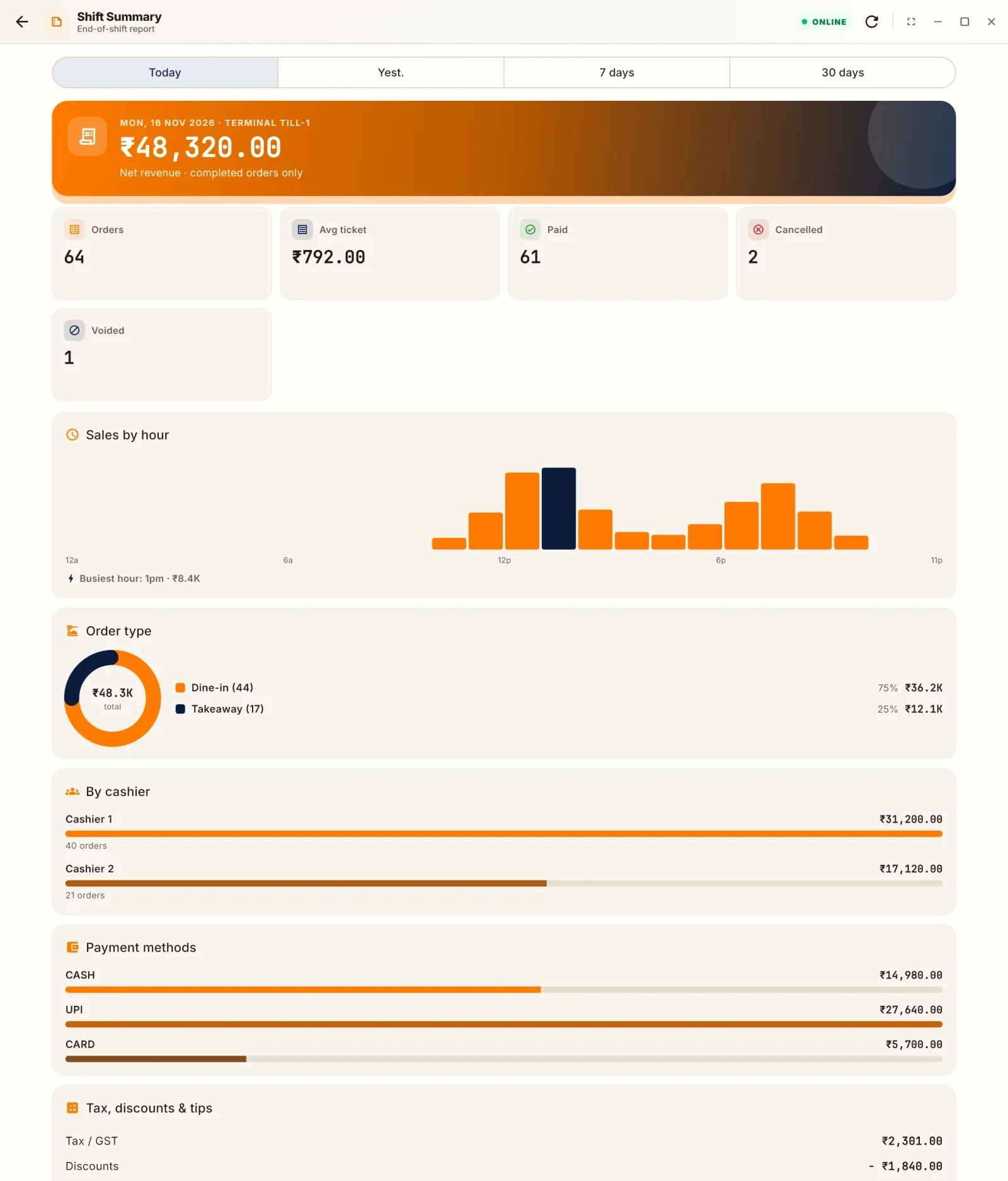
X and Z, in one line each
- An X report is a peek. It shows the totals so far and changes nothing. Print one mid-shift if you want.
- A Z report closes the day. It prints the final totals and starts a clean count for tomorrow. Print it once, at day close.
Read more about the full routine in the day-end ritual.
A sample report
This is an example, with made-up numbers. Read it from top to bottom.
| Line | Amount |
|---|---|
| Gross sales (all items sold) | 52,000 |
| Voids (items cancelled after the order) | 900 |
| Discounts | 1,500 |
| Net sales | 49,600 |
| Tax collected | 2,480 |
| Total billed | 52,080 |
| Sales by mode | Amount |
|---|---|
| Cash | 18,400 |
| UPI | 24,880 |
| Card | 8,800 |
| Total | 52,080 |
| Cash drawer | Amount |
|---|---|
| Opening float | 3,000 |
| Cash sales | 18,400 |
| Petty cash paid out | -600 |
| Expected cash | 20,800 |
| Counted cash | 20,740 |
| Short | 60 |
The read, step by step
Step 1: do the numbers hold together? Gross 52,000 minus voids 900 minus discounts 1,500 gives net sales of 49,600. Net plus tax 2,480 gives 52,080. The three modes add up to 52,080. If any of these fail, stop and find out why before you go home.
Step 2: look at the modes. Cash is 35 percent of the billed total here, UPI is about 48 percent and card about 17 percent. If your cash share has dropped suddenly, it can be a shift in guests. It can also be a sign that cash is being taken before it is rung. Compare with last week.
Step 3: the cash count. Expected cash is the float plus cash sales minus payouts: 3,000 + 18,400 - 600 = 20,800. The drawer holds 20,740. It is short by 60. A small gap is common. Check the days over a month. See why the till does not match.
Step 4: voids and discounts. Voids were 900 and discounts 1,500. Together that is 2,400, or about 4.6 percent of gross sales. Is that normal for you? If a day jumps, look at who did them. See void and cancel control.
Step 5: sales by hour or by item, if the report has them. Check for a sudden gap in a busy hour, or an item that sold far more or far less than usual.
What to do with the result
- If everything adds up and the cash gap is small, file the report.
- If a gap is large, write down the cause or the open question before you leave.
- Check that no table is still open. An open order is not in the totals.
- Keep every Z report in order, so you can look back.
When the report looks wrong
- Sales by mode do not add up to total billed. A payment may be unrecorded or split wrongly. Check split bills.
- Cash is short every day by a similar amount. Look at change-giving habits.
- Voids are high on one shift. Compare with the other shifts.
- The report was printed before the last bill. Reprint after closing everything.
Make it a habit
Read the report the same way every day, in the same order. After two weeks you will see at a glance when something is off.
Common questions
What should I look at first in the day-end report?
Net sales, sales by payment mode and the cash count against expected cash. Then voids and discounts.
What is the difference between a Z report and an X report?
A Z report closes the day and resets the totals. An X report shows the totals during the day without closing.
What is expected cash?
Opening float plus cash sales minus cash paid out, such as petty cash.
How often should I print a Z report?
Once a day, at day close. Print an X report if you want to look at the totals earlier.
What if the modes do not add up to the total?
A payment may be unrecorded or split wrongly. Check split bills before you close.