
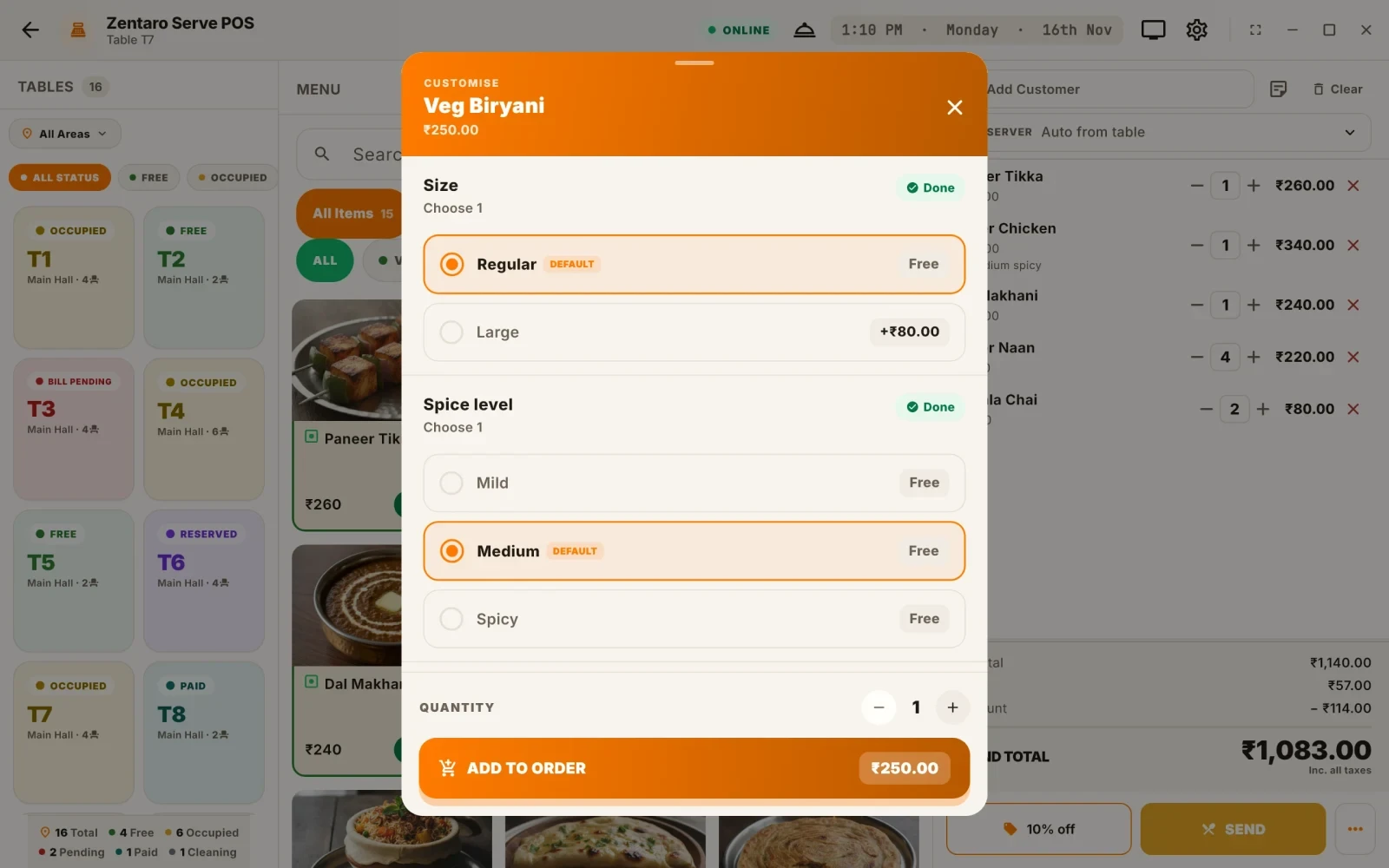
Three kinds of change
Guests change dishes all the time. It helps to sort the changes into three kinds.
| Kind | What it does | Example | Price |
|---|---|---|---|
| Add-on or extra | Adds something | Extra cheese, extra shot of coffee | Has a price |
| Removal | Takes something out | No onion, no ice | Usually free |
| Preference | Sets how it is made | Less spicy, well done | Usually free |
The words are used loosely. In this guide, a modifier is any change to a dish. An add-on is a modifier that adds something and carries a price.
Why not just type a note
An item note is a free-text line, like "extra cheese". It reaches the cook, but it has problems.
- It has no price. The extra cheese is cooked but never billed.
- The spelling varies. Reports cannot count it.
- Stock cannot be linked to it.
An add-on picked from a list fixes all three. The price is set, the name is the same every time, and you can count how many were sold.
Keep free-text notes for the odd request that has no button.
What goes on the bill
The bill should show the dish and each priced add-on on its own line.
- Free changes, such as "no onion", do not need a price line.
- A priced add-on shows its name and amount.
- The guest can see what they paid for.
What goes on the kitchen ticket
The cook needs every change, priced or not. A KOT note is a line on the kitchen ticket under the dish. See our guide to what a KOT is.
A good KOT note is short and clear:
- Use "+" for adds and "-" for removals if you like, for example "+ extra cheese" and "- onion".
- Place it under the dish, in the same group.
- Make sure it prints. A change that stays on the screen of the till is lost.
Example: a pizza with two extras and one removal
This is an example, with made-up prices. A guest orders a margherita pizza. They want extra cheese, olives and no onion.
| Line | Bill | KOT |
|---|---|---|
| Margherita pizza | 250 | 1 x Margherita pizza |
| Extra cheese | 40 | + extra cheese |
| Olives | 30 | + olives |
| No onion | 0 | - onion |
| Total | 320 |
The bill shows three priced lines and a total of 320. The kitchen ticket shows the pizza and the three changes. The cook sees "no onion" even though it carries no price. The guest is billed for the cheese and olives, and nothing is missed.
Set the price of add-ons
- Price add-ons from their cost, as you would a dish. See how to price a dish.
- Keep the list short. Ten add-ons are easier to use than fifty.
- Use the same add-on across dishes where you can. "Extra cheese" should cost the same on a pizza and a sandwich, unless the quantity differs.
- Review prices when your costs change.
Add-ons and stock
If your system links add-ons to stock, extra cheese reduces cheese stock. This keeps your stock count right. If not, extras make your stock variance larger, because the cheese leaves but no sale records it.
Groups and rules
A larger menu can use groups of options.
- A coffee has a size group: small, medium, large. The guest must pick one.
- A burger has an extras group: cheese, egg, bacon. The guest may pick any.
- A dish may allow up to two sauces.
Rules like "pick one" and "pick up to two" stop wrong orders at the till.
Common mistakes
- Extras typed as notes. They cook but never bill.
- Free notes for priced items. Lost revenue.
- Changes that do not print. The cook never sees them.
- Too many add-ons. Staff slow down.
- Different prices for the same add-on. Guests notice.
A short checklist
- Are priced extras set up as add-ons with a price?
- Do free changes show on the KOT?
- Is the add-on list short and clear?
- Are add-ons linked to stock where possible?
- Do you review add-on prices when costs change?
Common questions
What is the difference between a modifier and an add-on?
A modifier is any change to a dish. An add-on is a modifier that adds something and has a price, such as extra cheese.
Should I bill "no onion"?
No. A removal is usually free. It must still print on the kitchen ticket.
Why not use a free-text note for extra cheese?
A note has no price, so the extra is cooked but not billed. A priced add-on bills it and can be counted.
How do extras reach the kitchen?
As a note under the dish on the KOT. Make sure every change prints.
Can add-ons affect stock?
Yes, if your system links them to stock. Otherwise extras make your stock variance larger.